

Airports are navigationally complex. Gates shift, terminals expand, security queues stretch unpredictably, and passengers who flew in two years ago are navigating a facility they no longer recognize.
For Digital and IT Directors at airports, the consequences of that friction are measurable: missed flights, staff support overhead, reduced non-aeronautical revenue, and passengers who choose a competitor next time.
According to IATA's 2025 Global Passenger Survey:
The right airport navigation app addresses all of this. And not just by putting a map on a screen, but by embedding turn-by-turn guidance into the passenger journey before, during, and after their visit.
This blog covers what separates a great airport navigation platform from a mediocre one, and gives a fair comparison of the top airport navigation apps to consider.
Ready to modernize your airport's passenger experience? Book a demo with Mappedin →
What to look for in an airport navigation app
Passenger navigation is a technically demanding environment
A solution that works for a shopping mall or hospital will often fail in the airport context, where the stakes are higher, the floor plans change more frequently, and the passenger population is more linguistically diverse and time-pressured. These are the four capabilities that matter most.
Real-time indoor positioning without beacon infrastructure
Most indoor navigation solutions rely on Bluetooth beacons installed throughout the terminal to provide blue dot positioning. In airports, that means coordinating a hardware deployment across security-sensitive zones, managing battery replacements in sterile areas, and absorbing ongoing maintenance costs.
The best airport navigation apps use beacon-free positioning so the airport can offer live navigation without the infrastructure burden or security headaches.
Integration into the existing passenger digital ecosystem
Airports don't want a standalone app that passengers have to download separately. They want map and navigation capabilities embedded into the airport's own app, website, and kiosk network — seamlessly branded, consistently updated, and connected to live flight data, gate changes, and retail directories.
A platform that requires passengers to use a third-party app introduces friction and splits the experience. The best solutions are API-first and SDK-enabled, so the airport controls the end-to-end experience.
Accessibility compliance and multilingual support
An airport serves everyone from elderly passengers with mobility challenges and travelers using screen readers to non-English speakers navigating in a second or third language.
Accessibility—and inclusivity—is no longer optional; it is increasingly mandated by regulation and expected by enterprise procurement teams. Step-free routing, screen reader compatibility, and broad language support should be standard, not add-ons.
Dual-purpose utility: passenger experience and operations
The most sophisticated airport IT teams are no longer evaluating navigation as a passenger-facing amenity alone. They want the same map data to power operational workflows:
- Asset tracking
- Staff routing
- Emergency response
- Maintenance management
Solutions that serve only one side of this equation require airports to maintain two separate data sources, two CMS platforms, and two vendor relationships. The right platform eliminates that redundancy.
The best airport navigation apps in 2026
Mappedin
Mappedin is the platform-first airport navigation solution built for enterprise venues that need indoor mapping to work across every touchpoint — passenger-facing, operations, and commercial.
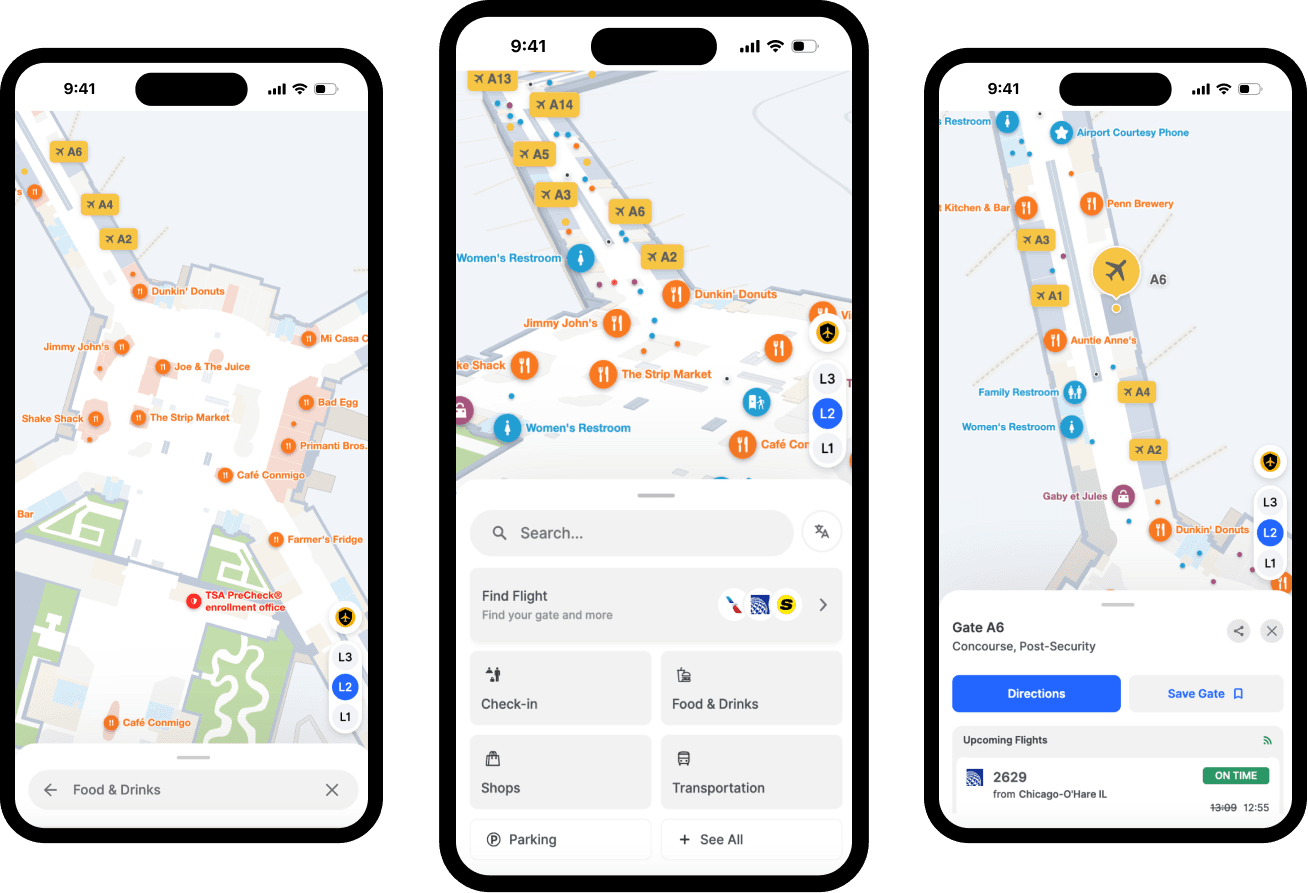
Mobile-friendly navigation designed for busy passengers
Mappedin's mobile interface is engineered specifically for travelers carrying luggage, using one hand, and navigating under time pressure. The layout minimizes the need for grip adjustments and screen stretching, keeping the map usable while on the move.
A Path Overview Slider tracks route completion by actual distance traveled, giving passengers a clear sense of progress rather than a static line on a map. Maximized screen real estate provides a clear contextual route overview that handles multi-floor, multi-building, and multi-stop journeys without cluttering the display.
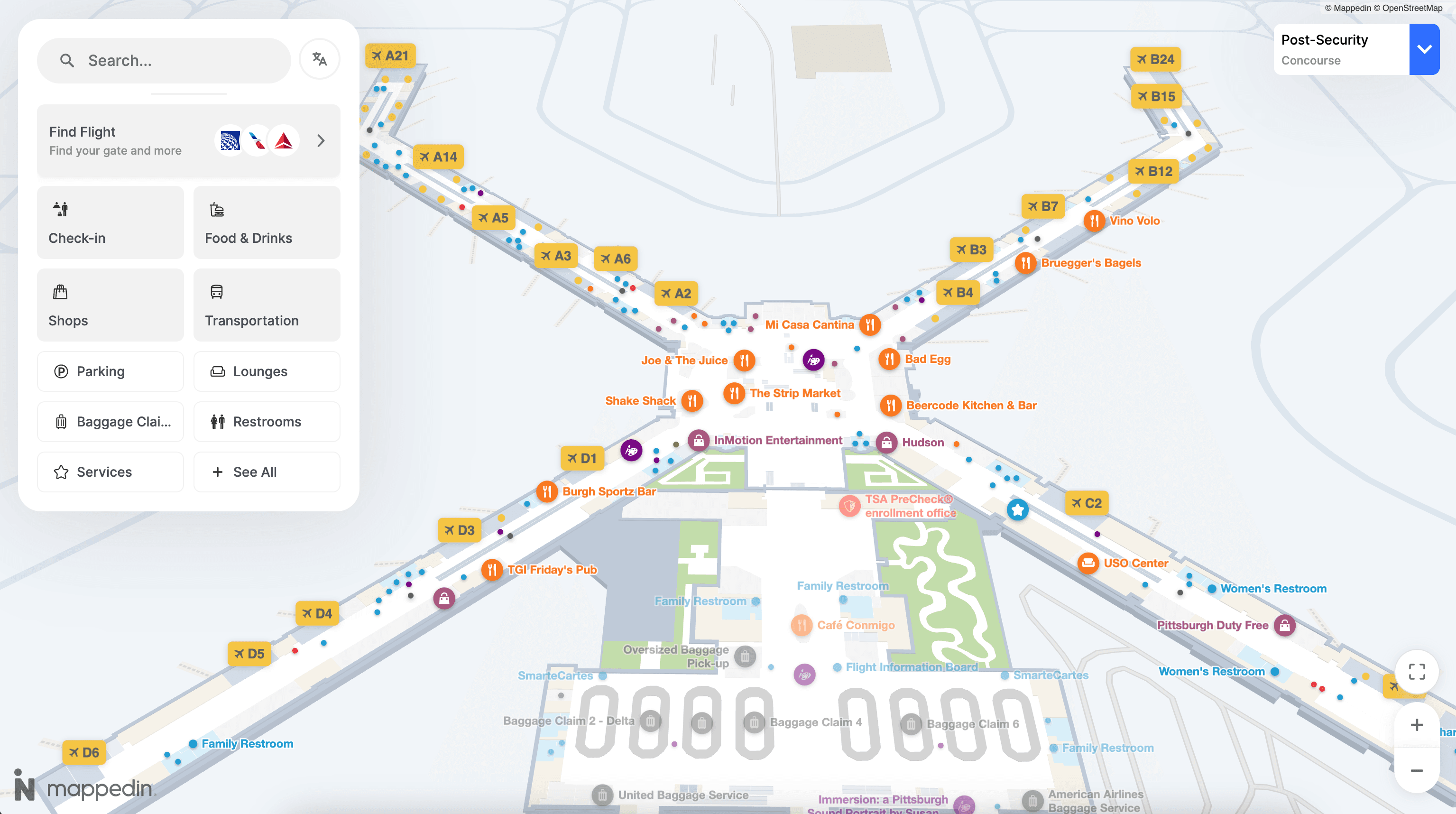
The homepage puts the most relevant content (flight search, check-in, food and drink, shopping, transportation) front and center, so passengers land on what they need without digging.
— Bart Smith, General Manager, Corporate Services and IT Business Partner, Calgary Airport Authority
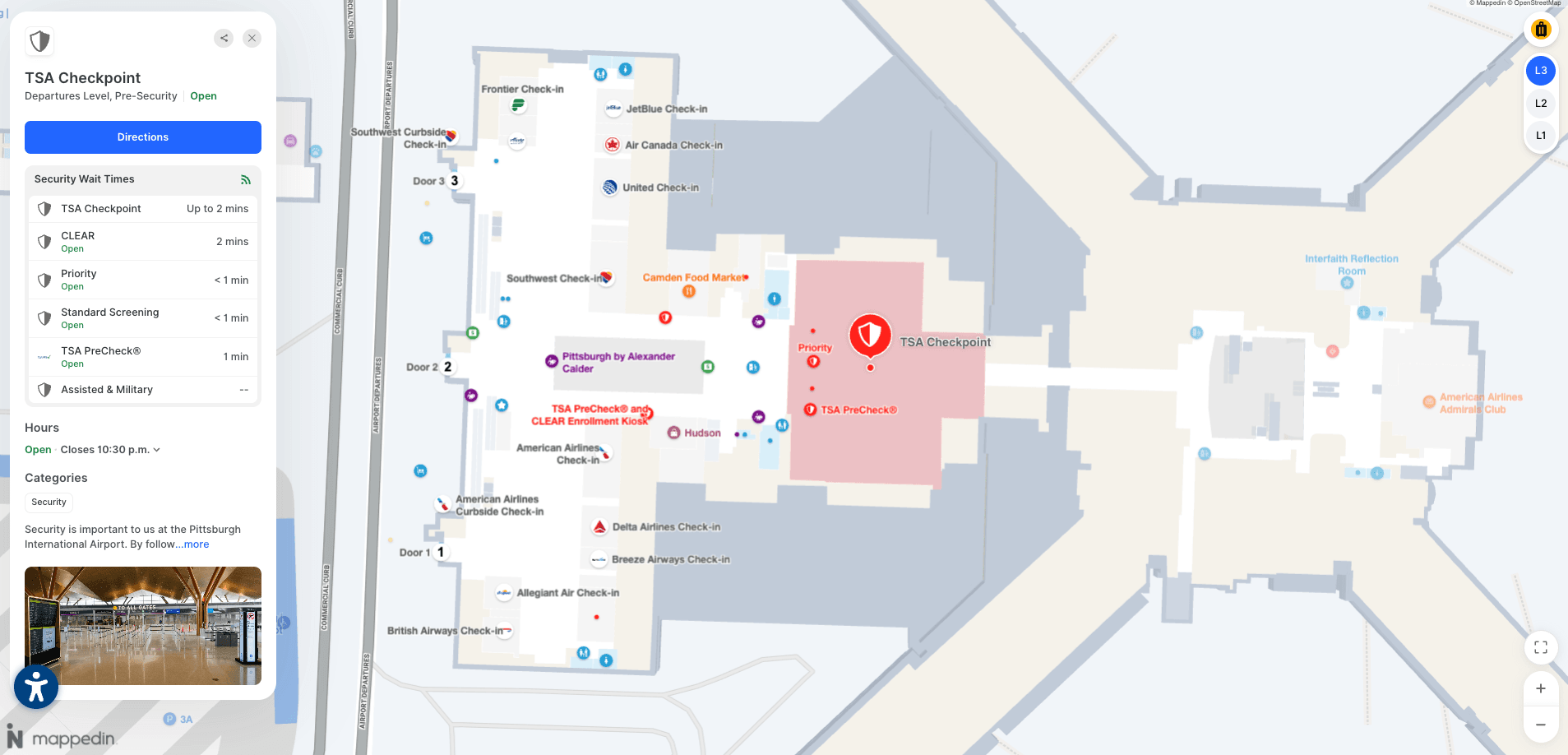
Multi-path routing with real-time context
Mappedin's multi-path routing gives travelers multiple route options in a single view, surfacing real-time context like security lane wait times so passengers can choose the path that works for them.
A traveler routed to a TSA Pre lane versus a general security lane sees the actual wait time for each option before committing—a meaningful difference when a 10-minute gap exists between them.
For Passenger Experience and IT Directors, this is an operational game-changer.
By distributing passenger flow across available routes rather than funneling everyone onto one path, airports gain better control over terminal efficiency and crowding during peak periods. A future-state extension of this capability will integrate shuttles, public transit, and ground transportation into a single door-to-gate journey.
Map design built for complex airport layouts
Airport terminals are among the most spatially complex buildings in the world:
- Multiple concourses
- Stacked floors
- Inter-terminal connections
- A mix of pre- and post-security zones
Mappedin renders complete journey paths across multiple buildings and floors simultaneously, so passengers see their entire route in one view rather than piecing it together floor by floor.
A compact level selector keeps floor navigation clear and intuitive without consuming screen space, and customizable label control lets airport teams prioritize which destinations appear at each zoom level, surfacing gates, restrooms, and key amenities at the right moment in the passenger's journey rather than overwhelming them with everything at once.
Retail and concession showcase that drives non-aeronautical revenue
Mappedin's retail showcase layer promotes events, deals, and high-value destinations directly within the navigation experience. Rich header images give each location a distinct visual identity—helping passengers quickly recognize and be drawn to restaurants, shops, and lounges they might otherwise pass by.
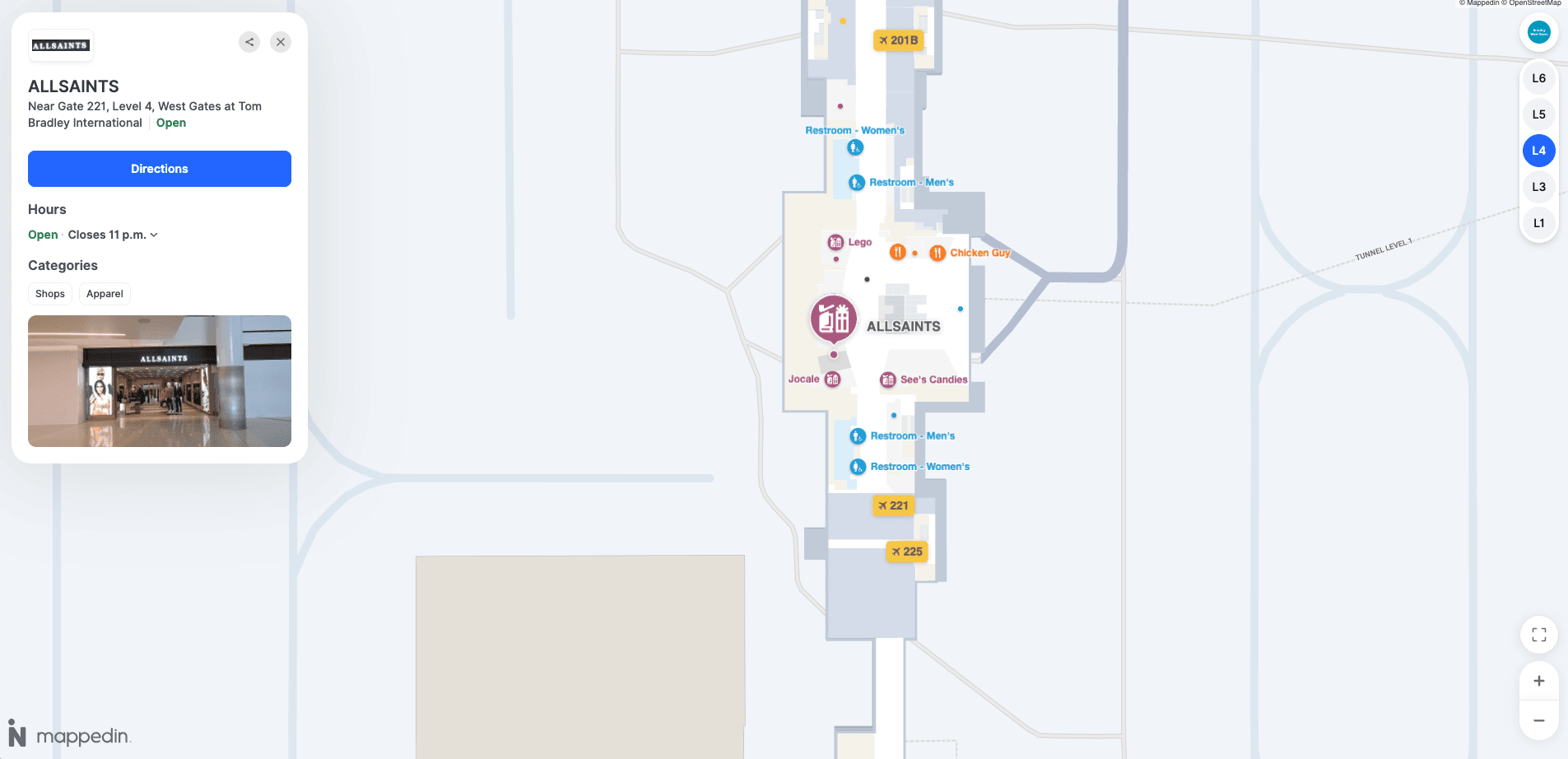
This matters because discovery drives spending. According to Mappedin's State of Venue Experience report, visitors who use indoor maps discover new places 62% more easily. At MBJ Airports (Sangster International), the impact was immediate:
— Sharon Hislop-Holt, Manager, Commercial Business Development & Marketing, MBJ Airports Limited / Sangster International Airport
Precise positioning with "Start from Here"
GPS fails inside terminals. Mappedin's "Start from Here" system solves this with QR codes placed strategically throughout the airport. Passengers scan any code to instantly pinpoint their exact location on the map, even in areas where satellite signals cannot penetrate.
From that anchor point, they receive step-by-step directions to any destination and can see nearby stores, services, and amenities relevant to their current position. Their last scan is saved for quick reference, so if a passenger needs to recheck their location mid-journey, it's available without re-scanning.
For airports, this is a zero-infrastructure positioning solution that eliminates the cost and security friction of a beacon deployment while delivering accurate location anchoring at every QR placement point.
Detailed passenger engagement analytics
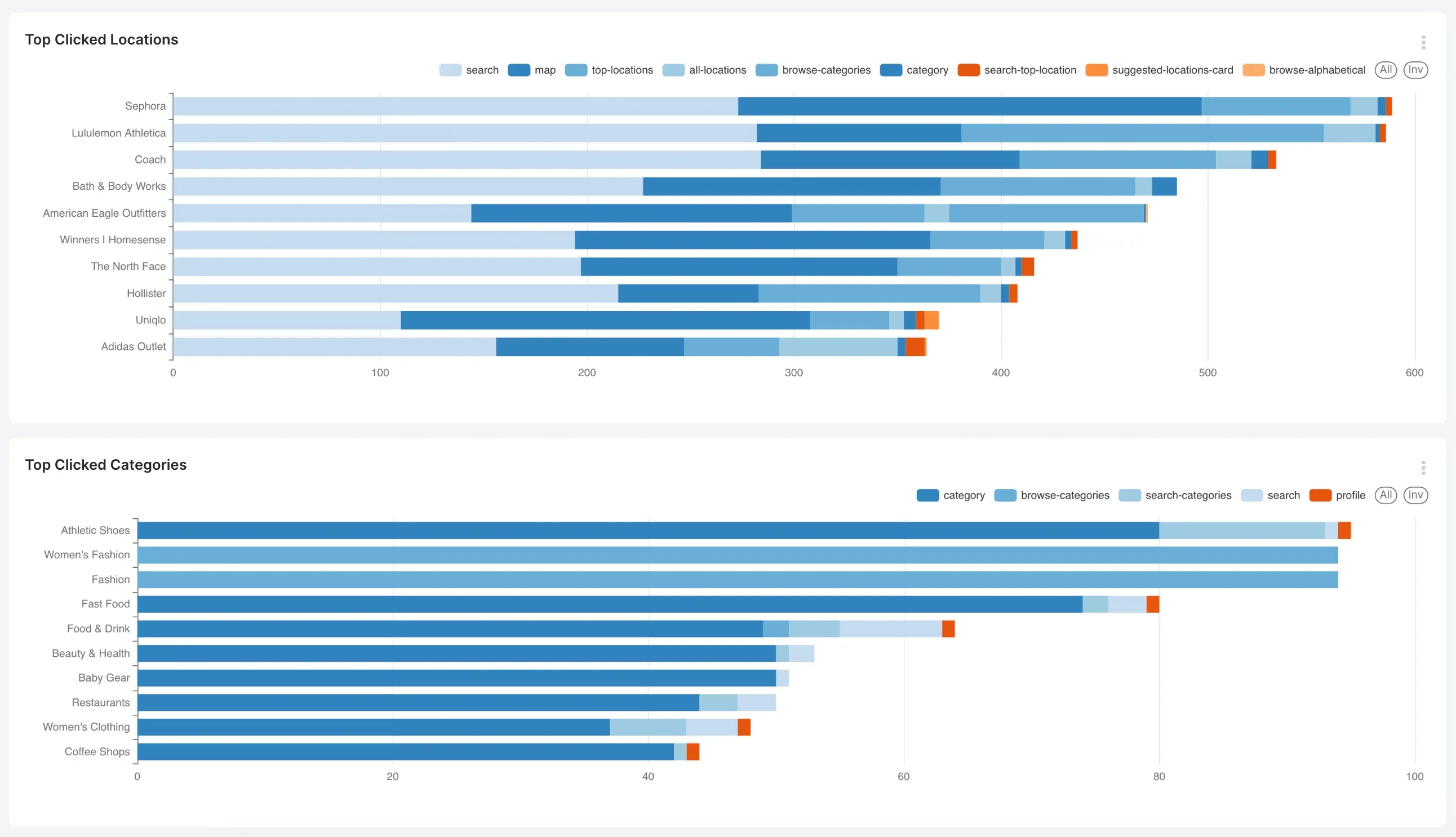
Mappedin's pre-configured analytics dashboards translate passenger behavior into business intelligence. Passenger Experience and Digital teams can use these metrics to measure campaign effectiveness, justify retail placements, and optimize promotional timing around peak traffic periods.
Beyond commercial metrics, the dashboards surface operational insight:
- Top searched destinations reveal where passengers get confused
- Peak usage times inform staffing decisions
- Navigation pattern data helps identify friction points
Wayfinding data can be connected to satisfaction scores, closing the loop between the passenger experience on the map and overall NPS outcomes.


Pointr
Pointr is an indoor intelligence platform with strong positioning technology and enterprise airport deployments including Heathrow. Their deep location technology includes hybrid positioning (Wi-Fi, geomagnetic, BLE fusion) and a solid SDK for app integration.
Pointr's analytics capabilities give airport operators data on passenger movement patterns, dwell zones, and navigation behavior. Their platform is well-suited for airports with the technical resources to drive a deeper integration and for use cases that extend into operations analytics.
Key features
- Precise indoor positioning intelligence via beacons
- Mobile SDK for iOS and Android
- Passenger flow analytics dashboard
- Deep link routing for connecting flight status to navigation prompts
Atrius
Atrius has historically been the entrenched wayfinding vendor at major North American airports, with integrations into building management systems and lighting infrastructure. Their platform leverages existing LED lighting infrastructure for positioning, which reduces the need for separate beacon hardware in venues that already use Acuity lighting.
Atrius is a strong fit for airports with long-standing Acuity Brands relationships and where lighting-based positioning is already part of the infrastructure plan. For airports seeking more flexible, API-first integration or faster deployment, alternatives are worth evaluating.
Key features
- Lighting-based indoor positioning (Acuity infrastructure)
- Wayfinding integrated with building management
- Digital directory and kiosk support
- Solid fit where lighting-based positioning is part of infrastructure
MapsPeople (MapsIndoors)
MapsPeople offers the MapsIndoors platform, an indoor mapping solution with strong integrations into Google Maps and Microsoft Azure. Their approach layers indoor maps on top of existing Google Maps infrastructure, which gives passengers a familiar interface and simplifies integration for airports already using Google ecosystem tools.
MapsPeople has deployments at airports and transit hubs globally and provides a CMS for keeping floor plans updated.
Compare MapsPeople vs. Mappedin →
Key features
- Google Maps integration for familiar passenger UX
- Route optimization and turn-by-turn directions
- Web, iOS, and Android SDKs
- CMS for real-time map updates
Inpixon
Inpixon provides indoor intelligence solutions with a broad product portfolio spanning wayfinding, asset tracking, and security analytics.
Their airport-relevant capabilities include real-time location services (RTLS) for asset and personnel tracking, which makes them a fit for operations-heavy use cases where tracking baggage carts, ground equipment, or staff is the primary driver.
Inpixon's wayfinding layer can be presented alongside operational dashboards, making them a viable option for airports where the IT team is leading with an operations mandate first.
Compare Inpixon vs. Mappedin →
Key features
- RTLS for asset and personnel tracking
- Indoor positioning via BLE, UWB, and Wi-Fi
- Wayfinding and navigation for passengers and staff
- Integration with existing security and operations platforms


Frequently asked questions
What is the best airport navigation app for passengers?
The best airport navigation app depends on the airport's priorities. For airports seeking beacon-free positioning, accessibility compliance, and a dual-use platform that serves both passengers and operations teams, Mappedin is the leading choice. Pointr and MapsPeople are strong alternatives for airports prioritizing analytics or Google Maps integration, respectively.
Do airport navigation apps require special hardware to install?
Some airport navigation apps do, particularly solutions that rely on Bluetooth beacons or BLE tags for indoor positioning. Beacon-based systems require hardware installation throughout the terminal, coordination with security teams, and ongoing battery maintenance. Beacon-free solutions like Mappedin use sensor fusion and existing Wi-Fi infrastructure, eliminating the hardware requirement entirely.
How do airport navigation apps handle gate changes and real-time updates?
The best platforms connect to live airport data feeds—including FIDS (Flight Information Display Systems)—and propagate gate changes, closures, and alerts to the passenger-facing map automatically. Airports using Mappedin's CMS can push updates in real time, ensuring any change in the physical terminal is reflected immediately across web, mobile, and kiosk touchpoints.
What accessibility features should an airport navigation app include?
At minimum, airport navigation apps should offer WCAG 2.1 AA compliance, step-free routing (avoiding escalators and stairs for passengers with mobility needs), screen reader compatibility, and support for multiple languages. Mappedin meets all four standards natively and supports 40+ languages, which is important for major international airports serving linguistically diverse passenger populations.
How do airport navigation apps drive non-aeronautical revenue?
Navigation apps improve retail and F&B discovery by surfacing relevant stores and restaurants along a passenger's route. Mappedin's State of Venue Experience report found that visitors who use indoor maps discover new places 62% more easily, and when wayfinding removes friction, spending follows. AeroCloud/Censuswide research found 54% of passengers have no time to visit stores due to wait times; eliminating navigation friction helps recover that opportunity.
Can airport navigation apps integrate with an airport's existing mobile app?
Yes. The best solutions are SDK-first and can be embedded directly into an airport's existing iOS and Android app, as well as their website and kiosk systems. This is preferable to asking passengers to download a separate navigation app. Mappedin's Web and mobile SDKs are built for this integration pattern, allowing airports to deliver navigation as a native feature of their existing digital property.
Choosing the best airport navigation app
Airports that invest in effective passenger navigation software unlock lasting efficiencies for passenger experience and measurable commercial upside. Visitors who feel confident navigating a terminal spend more, dwell longer, and recommend the airport to others.
The best airport navigation apps combine real-time positioning, seamless integration into existing digital infrastructure, accessibility compliance, and the operational flexibility to serve both passengers and airport staff. Mappedin is the best solution for modern airports looking to build a scalable digital infrastructure across passenger experience and airport operations, trusted by major aviation hubs like YYC Calgary International, LAX, Schipol, Pittsburgh International Airport, and more.


Share