

Start Here
Unified Blue Dot: One positioning experience, everywhere
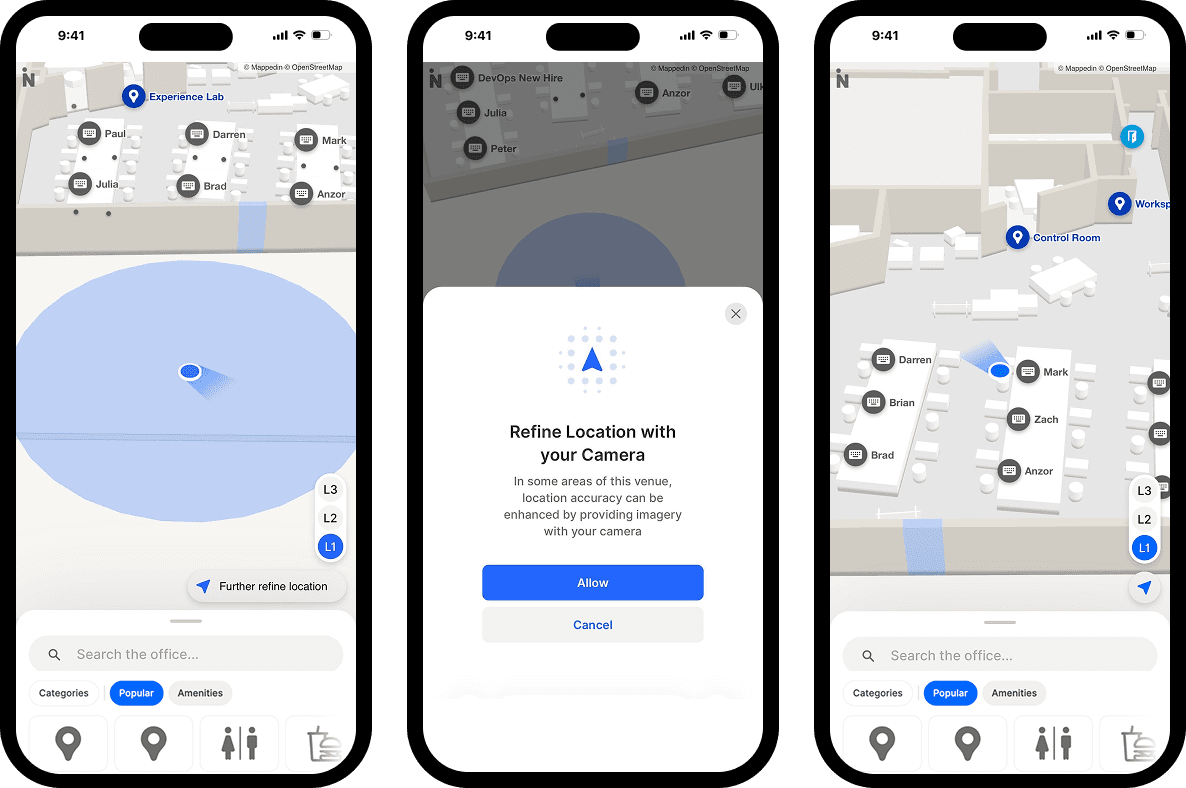
Indoor positioning has historically been fragmented—different technologies for different venues, inconsistent experiences across platforms.
Unified Blue Dot changes that.
By bringing GPS, Apple IPS, and VPS together under a single experience, visitors now see a consistent, reliable "you are here" marker no matter which venue they're in or which positioning technology is running underneath.
For operators, that means one integration to manage, one configuration to maintain, and confidence that every visitor gets the same quality of experience, whether they're navigating an airport terminal, a shopping mall, or a stadium concourse.
Smarter route options for visitor navigation
Wayfinding isn't one-size-fits-all. This quarter, we redesigned the routing experience so visitors can navigate in the way that actually works for them.
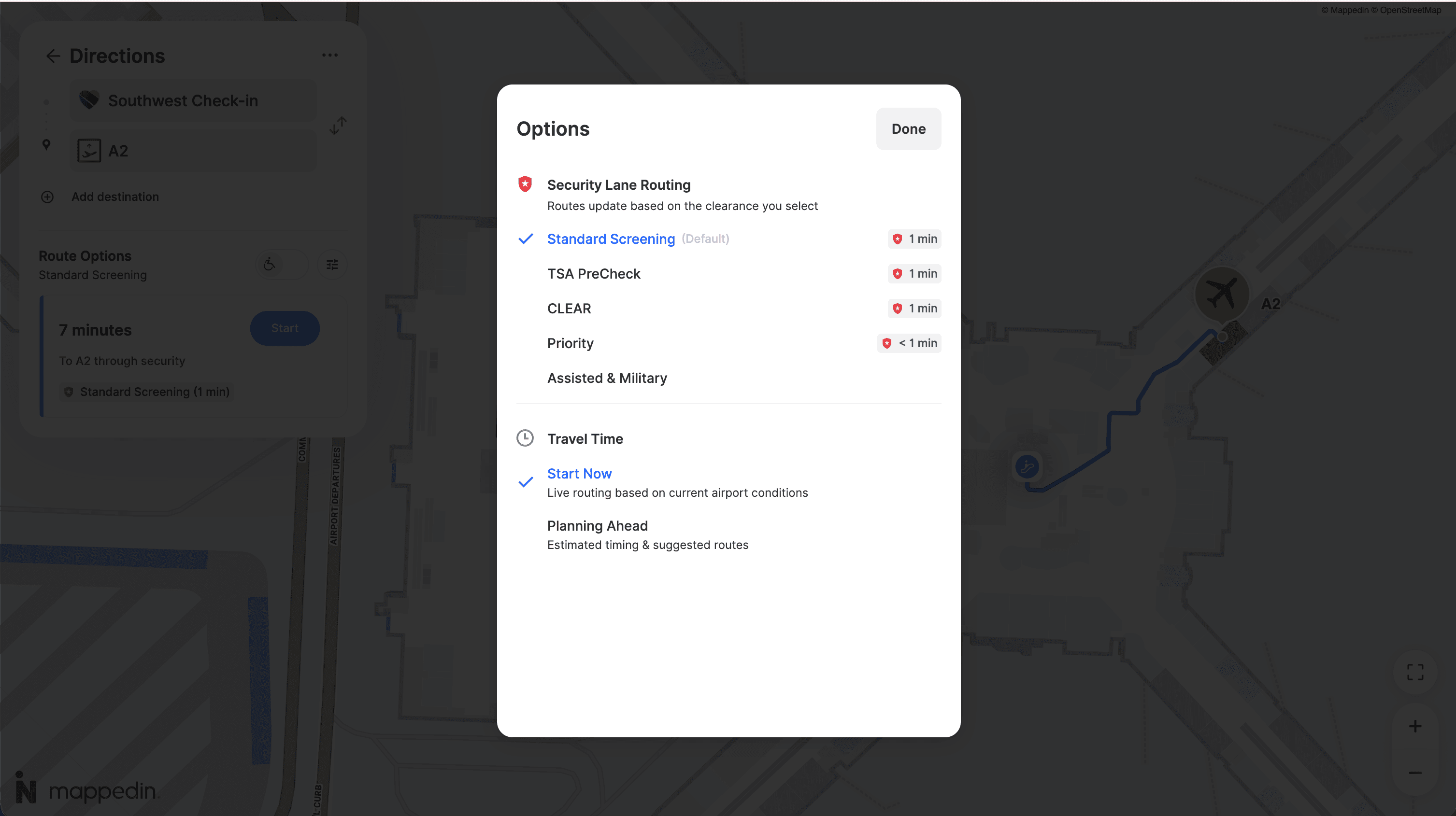
Customize your route from the new Route Options Panel
The new Route Options Panel puts travelers in control. Rather than navigating through menus or settings, users can now adjust their preferences directly from the route card—right where they need it, right when they need it.
For airports specifically, this unlocks the ability to choose preferred security lanes, set passport checkpoint preferences, and filter connections based on available travel time, especially useful for passengers managing tight itineraries.
Accessible routing, front and center
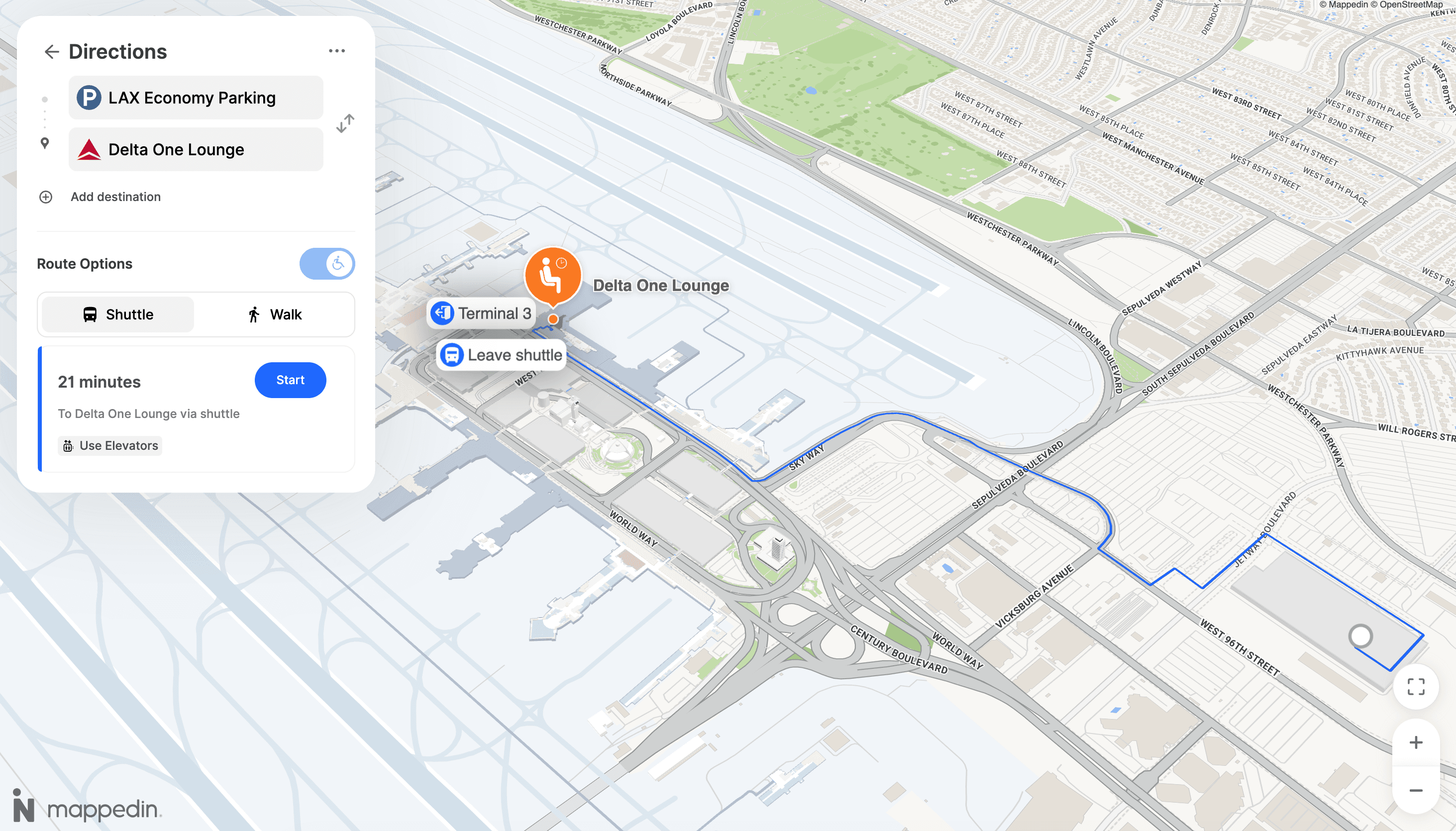
The Accessibility Toggle has been redesigned as a clear on/off switch in the route options header.
Accessible routing is now a first-class part of the navigation experience. It's easy to find, easy to activate, and no longer buried in a settings menu.
Switchable Walk and Shuttle modes
For venues with shuttle services, a new Shuttle/Walking Mode Toggle lets visitors switch between shuttle routes and walking routes in a single tap. Less time deciding how to get there, more time enjoying the venue.
Build native mobile experiences with iOS and Android SDK beta
Developers building native mobile apps can now access the Mappedin SDK for iOS and Android.
The beta release brings the full power of Mappedin's mapping platform—routing, Blue Dot, interactive map rendering, and more—into a native package built for performance on both platforms.
We're inviting customers and developers to start building with the latest version now. Whether you're embedding wayfinding into an existing app or building a venue experience from the ground up, the beta is your opportunity to get early access and help shape what ships.
Reach out to your Customer Success Manager to get started.
Access data-driven venue analytics with Mappedin Power BI plugin
The Mappedin Power BI Plugin has evolved from a static visualization tool into a fully data-driven analytics platform. Here's what's new in the latest release.
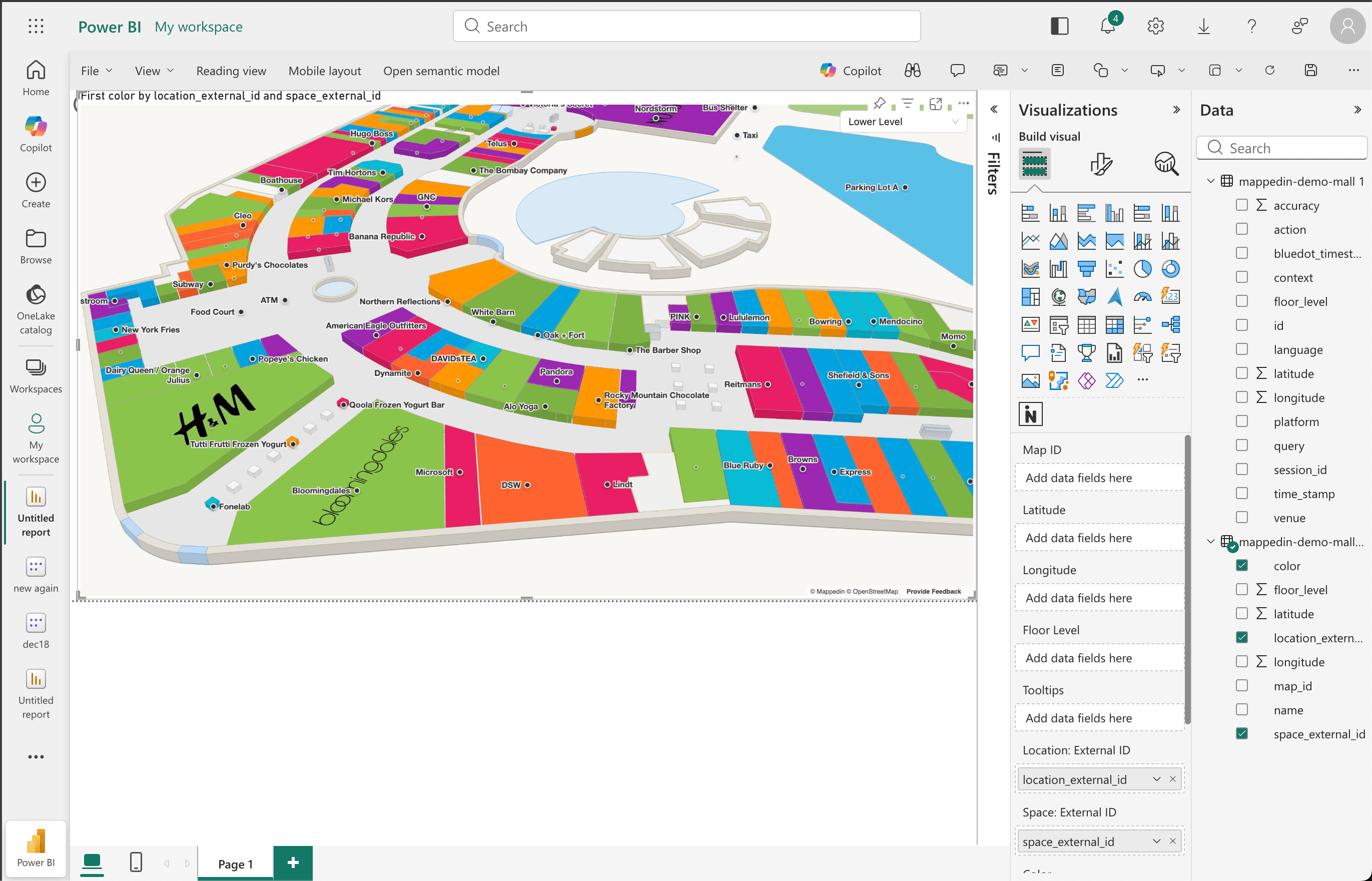
Color your map with real data
You can now bind a Color data field powered by DAX measures—which means map highlights can reflect live business data.
Color stores by sales performance, category type, occupancy status, or any KPI you can express in Power BI. If you pass in category text values (like "Retail," "Food," or "Entertainment"), the plugin automatically assigns distinct colors and generates a legend. No manual configuration required.
Switch between venues with a slicer
Map ID is no longer locked in settings. You can now bind a Map ID data column and use Power BI slicers to switch between venues dynamically—making multi-venue dashboards a reality for operators managing multiple properties.
Highlight spaces, not just locations
Previously, you could only highlight named locations like stores and restaurants by their External ID. Now you can also highlight Spaces—the physical geometry of rooms, zones, and areas—giving you more granular control over what gets visualized on the map.
Custom labels per data point
Labels can now be driven by your data. Bind a Label column to display custom text for each location or space, and choose how it renders: Location Name, External ID, Space External ID, or a fully custom value from your dataset. A Show Labels toggle lets you turn labels on or off as needed.
Smarter validation, fewer headaches
The plugin now surfaces clear, actionable error messages when something is misconfigured—from multiple Map IDs being selected to incompatible field combinations. You spend less time debugging and more time building.
Start from Here: Send visitors directly to the right place
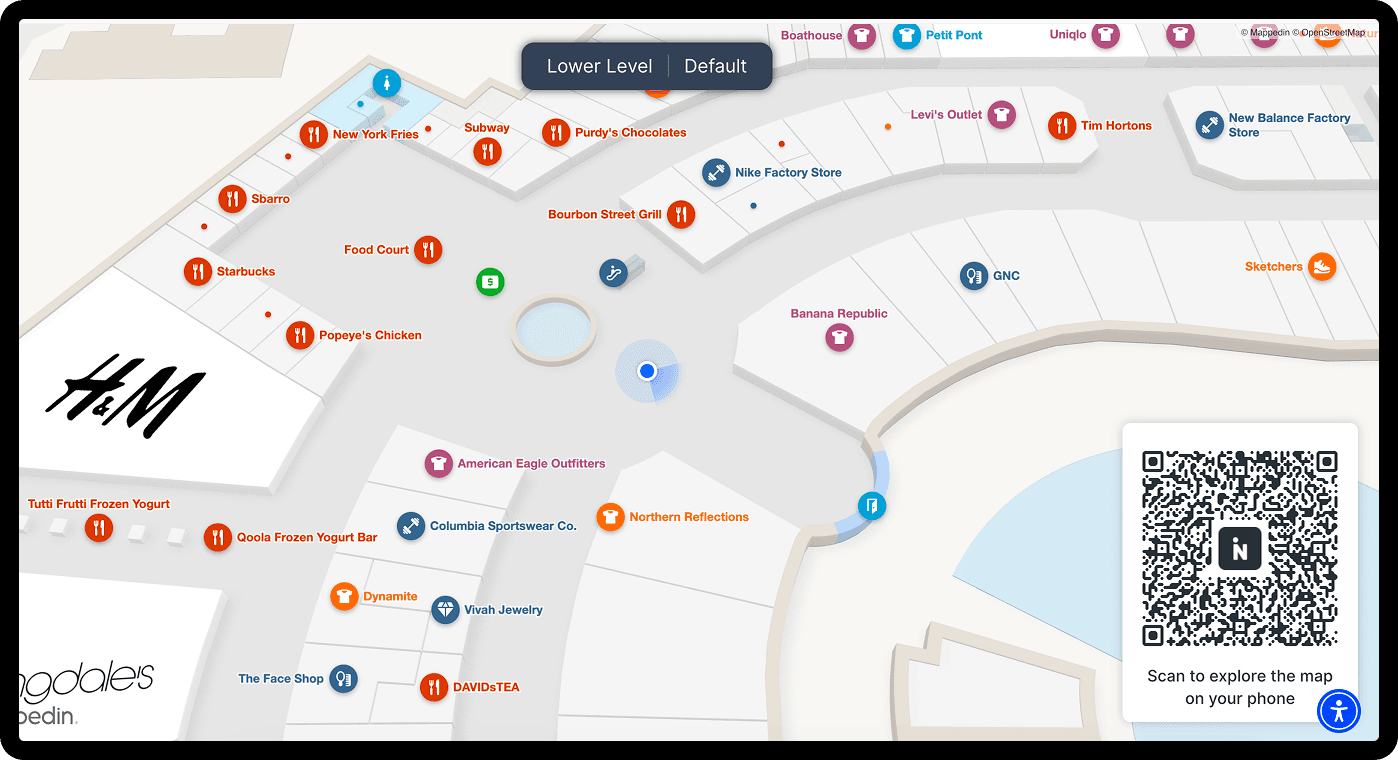
Start From Here lets you generate a shareable URL or QR code with a preset map state—including a specific starting location already set. When a visitor scans the code or opens the link, they're immediately oriented on the map, no searching required.
This feature is built for the real moments visitors need help: stepping off a flight and not knowing which direction to walk, pulling into a parking garage and wondering how to get to the entrance, scanning a sign in a large venue and needing immediate context. The map meets them exactly where they are.
There are three ways to deploy it:
- For digital displays and kiosks: Configure a fixed, non-interactive map view — complete with a "You Are Here" Blue Dot and an optional QR code overlay that visitors can scan to continue the experience on their phone. It's designed for lobby TVs, concourse signage, or any screen where the goal is passive orientation.
- For physical signage: Generate a print-ready QR code positioned at a specific location in your venue. A visitor scans it in a parking garage, at an entrance post, or on a wayfinding totem, and the map opens on their phone already anchored to where they're standing.
- For digital links and embeds: Use the Deep Link tool to create a URL that opens the map to a specific state — a location profile, a category page, preset directions, or the home screen — and drop it anywhere: emails, website embeds, kiosk buttons, or digital campaigns.
Every QR code and URL supports a Tracking ID, so you can see in analytics exactly which signs and links are driving the most engagement. And because this feature is built into Mappedin Web, there's nothing extra to configure and no additional cost.
Ready to build a smarter venue with Mappedin?
These are just the highlights. Every release is part of a longer story, building the infrastructure for smarter, more connected venues. If you want to see any of these features in action or talk through what they mean for your deployment, reach out to your Account Manager.
Share