

Most GPS navigation works seamlessly until the moment you step inside a building. Once you cross the threshold into a large airport, hospital, shopping mall, or corporate campus, the satellite signals that guided you to the front door lose precision, and you're left to find your way through a complex interior environment on your own.
This is the problem indoor navigation systems are built to solve.
For organizations managing large, complex facilities, that navigation failure isn't just a visitor inconvenience — it translates into staff time spent giving directions, missed appointments, lost sales, and damaged brand perception.
In this blog, we'll explain:
- What an indoor navigation system is
- How indoor navigation systems work
- What components it involves
- What operations and facilities leaders need to understand when evaluating their options
What is an indoor navigation system?
An indoor navigation system is the set of technologies and infrastructure that helps people find their way through the interior of a building or campus.
It encompasses everything from the digital maps displayed on kiosks and websites to the positioning technology that enables turn-by-turn navigation on a visitor's phone, and the content management infrastructure that keeps all of it accurate as the facility changes.
The term is sometimes used narrowly to describe a mobile app that shows a user's current location and provides directions through a building.
In practice, a fully deployed indoor navigation system is broader than that.
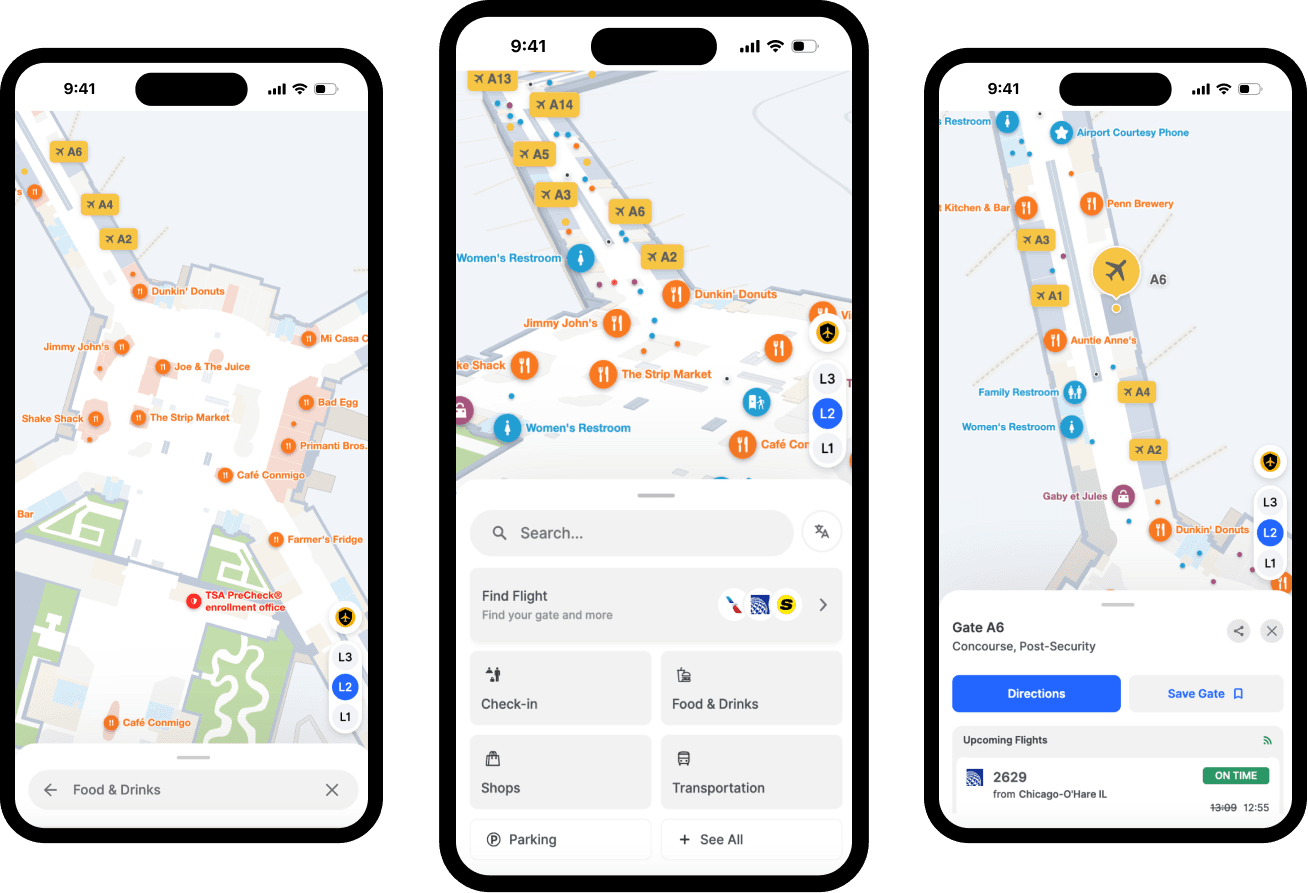
It includes the map data layer, the tools for managing and updating that data, the channels through which visitors access navigation (web, kiosk, mobile, digital signage), and the positioning technology that determines a user's location indoors.
Unlike outdoor GPS, which relies on satellite signals that walls and floors block, indoor navigation uses alternative positioning methods and works with detailed floor plan data covering rooms, corridors, and points of interest that change as organizations evolve.
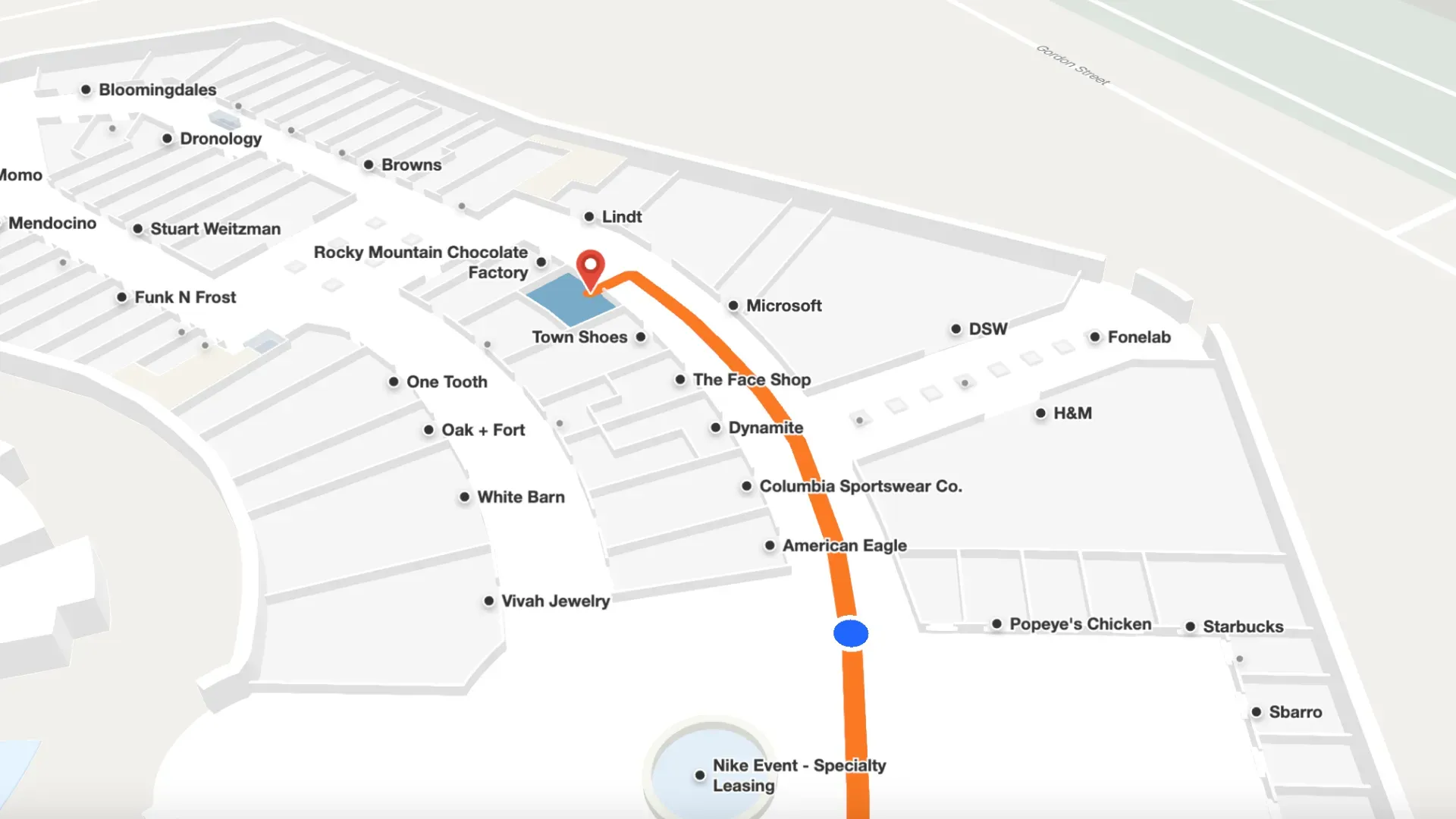
What are the core components of an indoor navigation system?
Map data and floor plans
The foundation of any indoor navigation system is accurate, detailed floor plan data. This typically includes the geometry of the space (walls, rooms, corridors), points of interest (departments, stores, amenities, exits), and the routing network that connects destinations including accessibility-specific paths such as elevator-only routes for visitors with mobility needs.
Digitizing floor plans—converting architectural drawings or physical plans into the data format an indoor navigation platform uses—is often the most time-intensive part of initial deployment. The quality and completeness of this underlying map data determines the quality of everything built on top of it.
The content management system (CMS)
The CMS is where map data is stored, maintained, and updated. For facilities managers, the critical question about any CMS is: who can make updates, and how fast? A CMS that requires a vendor to process every department move, route change, or new point of interest creates a bottleneck that guarantees the maps will fall out of date. A CMS that empowers facilities staff to make changes directly (i.e., updating a relocated department, closing a corridor for renovation, adding a new amenity) keeps navigation accurate as part of standard operations rather than as a periodic project.
Indoor positioning technology
Turn-by-turn indoor navigation requires a method for determining where the user is inside the facility. Several approaches exist:
Bluetooth Low Energy (BLE) beacons are small wireless transmitters installed throughout a facility. Beacon-based systems can deliver accurate positioning, but they require hardware procurement, physical installation, and ongoing maintenance across potentially hundreds of locations.
Beacon-free or sensor fusion approaches combine Wi-Fi, device accelerometers, gyroscopes, and barometric pressure sensors to estimate indoor location without dedicated hardware. These approaches have matured significantly and offer a practical alternative for organizations where the beacon overhead is prohibitive.
QR code handoff provides an alternative to live positioning for many use cases. A visitor scans a QR code at a kiosk, which sets their starting point and displays turn-by-turn directions from there. No hardware or infrastructure required.

Visitor-facing touchpoints
Digital kiosks are touchscreen directories installed at high-traffic decision points like:
- Entrances
- Elevator lobbies
- Major corridor intersections
- Food courts
A visitor can search for a destination, see the route on a floor plan, and receive a QR code to continue navigation on their phone.
Web and mobile navigation extends the experience before visitors arrive, allowing them to plan routes from home or enable turn-by-turn guidance during their visit.
Digital signage integration allows large-format displays to surface real-time directions, dynamic points of interest, or emergency routing information in high-traffic areas.
Why do organizations invest in indoor navigation systems?
Navigation failure has concrete operational costs. In healthcare, a patient who can't find their appointment location arrives late or misses it entirely. In a shopping mall, a visitor who can't find a retailer leaves without purchasing. In a corporate campus, staff spend time answering direction requests rather than the work they're hired to do.
Mappedin's State of Venue Experience research found that visitors who feel supported through accessible navigation are 28% more likely to recommend the venue.
Indoor navigation requirements also vary significantly across a facility's visitors:
- Visitors with mobility impairments need step-free routes.
- Visitors with visual disabilities may need screen-reader-compatible interfaces.
- Visitors who speak a primary language other than the facility's default need multilingual navigation.
In regulated environments like healthcare under ADA requirements, or public facilities subject to WCAG standards, accessibility coverage is a compliance obligation, not just a service quality consideration.
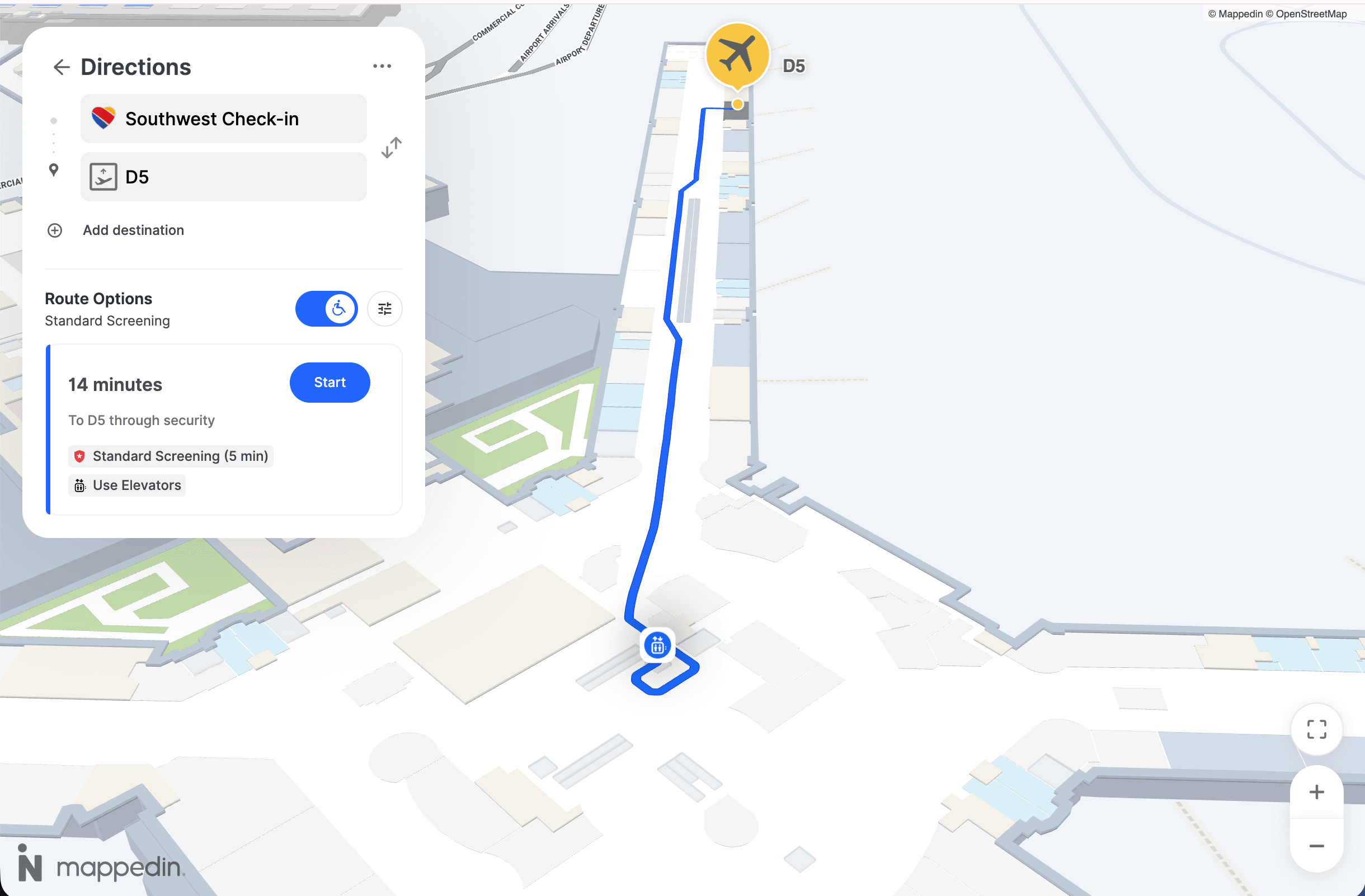
Beyond the visitor experience, accurate floor plan data supports emergency management, space utilization analysis, and asset tracking.
For facilities leaders making the case for investment, this operational dimension often elevates indoor navigation from a visitor experience improvement to a platform that pays for itself across multiple functions.
Finally, organizations that manage map data separately for kiosks, websites, and digital signage create coordination overhead that virtually guarantees inconsistency. A unified approach, one where all touchpoints draw from a single data source and any update propagates everywhere simultaneously, makes ongoing maintenance manageable.
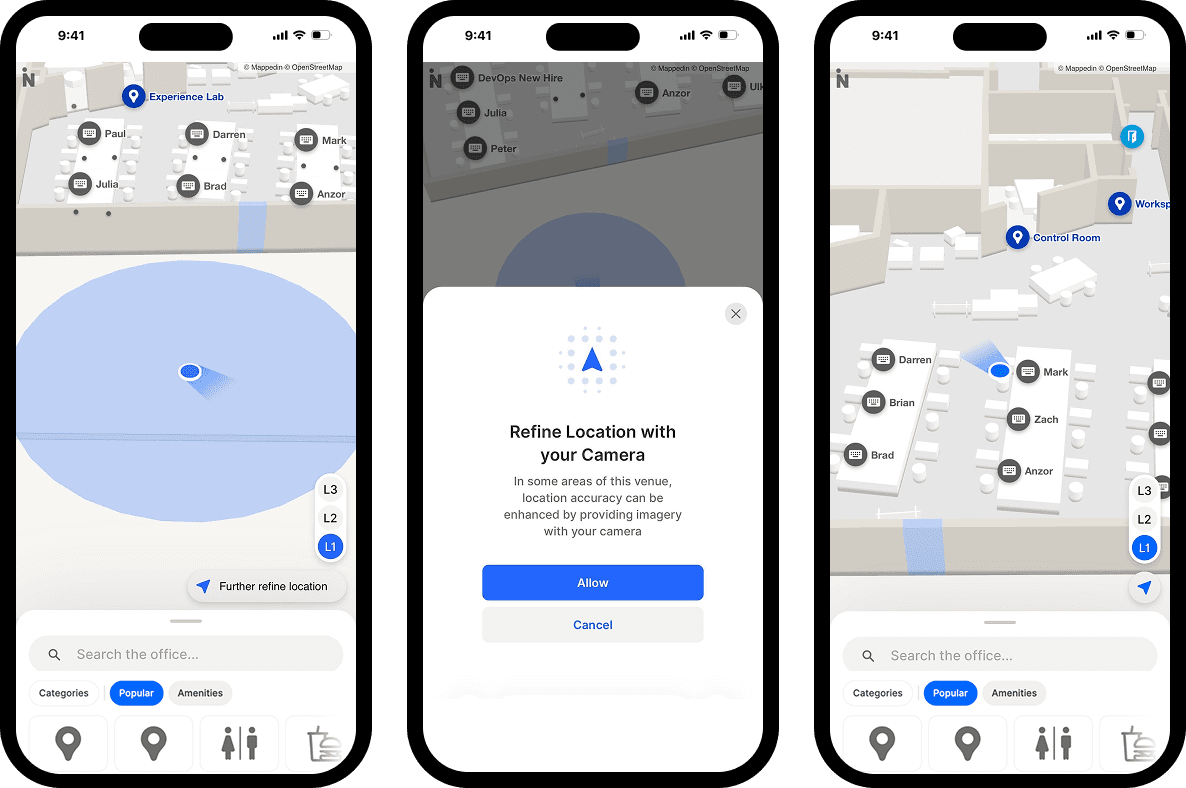
What types of venues use indoor navigation systems?
Indoor navigation systems are deployed wherever large numbers of people need to navigate complex interiors:
- Airports — Passengers manage tight connections and multilingual support is essential
- Hospitals and healthcare campuses — Navigation failure has direct patient experience and clinical efficiency consequences
- Shopping malls — Tenant discovery and directory accuracy affect revenue
- Corporate campuses — Employees and visitors need to find meeting rooms and services across expanding facilities
- Stadiums and arenas — Fast-moving crowds require accessible, real-time wayfinding
- University and college campuses — Frequent schedule and room assignment changes demand current, easy-to-update maps
— Hongwei Liu, Founder & CEO, Mappedin
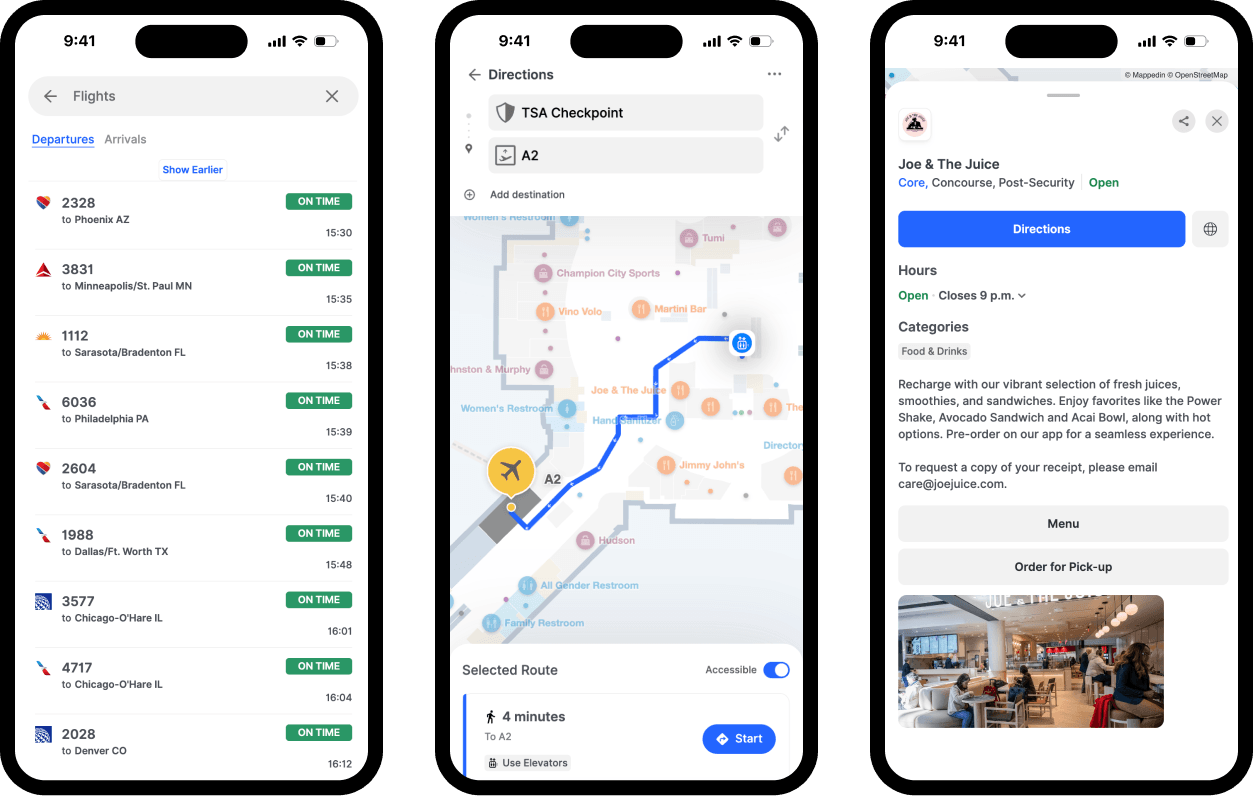
Curious to see how Mappedin works? Try it for yourself →
How to evaluate an indoor navigation system
When assessing indoor navigation platforms, operations and facilities leaders typically focus on five areas:
1. Map update process and CMS accessibility
The most common reason deployments degrade is maps falling out of date. Evaluate how updates are made, who can make them, and how quickly a change can be reflected across all touchpoints.
Systems requiring vendor-processed updates for routine changes are operationally unsuitable for environments with frequent layout changes.
2. Accessibility depth and compliance
Assess whether the system provides step-free routing automatically, supports screen readers, offers high-contrast display modes, and covers the facility's visitor languages. Request documentation of accessibility certification—self-declared compliance and independently audited compliance are meaningfully different.
3. Multi-touchpoint coverage from a single data source
Determine whether the platform publishes consistent navigation data to web, mobile, and kiosk from one shared data layer. Single-source architecture eliminates the inconsistency risk that comes with multi-system deployments.
4. Indoor positioning approach and hardware requirements
Clarify whether turn-by-turn navigation requires new hardware (beacons) or works with existing infrastructure.
For large facilities, the capital cost and ongoing maintenance burden of beacon networks is a significant deployment consideration.
5. Implementation timeline and ongoing support
Understand how long initial map digitization takes. For large, multi-floor facilities, this can range from weeks to months. Confirm what internal resources are required post-launch and what happens when the facility changes significantly.
How venues are deploying indoor navigation today
The dominant shift in enterprise indoor navigation has been toward consolidated, single-platform approaches, replacing fragmented channel-by-channel deployments with platforms that manage web, mobile, kiosk, and digital signage from a unified map layer.
This addresses the maintenance and consistency challenges that plagued earlier deployments and makes it viable for organizations to maintain accurate navigation across multiple touchpoints without a dedicated technical team.
Mappedin is a leading platform built on this architecture.
Its indoor mapping platform is deployed at large shopping centers, airports, healthcare campuses, and corporate facilities, providing visitor-facing navigation across web, kiosk, and mobile from a single CMS, while also supporting space utilization and emergency management.
— Wendy Albert, Sr. Director of Marketing, Miracle Mile Shops
Mappedin holds WCAG 2.2 AA accessibility certification independently tested by Level Access, with support for 40+ languages, mobility-first routing, and screen reader compatibility.
Its beacon-free positioning approach removes the hardware procurement and maintenance overhead that has historically limited large-scale indoor navigation adoption.
Are you a Guest Experience, Marketing or Innovation leader evaluating indoor navigation options? See how Mappedin works in your type of venue →
Next steps for your indoor navigation system
An indoor navigation system is the infrastructure that allows large, complex venues to give visitors reliable, accessible, and current directions—inside the building, across every channel they use to navigate it. The fundamental components are the same regardless of venue type:
- Accurate floor plan data
- A CMS that enables real-time maintenance
- A positioning approach suited to the environment
- Multi-touchpoint delivery from a single source of truth
The decision about which platform to select is a decision about operational architecture. A system that's accurate at launch but difficult to maintain will degrade. A system that serves kiosks but not the web creates inconsistencies that undermine visitor trust.
For operations and guest experience leaders working through this evaluation, the criteria covered here provide a practical frame for comparing options and identifying the solution that will hold up over time.
Related resources:


Share