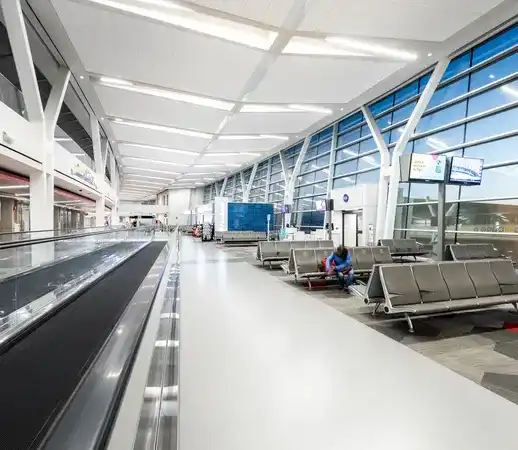
Airports are among the most complex buildings the average person will ever walk through. Large international hubs like LAX, Heathrow, or Frankfurt can span multiple terminals, dozens of gates, and hundreds of thousands of square feet, often while undergoing active construction, gate reassignments, and shifts in security procedures.
For most travelers, navigating an airport is a source of consistent anxiety. A missed gate, a wrong terminal, or a confusing connection can turn a routine trip into a stressful one.
But with the right preparation and a few in-the-moment strategies, navigating even the largest airports is manageable. This guide covers what to do before you arrive, how to orient yourself once you're inside, what to do when plans change, and what to expect from airports that have invested in the experience.


Before you arrive: Set yourself up for a smoother journey
The most effective airport navigation strategy starts before you leave home.
1. Check your terminal in advance
Major airports are divided into multiple terminals, often with no direct connection between them. Arriving at the wrong terminal can mean a shuttle ride, a security re-screen, and a missed flight.
Your booking confirmation will usually list a terminal number, but it's worth double-checking your airline's website the morning of departure. Gate assignments shift frequently, and terminal information can change in the 24 hours before a flight.
2. Download the airport's app or save the map
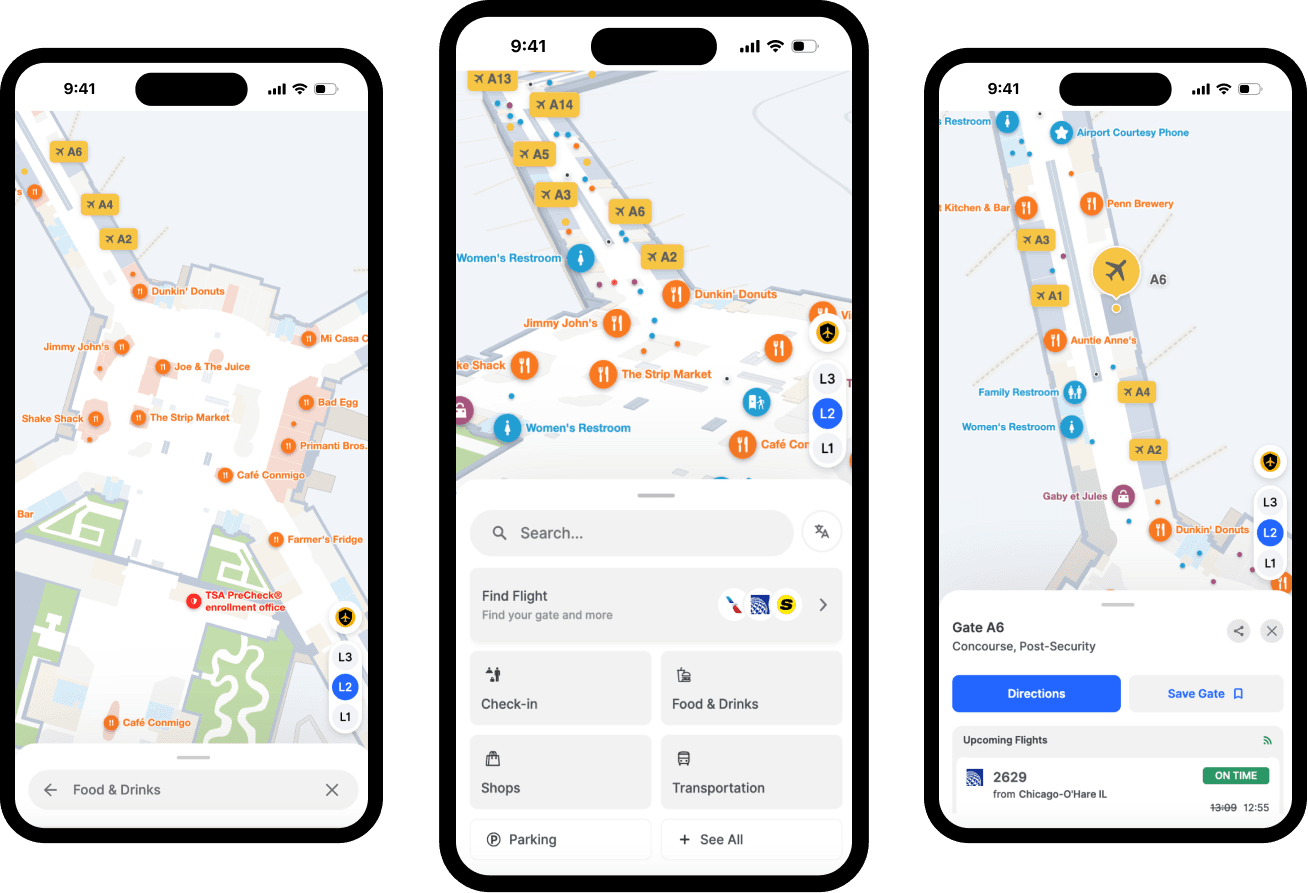
Most large airports have a mobile app or a mobile-optimized map on their website. These tools let you search for gates, security checkpoints, restaurants, lounges, and accessibility services before you arrive. Downloading them while on Wi-Fi means you'll have access even if cellular coverage is spotty inside the terminal.
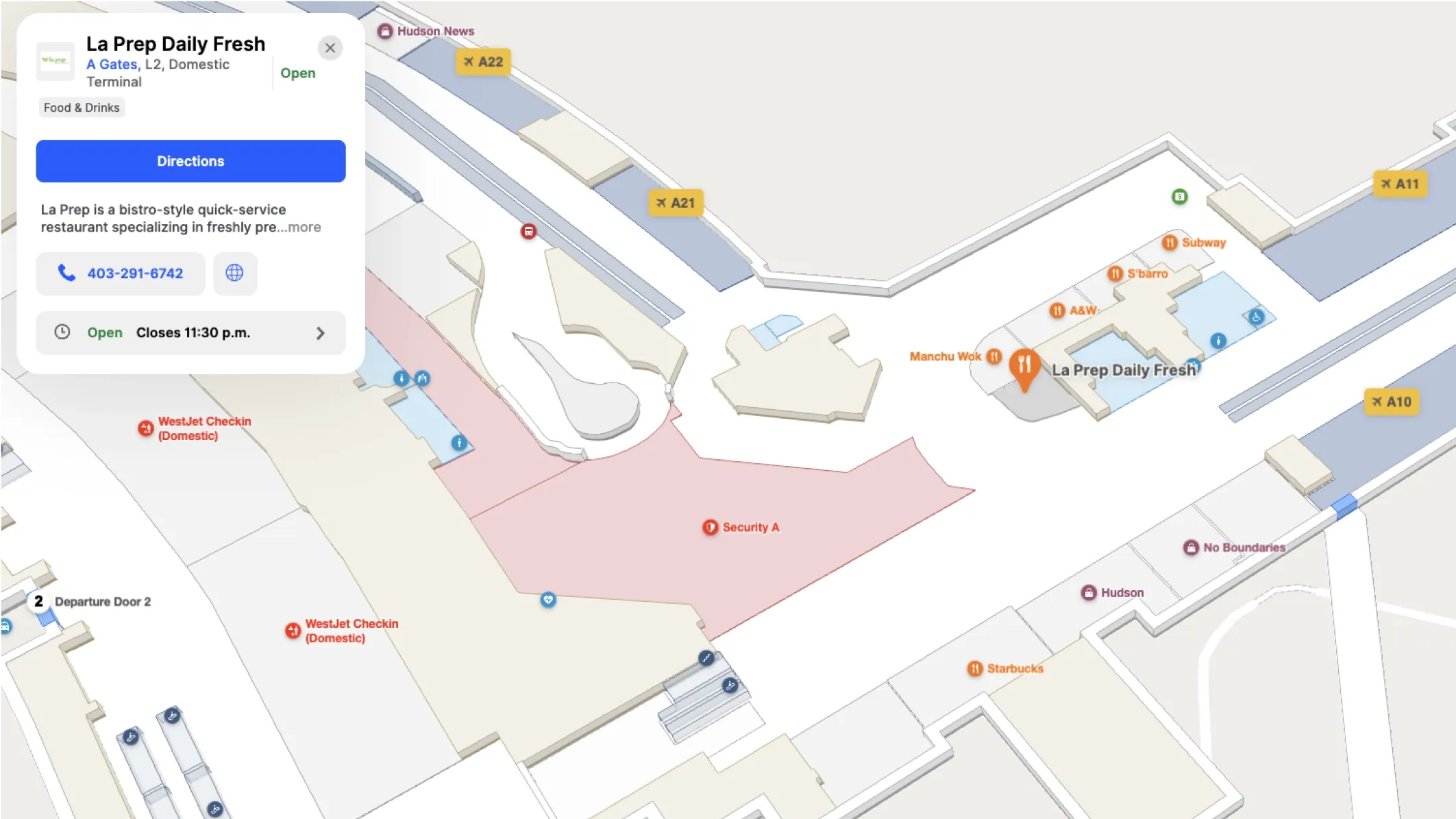
Some airports—including Calgary International (YYC) and LAX—have deployed interactive indoor maps that show your current location and generate turn-by-turn directions to any point in the terminal. If your airport has this, familiarize yourself with it before you go through security.
3. Know your connection time
If you're connecting, look up the typical walking time between your arrival gate area and your departure terminal.
Airports vary widely: Frankfurt's Terminal 1 is an easy walk, while a connection between Dallas-Fort Worth's Terminal B and Terminal D can take 20 minutes even without crowds.
A 45-minute connection that looks fine on paper can become a sprint if your incoming flight is late or your gate is on the far end of the terminal. Building in buffer or flagging tight connections to your airline in advance prevents a lot of avoidable stress.
At the airport: How to orient yourself quickly
1. Use the terminal map at the entrance
Most airports post large physical maps at major entry points, security exits, and transit hubs. Before you start walking, take 60 seconds to orient yourself: identify your gate zone, the nearest restrooms, and whether you'll need a train or shuttle to a different concourse.
Physical maps are a reliable fallback, but they're only as current as the last print run. In airports with active construction (common at growing hubs), some routes shown on posted maps may already be outdated. If you notice a discrepancy, look for staff or check the digital screens overhead.
2. Follow color and letter codes
Most international airports organize gates by letter or color zone: Concourse A, Concourse B, Terminal 2, and so on. Signs are typically displayed at:
- Major intersections
- Walkways
- Elevators
- Escalators
- Parking garages
The most efficient approach is to follow directional signs to your gate zone first, then narrow down to your specific gate number. Trying to navigate directly to a gate without first getting to the right concourse is one of the most common ways to get turned around in a large terminal.
3. Ask staff or find a digital kiosk
Airport staff are usually stationed near security exits, information desks, and high-traffic intersections. When in doubt, asking is nearly always faster than walking in circles.
Many airports have deployed interactive digital kiosks—touchscreen directories that let you search for gates and services and display a route to your destination. At the best-equipped airports, these kiosks generate a QR code that transfers your route directly to your phone for turn-by-turn walking directions.

4. Account for security and customs time
At international airports, the path between arriving and departing often includes passport control and customs, which can take 20–60 minutes depending on volume. If you're clearing customs before a connecting flight, factor this into your plan. You may need to re-enter security in a different area of the terminal.
Domestic connections are usually more straightforward, but airports like JFK require passengers to exit security and recheck bags for certain connections, even between domestic terminals.
How to handle gate switches and delays
Gate changes are a normal part of air travel, and the most useful navigation skill is knowing how to respond to them without losing your bearings.
Set up flight alerts
Sign up for flight alerts from your airline before you travel. Most airlines send SMS or app notifications when gates change, and catching these early gives you time to navigate calmly rather than at a run.
At airports with mobile apps, in-app notifications are often faster than the airport's public announcement system. Enable push notifications when you download the app.

Re-orient before you walk
When a gate change happens, resist the impulse to start walking immediately. Take a few seconds to check the new gate on your phone or a nearby sign. Determine whether you need to change concourses. If so, that typically means finding a train, shuttle, or designated walkway. If the new gate is within the same concourse, it's usually a direct walk.
Large airports like Dubai, London Heathrow, and Singapore Changi post navigation screens throughout their terminals that update in real time with gate assignments. These are worth a quick check before committing to a direction.
What makes airports easy (or hard) to navigate
Not all airport navigation experiences are equal, and the gap between the easiest and hardest airports to navigate isn't random. Several factors consistently shape how traveler-friendly a terminal feels.
Airport signage consistency
The most navigable airports use a single, coherent sign system across the entire terminal. When airport signage is fragmented (i.e., different design eras, missing signs near construction zones, or terminology that changes unexpectedly) passengers have to work harder and make more guesses.
Good wayfinding design at airports anticipates that travelers are often stressed, rushed, or unfamiliar with the space. It delivers the right information at the right moment: at every fork, before every turn, and especially after every disruption.
Real-time digital wayfinding
Static printed maps become outdated the moment something changes. The airports that score highest in traveler satisfaction surveys increasingly rely on digital indoor mapping tools that update in real time — reflecting construction closures, gate reassignments, and changes to services as they happen.
For travelers, this matters because a map showing a route through an active construction zone is worse than no map at all. It erodes trust in the navigation system and forces passengers to improvise.
Accessibility and multi-language support
For travelers with mobility challenges, or those navigating in a language other than English, the standard airport experience can be significantly harder. Step-free routes that avoid escalators and stairs, screen reader-compatible digital tools, and wayfinding interfaces in multiple languages meaningfully reduce friction for a substantial portion of every airport's daily passengers.
The European Accessibility Act, which came into full effect in 2025, now requires airports in EU member states to meet specific digital accessibility standards. Airports in the US face equivalent obligations under the ADA. The airports that handle this best treat accessibility as a design requirement from day one, not a compliance checkbox added as an afterthought.
How airports are improving the navigation experience
Behind the scenes, airport operators are investing in solutions designed to address the friction travelers encounter every day.
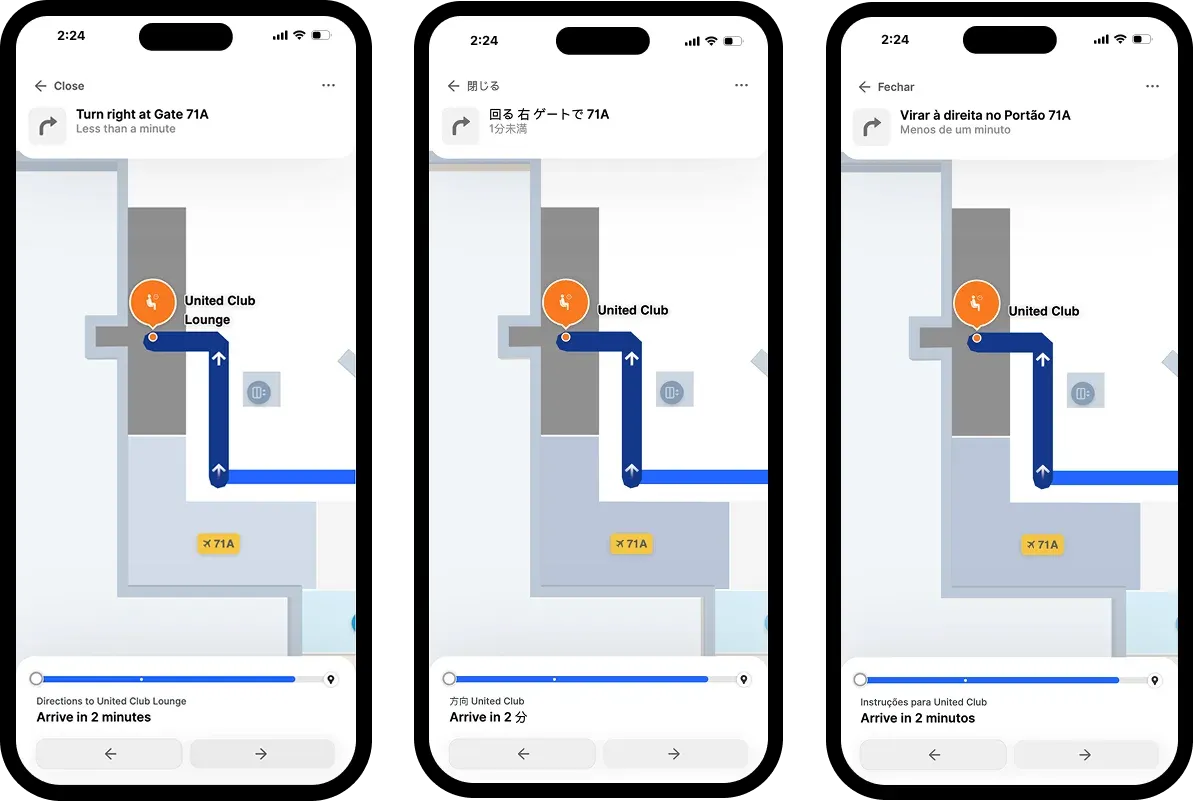
Indoor mapping platforms like Mappedin now allow airports to publish and update interactive wayfinding tools across multiple touchpoints (i.e., the airport's website, mobile app, in-terminal kiosks, and airline apps) from a single source of truth.
When a gate changes or a corridor closes due to construction, the update propagates everywhere at once. Passengers checking the airport's website before they leave home see the same route as passengers searching on a kiosk after landing.
AI-powered navigation assistants like Mappedin's AI Navigator go further still. They can process natural-language queries ("where can I get food that's open near gate B22?"), account for complex accessibility needs, and surface relevant information based on a traveler's specific itinerary.
For travelers, the visible output of these investments is simple: an airport where the map is accurate, the routes are current, and navigation works on the device in your pocket. For airport operators, it means one platform that removes the maintenance burden of managing multiple disconnected systems across a complex facility.
FAQ about navigating an airport
What is the best way to navigate a large airport?
The most reliable approach is to prepare in advance: confirm your terminal the morning of your flight, download the airport's app or save a copy of the terminal map, and orient yourself at the security exit before you start walking. In the terminal, follow color-coded concourse zone signs first, then look for your specific gate number.
How do I find my gate in an unfamiliar airport?
Look for the gate directory signs posted near security exits and major intersections. Most large airports organize gates by letter or number into distinct concourse zones. Interactive digital kiosks near high-traffic areas let you search for your gate and generate walking directions on the spot.
What should I do if my gate changes?
Check your airline's app or the gate information screens throughout the terminal. Before you start walking, identify whether the new gate is in the same concourse or requires a connection to a different terminal. If it's a different concourse, look for train or shuttle access near the main terminal corridor.
How early should I arrive to allow for navigation?
For domestic flights, most airports recommend arriving 90 minutes before departure. For international flights, allow 2.5 to 3 hours for check-in, security or immigration, and the walk to your gate. If it's your first time at a large, unfamiliar airport, add another 15–20 minutes of buffer.
Do airports have indoor navigation apps?
Many major airports offer a dedicated mobile app with indoor maps, real-time gate information, and sometimes turn-by-turn navigation. Check your airport's website before you fly. Some airports also have kiosks that can transfer a walking route to your phone via QR code.
How do I navigate an airport with a disability or mobility challenge?
Contact your airline or airport in advance to request accessibility assistance. Most airports offer escort services and have designated step-free routes. If the airport has a digital wayfinding tool, look for an accessible routing option. Airports compliant with WCAG 2.1 AA standards will also offer screen reader support and multilingual interface options.
Why do so many airports have confusing layouts?
Most large airports were built and expanded incrementally over decades, with terminals added as passenger volumes grew. This organic development creates layouts that weren't always designed for intuitive wayfinding. Airports built more recently tend to have more logical layouts as a result of unified design planning from the start.
Get ready to navigate
Navigating an airport gets easier with consistent habits: confirm your terminal before you arrive, download the airport's digital tools in advance, and use overhead zone signs to orient yourself before hunting for a specific gate. When things change (as they likely will), treat it as a standard step in the journey rather than a disruption, take a few seconds to orient before you walk, and use the digital tools the airport has put in front of you.
For airport operators, the traveler's navigation experience is directly tied to satisfaction scores, non-aeronautical revenue, and the ability to meet growing accessibility requirements. The gap between airports that handle wayfinding well and those that don't is increasingly determined by the tools behind the experience, and those tools are improving quickly.
Share