

A guest arrives at your property after a long flight. They check in, drop their bags, and immediately want to find the pool. They pull up your website on their phone looking for a map. What they find is a static image — a bird's-eye illustration of the property with tiny labels they can't read on mobile. There's no search, no directions, no way to tell if a specific amenity open or closed for a private event.
They ask the front desk staff, who points them in the right direction. Yet five minutes later, the guest is still turned around because the directions doesn't account for the construction fence that went up last week.
That friction costs the guest's time and patience, and staff capacity that could be spent on higher-value interactions. And if that guest wanders the property feeling disoriented instead of discovering the spa or the rooftop bar they didn't know existed, it costs revenue.
This is the resort wayfinding problem, and it's more solvable than most properties realize.
This article covers:
- What modern interactive resort maps include
- Why static signage and PDF floor plans fall short at scale
- What to look for when evaluating a solution
- How different property types approach the problem differently
Why resort navigation is harder than it looks
Hotels and resorts present a unique navigation challenge. Unlike a shopping mall or a stadium where visitors move through a single, relatively predictable structure a resort typically involves multiple buildings, towers, and outdoor connections.
Add a casino floor, convention center, several restaurant concepts, a spa, multiple pools, and a parking structure, and you have an environment that disorients even returning guests.
Several factors compound the difficulty:
Scale and spread
A large integrated resort can cover millions of square feet across buildings that aren't obviously connected. Getting from a villa to a restaurant in a separate tower and on a different floor requires navigating outdoor walkways, elevators, and interior corridors: a journey that simple directional signage can't fully support.
Dynamic operations
Restaurants open and close for private events, pool decks become locked down for maintenance, and ballrooms flip between configurations. The property your guest mapped out at the start of their visit looks different on their last day, and static maps have no way to reflect that.
Mixed audiences with different needs
On any given day, your property is hosting leisure guests on a long weekend, conference attendees who have never been to the city, day visitors using the spa, and employees navigating back-of-house. Their navigation needs are different, and a single printed map serves none of them particularly well.
The pre-arrival expectation gap
Guests increasingly research properties before they arrive. They're looking at your website, reading reviews, and forming expectations about the experience.
When they search for your resort map online, they expect to find something interactive and useful. A static image or a PDF download signals that the on-property experience may not be much better.


What "interactive" means for resort maps
An interactive resort map includes several distinct capabilities that collectively change the guest experience.
Search
Guests can type "spa" or "Italian restaurant" or "conference room 4B" and be taken directly to that location on the map, rather than scanning a legend and trying to orient themselves.
Turn-by-turn directions
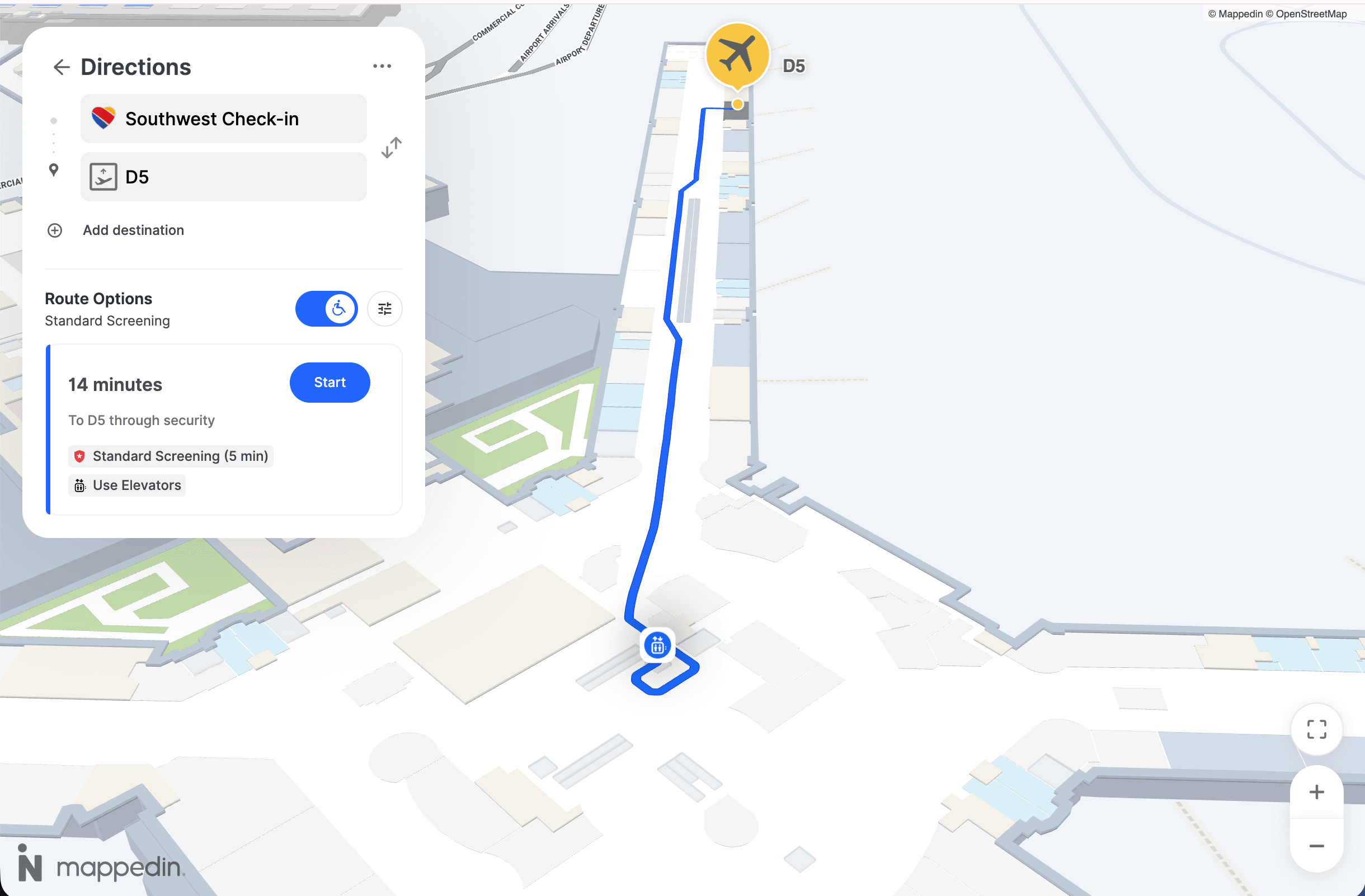
From their current location (or from a starting point they select), guests receive a step-by-step route to their destination, including floor changes, elevator locations, and outdoor walking segments between buildings.
Accessible routing
Guests who need elevator access, step-free routes, or other accommodations can filter their route accordingly. Accessible navigation isn't a nice-to-have; for many guests and in many jurisdictions it's a baseline expectation.
Real-time content updates
Hours of operation, event listings, temporary closures, and seasonal availability are reflected in the map as they change without requiring a redesign or a new PDF upload. When the east pool closes for a private event, that information is visible on the map.
Omnichannel delivery
The same map data (the same source of truth) powers the interactive map on your website, the kiosks in your lobbies, and the mobile experience guests use on their phones. Guests who research your property before arrival see the same map they'll navigate with on-property.
Resorts that deploy wayfinding tools in silos (i.e., a separate vendor for kiosks, a basic embedded map on the website, and nothing for mobile) end up maintaining multiple maps that drift out of sync. When the website shows one floor plan and the lobby kiosk shows another, guest confidence erodes fast.
5 reasons static signage isn't enough on its own
Physical directional signage still plays a role in resort navigation, and it always will. But it has hard limits that become more visible as properties grow in complexity.
1. Static signs can't update.
When a restaurant closes for a private event or a pool deck goes offline for maintenance, the signs still point guests there. Every frustrating "it says this way but it was closed" moment is a small erosion of the experience your property has worked hard to build.
2. Static signs can't personalize.
A guest in a wheelchair needs different routing than a guest in a hurry. A first-time visitor needs more context than a repeat guest. Printed signs serve the average case, not the actual person standing in front of them.
3. Static signs can't surface discovery.
Research from Mappedin's State of Venue Experience report found that 50% of venue visits are discovery-oriented — guests aren't just heading to a specific destination, they're open to finding something new. Interactive maps can surface nearby amenities, highlight what's new, and guide guests toward experiences they didn't know to look for. Static signs point; interactive maps discover.
4. Static signs can't scale economically.
Every time a restaurant concept changes, a new amenity opens, or a wing undergoes renovation, physical signage requires a reprint and reinstallation cycle. At large properties, this is a meaningful ongoing cost.
5. Static signs can't support resort security.
This is the limitation that rarely gets discussed in a guest experience context, but it's the one with the highest stakes. In a medical emergency, a fire, or a security incident, your team needs to move people quickly and in the right direction.
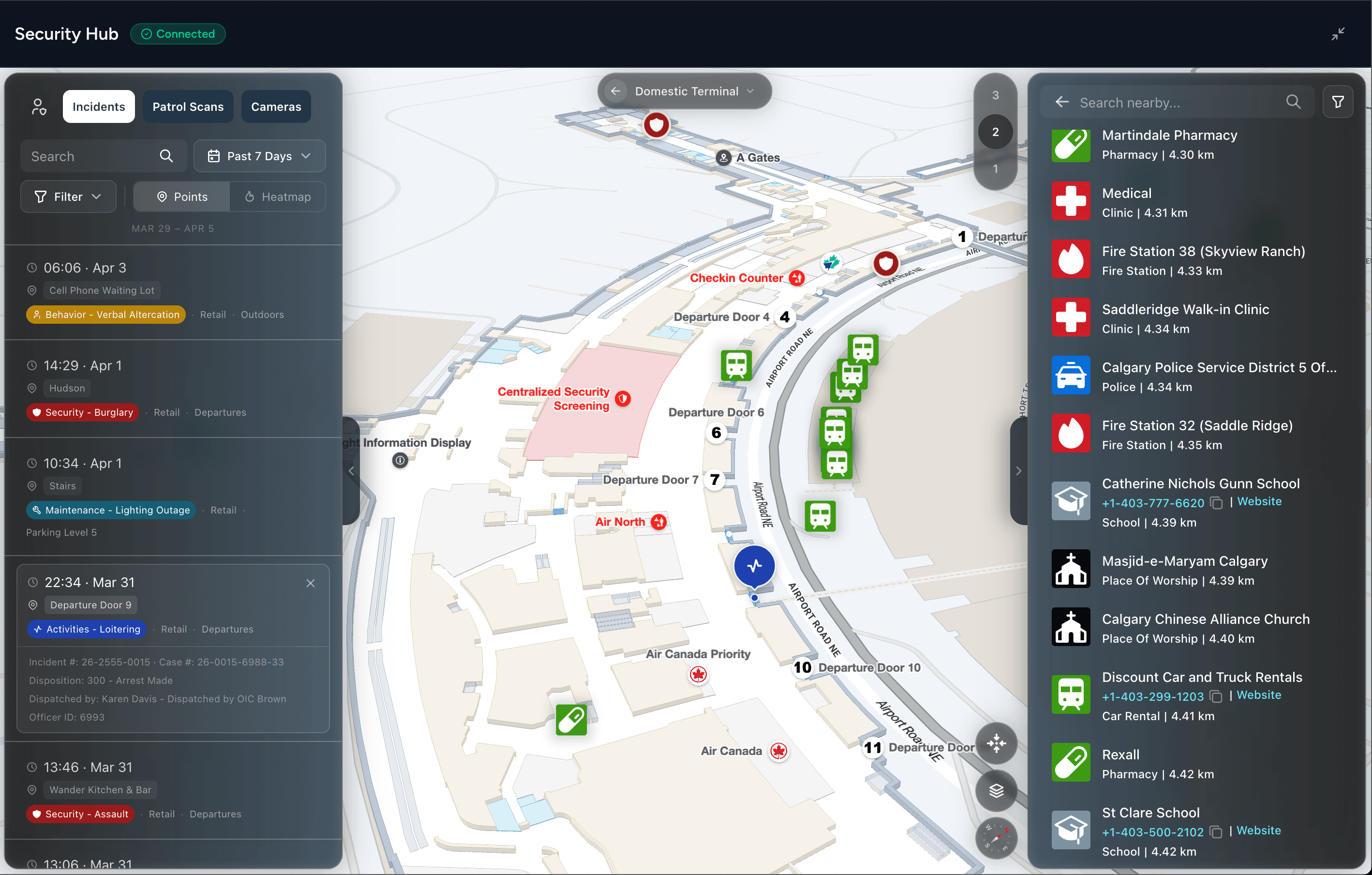
Static signage shows guests a fixed route that was accurate when it was printed. It can't reflect that an exit is blocked, that a stairwell is compromised, or that guests in one wing need to shelter in place while guests in another need to evacuate immediately.
None of this means ripping out signage. It means recognizing that signage and digital wayfinding serve complementary roles, and that relying entirely on one while ignoring the other leaves gaps that guests notice.


4 requirements for resort wayfinding that works
Not all digital wayfinding solutions are built for resort complexity. These are the capabilities that consistently separate implementations that guests actually use from ones that fail to meet expectations.
1. A single source of truth across every building and floor
Resorts that manage navigation through a patchwork of tools (one vendor for the website map, another for kiosk software, manually maintained PDFs for certain areas) spend enormous time keeping things consistent, and rarely succeed.
The moment a restaurant's hours change, someone has to update three different systems. Something always gets missed.
What good looks like
One platform that manages every building, floor, space, and point of interest in a unified content management system. When a team member makes an update, it propagates across every touchpoint automatically. This is the difference between a map guests can trust and one they've learned to ignore.
2. Delivery across every touchpoint from that single map
Your guests interact with your property across multiple surfaces. Some research it on your website before they arrive. Others navigate on their phone using a QR code they scanned at check-in. Some guests have your branded app; most don't.
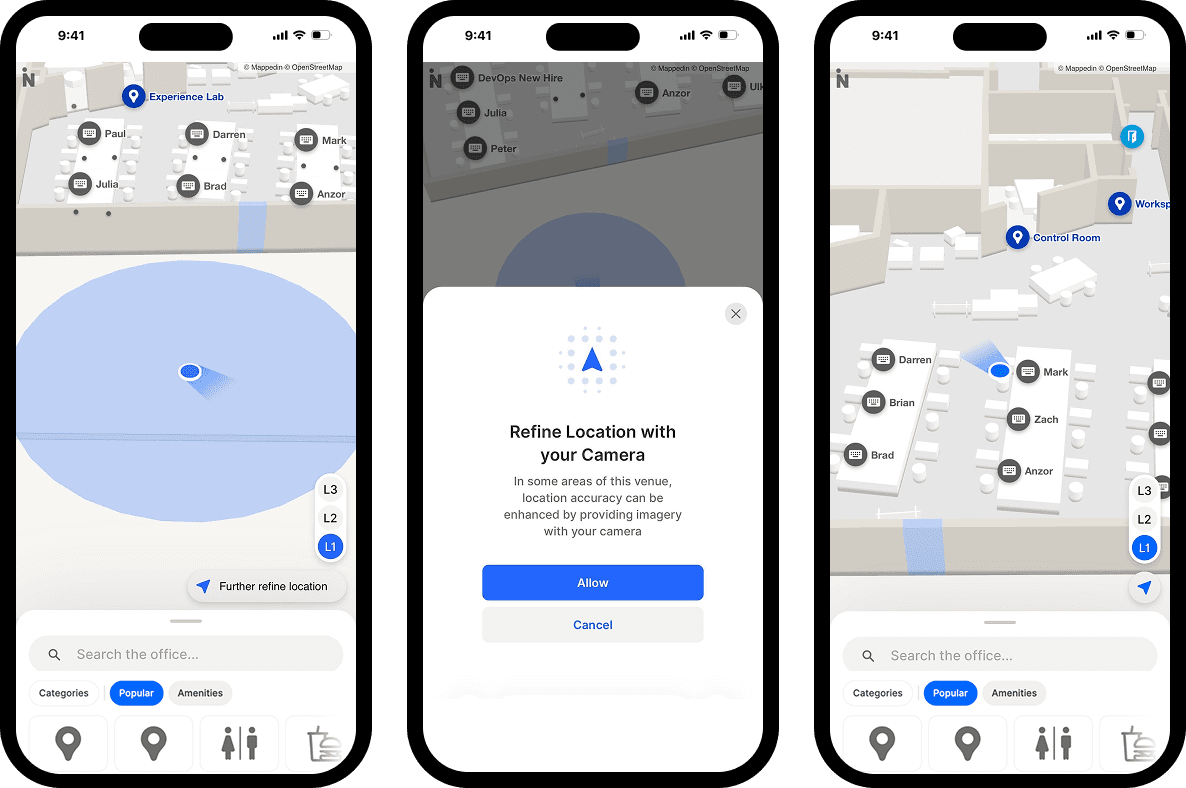
An effective wayfinding platform delivers the same interactive map experience across all of these surfaces without requiring a separate implementation for each.
The alternative—building and maintaining distinct map experiences per channel—is expensive, creates version drift, and makes it nearly impossible to keep everything current.
3. Real-time update capability that non-technical staff can use
The value of a dynamic map is only realized if the people who know about changes can act on them quickly. A solution that requires a developer or a vendor support ticket every time an update is needed is not scalable.
The right solution includes a content management layer that property team members can use directly:
- Updating hours
- Flagging temporary closures
- Adding event listings
- Marking construction zones
When your team can push an update themselves in five minutes, the map stays accurate. When they can't, it doesn't.
4. Value for more than one department
This is the requirement that most often determines whether a wayfinding investment gets approved — and whether it gets properly resourced after launch.
A map that only serves guest experience is a cost center. On the other hand, a map that serves guest experience, security, and operations simultaneously is infrastructure.
The same accurate floor plans that guide guests to the spa are the floor plans that security teams need for emergency response.
For casino-resort properties in particular where a single leader may own guest experience, security, and operations as combined responsibilities, this multi-department value proposition is often what converts interest into a signed agreement.
7 questions to ask before choosing a resort wayfinding platform
If you're evaluating wayfinding solutions for a resort or hotel property, these questions will surface the differences that matter most.
1. Who maintains the map after launch?
Some platforms require ongoing vendor involvement for every content update. Others give your team direct access to update hours, closures, and POIs without a support ticket. For a property with dynamic operations, the maintenance model is as important as the initial deployment.
2. Can one map feed all our touchpoints?
Ask specifically: website, lobby kiosks, mobile web, and any branded app you run. Get confirmation that all of these use the same underlying data, not separately maintained instances.
3. How does this handle our outdoor connections?
If your property involves outdoor walking between buildings, confirm the routing engine handles outdoor segments and indoor segments in a single continuous route, not as two separate navigation experiences.
4. What does accessible routing look like?
Request a demo of the accessible routing experience specifically. It should offer step-free routes that avoid stairs, not just a toggle that removes staircase icons from the map.
5. Can we view resort event listings and amenity hours digitally?
This is the question your guests are already asking online. Guests should be able to navigate wherever they are in the moment, across kiosks, their phone, your website and more.
6. How does this integrate with our existing systems?
Property management systems, digital content management systems, and digital signage networks are all relevant. A platform with open APIs and documented integrations is significantly easier to incorporate into your existing technology stack than one that operates in isolation.
7. What does pricing look like at scale?
Understand the model for a single property, and then ask what it looks like if you expand to additional properties or add touchpoints over time. Lock-in and expansion costs vary considerably across vendors.
Getting started with resort wayfinding
Resorts that are looking to move from static maps to interactive wayfinding don't need to solve everything at once.
The key is starting with a platform that can grow with you; one where the map you build for your website today is the same map that feeds your kiosks tomorrow, rather than a series of point solutions that create more maintenance work down the road.


Share