

Helping fans find their way to their seats, and sometimes more importantly, out of their seats to find the closest bathroom, concession vendor, or merch store is part of an exceptional event experience. The pressure to improve game day revenue, cut down on staff getting stopped every 30 feet for directions, and deliver an experience that holds up against what fans see at other venues, is what puts stadium wayfinding on the agenda for stadium operators.
This guide is built as a checklist a Guest Services or Operations lead can bring into an evaluation meeting.
Looking for a solution to power in-stadium fan engagement, promote gameday offers, simplify operations, and improve fan experience analytics? Book a custom demo of Mappedin →

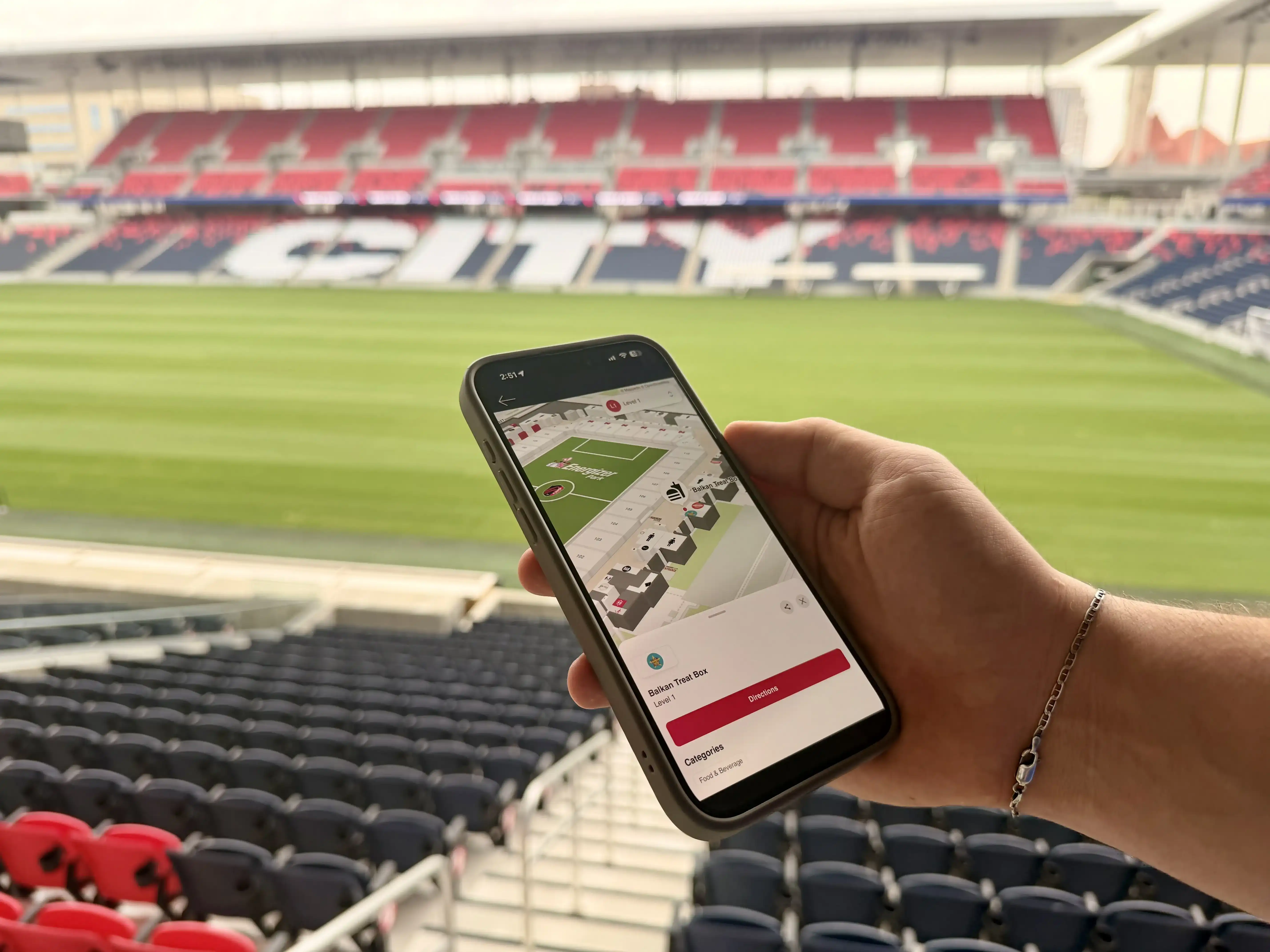
How St. Louis City SC drove 150% higher sales with interactive wayfinding
At Energizer Park, their interactive map is more than a floor plan. It's a dynamic, structured spatial layer embedded within the broader fan journey, supporting navigation, amplifying local food partners, and reinforcing app adoption.
Does it integrate with your existing fan experience app?
Most stadiums already run a fan experience app or are building one. It handles tickets, loyalty, mobile ordering, and parking. Wayfinding should live inside that app, not force fans to download a second one on their way through the gate. "Another app to download" is where matchday adoption dies. Fans won't do it, and the map that never gets opened delivers zero value.
There are two integration paths worth understanding. A web view embeds the map directly into the existing app, so fans tap "Find my seat" and the route opens without leaving the team's environment. That removes the download barrier entirely while keeping everything on the stadium's own domain and brand. For teams building a fully native experience, a software development kit lets engineers bake mapping into the app itself.
White-labeling matters more than it sounds. When the map runs on the stadium's domain and carries the team's branding, fans experience it as part of the venue. That brand control is often the difference between a map that feels native and one that feels borrowed.
St. Louis CITY SC embedded interactive wayfinding into their matchday experience and kept it there across four seasons.
— Aaron Brewer, Senior Product Manager, St. Louis CITY SC
The question to ask during vendor evaluations
Can this platform embed into the fan experience app you already have, on your domain, without asking fans to install anything new?
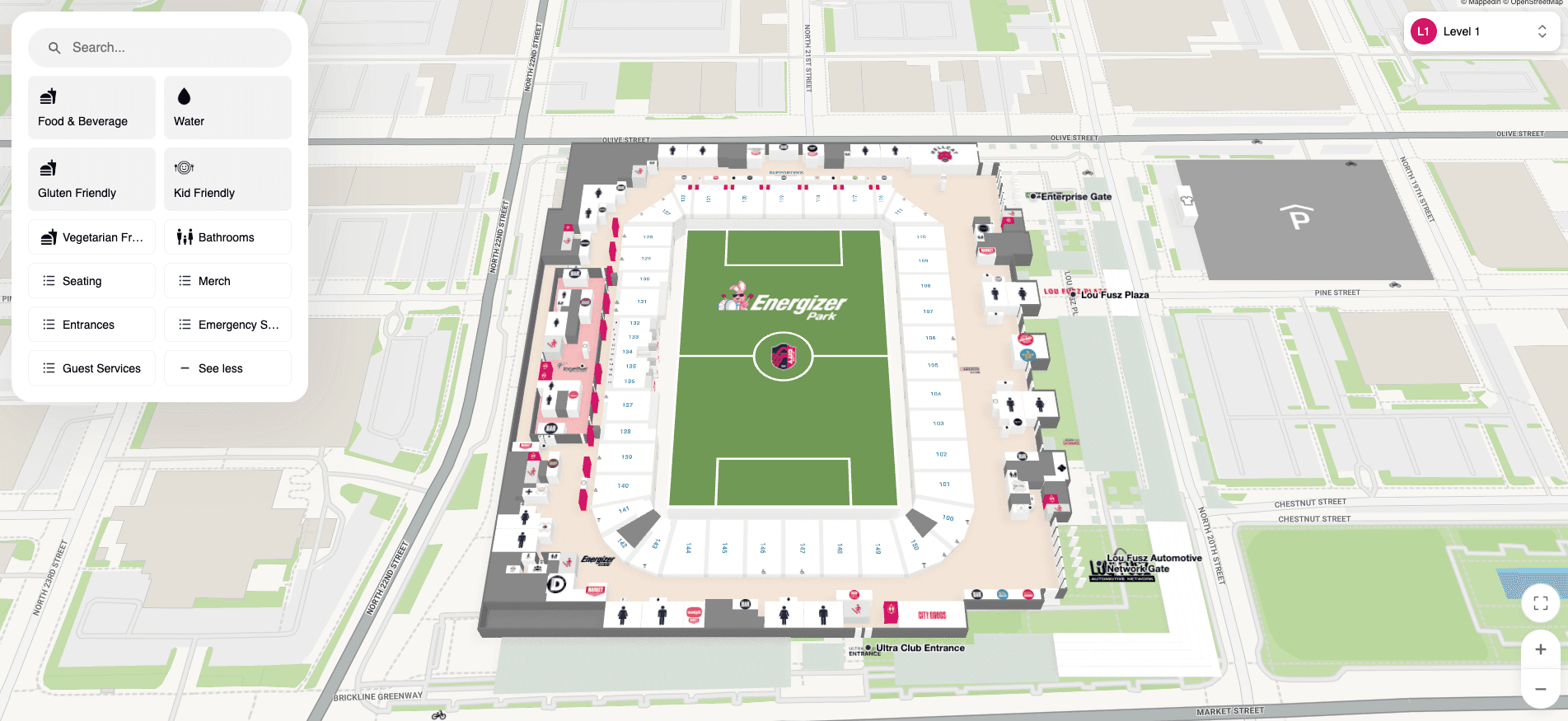
Is the stadium wayfinding platform built for indoor complexity (not just outdoor GPS)?
GPS works in a parking lot, but it falls apart the moment a fan walks into a stadium wrapped in steel and concrete. Signals bounce, positioning drifts, and the blue dot that felt precise outside starts wandering sections away.
What indoor complexity actually requires is real mapping, not a graphic layered on top of GPS. That means floor-by-floor routing that knows how concourses stack, concourse-level detail down to individual concession stands and restrooms, and access logic that respects the building's rules. For instance, a general admission ticket holder shouldn't be routed through a club level or a suite corridor they can't enter.
This is where indoor mapping software for stadiums separates from a pretty map. Mappedin handles intelligent multi-floor routing and custom pathing, so general admission fans get routed around premium and restricted areas automatically. The route reflects how the building actually works, not just where two points sit on a plan.
The question to ask during vendor evaluations
Does the platform model the interior floor by floor, with routing that respects premium and restricted zones, or is it a map image sitting on top of GPS?
Does it complement your physical signage or try to replace it?
Section numbers, gate markers, and restroom icons still matter, especially for fans who don't want to open their phone. The smarter question is whether a digital platform makes that signage work harder or ignores it.
The best digital wayfinding hands off from a fixed sign to a personalized route. A QR code printed on a concourse pillar or a gate sign lets a fan scan and instantly pull up turn-by-turn directions to whatever they're looking for, right on their phone.

Direct links do the same from a text, an email, or a social post. The physical sign positions the visitor in space, and the digital layer tells them exactly how you get where they're going. That handoff is is critical for a positive, frictionless fan experience.
Accessibility fits here too. Step-free routing that avoids stairs and escalators genuinely helps fans who need it, and Mappedin wayfinding supports accessible, step-free paths alongside QR and direct-link handoffs.
The question to ask during vendor evaluations
Does the platform bridge your existing signage to a personalized mobile route, and does it support step-free routing for fans who need it?
Can it create revenue, not just cost money?
Wayfinding usually gets pitched as a cost center: a line item that improves the fan experience and hopefully justifies itself. The stadiums getting the most out of it treat the map as a revenue surface instead. Every searchable location, every route, every pin is real estate a partner might pay to occupy.
That opens up sponsored pins, branded routes, and premium placement for concession partners and sponsors. When a fan searches "beer" or "tacos," the results and the route to them are prime advertising space. Branded, searchable locations can command premium pricing because they sit exactly where intent is highest, at the moment a hungry fan is deciding where to spend.
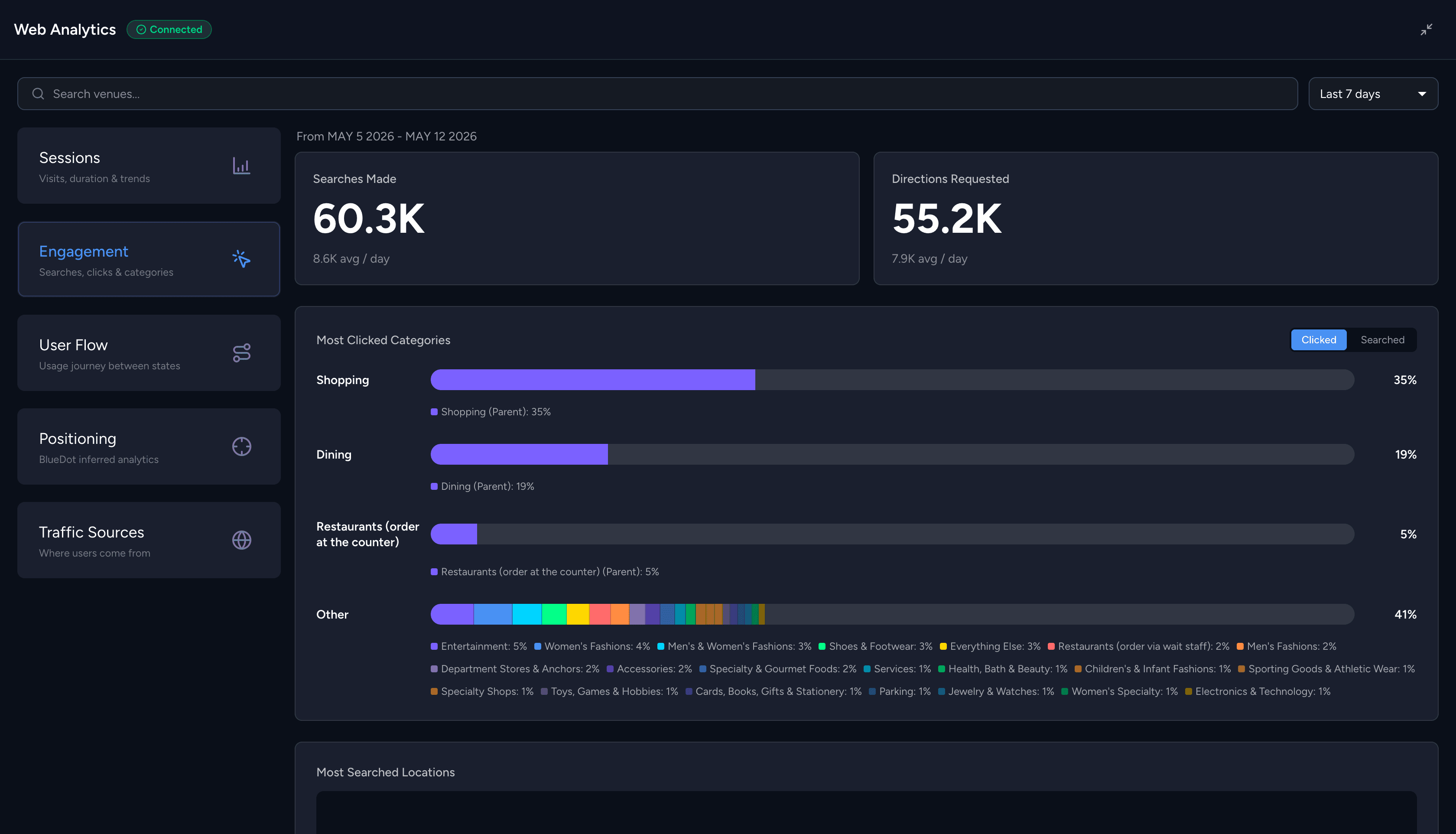
St. Louis CITY SC saw a 150% food sales lift, with the interactive map surfacing new local food partners and driving 31,900 searches that pointed fans toward places to spend. Discoverability turns into transactions when fans can find the stand they're looking for.
The question to ask during vendor evaluations
Can you monetize map real estate through sponsored content and branded placements, or is the map purely an expense?
Can operations update it without filing a dev ticket?
This is the question Guest Services and Operations teams feel most on game day. Stadium footprints change constantly. Food partners rotate, a stand moves, an entrance closes, and the layout for a pro football game looks nothing like the layout for a concert a couple of nights later. If every change means filing a ticket and waiting on a vendor or a dev queue, the map is stale in hours.
Self-service editing is the key. A backend that lets the operations team update locations, routes, and event layouts in real time, with no reprinting and no reliance on anyone outside the building, is what keeps the map accurate, and an inaccurate map is a useless one. The moment a fan follows a route to a stand that isn't there, they stop trusting it.
Mappedin's CMS acts as the single source of truth, so a change made once updates across every product and channel in real time. Reconfiguring for a different event is a backend task, not a reprint order or a support request. For a team juggling multiple event types in the same week, that control is the difference between a map that reflects reality and one that describes last month.
The question to ask during vendor evaluations
Can your own team update the map in real time on event day, without depending on a vendor or a developer?
What can the wayfinding platform tell you after the game?
The map generates a data trail worth reading. Sessions, searches, device usage, and navigation patterns reveal what fans actually looked for, where they got stuck, and which parts of the venue drew the most traffic. That's the feedback loop that ties the revenue and operations conversations together.
The volume is tangible. At one major bowl-game stadium, a single event drove more than 26,000 map sessions from over 16,000 devices, including 10,000 repeat sessions from fans who came back to the map more than once. Repeat use is the signal that matters: fans returning to a tool during an event means it's earning its place. St. Louis CITY SC logged 375,000 fan sessions and an 84% fan satisfaction rate across four seasons, alongside those 31,900 searches.
Search data is especially useful for revenue planning. If thousands of fans search for something the venue doesn't offer near them, that's a concession or partner opportunity sitting in plain sight. Mappedin Analytics surfaces these patterns so teams can pull the metrics into their own dashboards or query them directly.
The question to ask during vendor evaluations
Does the platform report on sessions, searches, and navigation patterns, and can you get that data into the tools your team already uses?
Stadium wayfinding system checklist
Bring these questions into the evaluation meeting and ask every vendor the same set:
- Does it embed into your existing fan experience app, on your domain, with no separate download?
- Does it offer both a web embed and native SDKs, so you're not locked into one integration path
- Is it built for indoor complexity, with floor-by-floor routing and premium-area access logic?
- Does it hand off from physical signage to a personalized mobile route via QR codes and direct links?
- Does it support step-free, accessible routing?
- Can you monetize map real estate through sponsored pins and branded placements?
- Can your own team update the map in real time on event day, without a dev ticket?
- Does it report on sessions, searches, and navigation patterns, with a way to export the data?
A platform that answers yes across the board does more than help fans find their seats. It protects brand control, opens a revenue line, gives operations real control on game and event day, and hands the team data to plan the next event. Start the shortlist with these eight questions, and the evaluation gets a lot shorter.
Related resources:

Share