
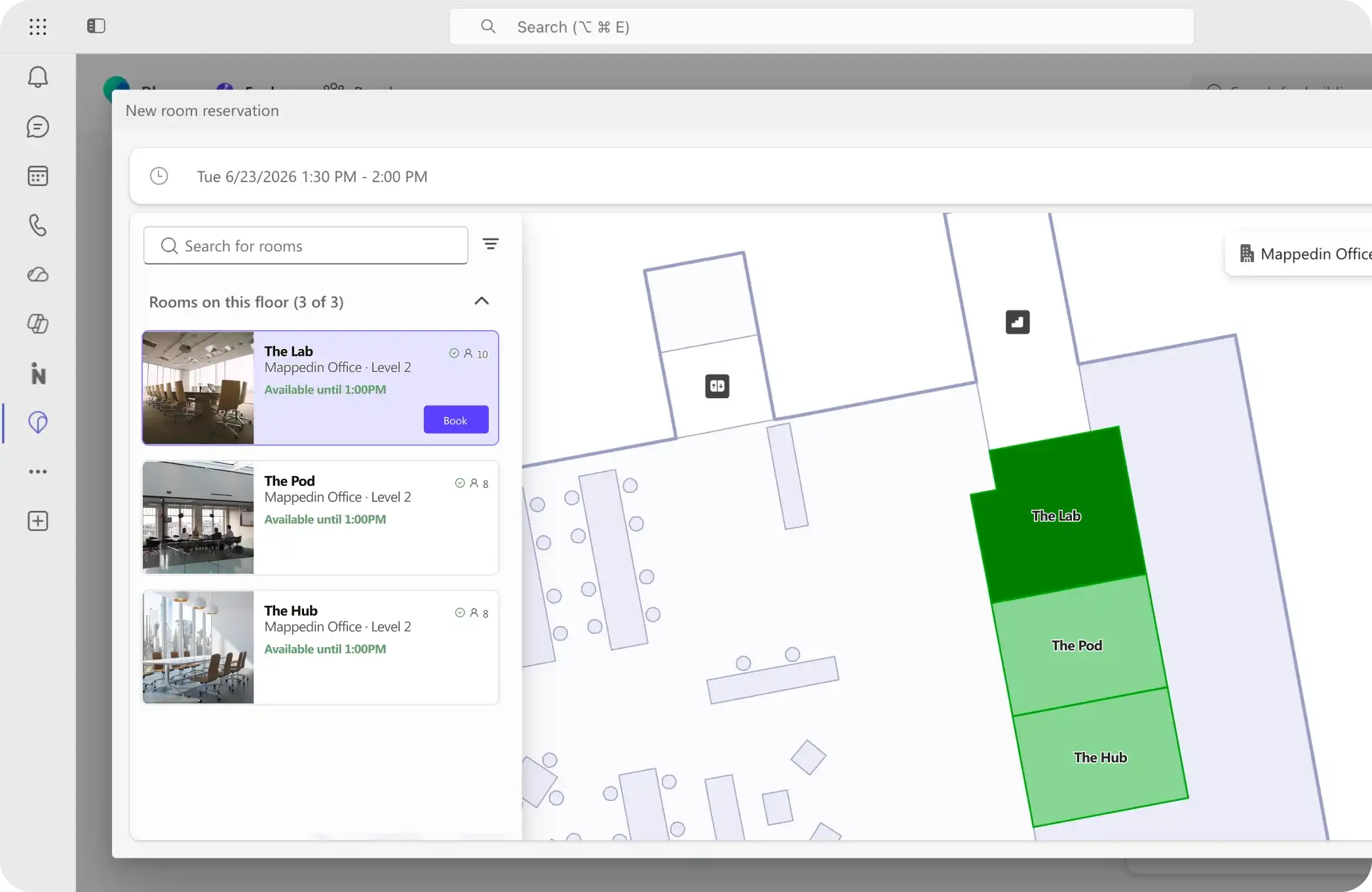












Why Mappedin for Microsoft Places
Most mapping vendors offer floor-plan conversion services. Send us your plans, wait for a quote, wait a little longer for delivery. Mappedin gives you the tools to do it yourself, with transparent pricing and the lowest cost when you’re ready to scale.
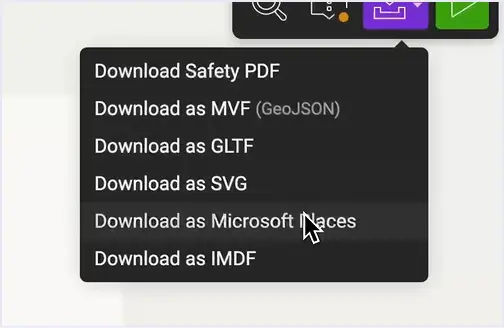
How to Export a Microsoft Places IMDF
Convert your floor plans in minutes
Whether you're starting from a CAD file or a scanned image, Mappedin converts your floor plan to Microsoft Places IMDF in just a few clicks.


Microsoft Places Pricing
Start with a single building at no cost. When you’re ready to expand, pricing is per building, so you pay one price whether your building has 1 floor or 20.
Free
for your first building
Ideal for a one-time conversion project. Map your office space and sync your first building for free.
Pro
billed annually
Best for managing your workplace as spaces evolve. One price per building, regardless of floors.
Enterprise
flexible terms
Work with our team on a solution that aligns with your workplace experience and office space needs.
Microsoft Solutions Partner for Modern Work?
Contact us for partner pricing.
Frequently asked questions
Is Mappedin an official Microsoft Places partner?
Yes, Mappedin is an official Microsoft Places integration partner, converting floor plans and spatial data into Places and the Microsoft Graph API.
How much does it cost to import floor plans into Microsoft Places?
Mappedin for Microsoft Places is priced at $200 per building per month, or $165 per building per month billed annually. Pricing is per building, not per floor, so large multi-floor offices cost the same as a single-floor space.
Can I use Mappedin for one-time, floor-plan conversion?
Yes, anyone can subscribe to the Microsoft Places plan month-to-month to manage the initial floor-plan conversion. For others, an annual subscription makes more sense to keep Microsoft Places updated as space and layouts change.
We have a large office footprint across many buildings. Is Mappedin cost-effective?
Yes, Mappedin is the lowest-cost subscription option for enterprises with large footprints, precisely because we price per building, not per floor. You can pilot a single office and scale easily. Contact our sales team for volume pricing on multiple buildings.
What file types does Mappedin support for Places IMDF conversion?
Mappedin currently supports PNG, JPEG, WebP, PDF, DXF, and DWG files.
What does the process for IMDF export to Microsoft Places look like?
Check out our handy configuration guide to see the process step-by-step.
How does a Microsoft Places IMDF differ from an Apple IMDF?
Mappedin’s Microsoft Places IMDF is specifically structured for import into Microsoft Places via the Graph API. Apple IMDF is a separate format used with Apple’s Indoor Maps Program and submission through the Apple Business Register.