Digital and IT Directors at airports face a consistent challenge: passengers who can't navigate your facility efficiently don't just create operational bottlenecks—they directly impact your bottom line.
- When travelers struggle to find their gates, they miss retail opportunities worth millions annually.
- When your service desks field hundreds of repetitive wayfinding questions daily, your staff can't focus on complex passenger needs that actually require human attention.
- When your flight displays, tenant directories, and facility maps exist in isolated systems, you're managing multiple sources of truth that constantly contradict each other.
A recent study shows airports lose nearly $700 million in revenue from poor passenger experience and frustration at critical journey points like check-in and security.
Most airport wayfinding systems force you to choose between comprehensive functionality and technical simplicity:
- Deploy beautiful interactive maps after months of beacon installation and ongoing hardware maintenance
- Implement quick-launch solutions that lack the positioning accuracy and system integration your operations team actually needs
But the best airport wayfinding systems don't make you compromise. They deliver infrastructure-free navigation that works across every device while providing the data integration and operational insights that transform wayfinding from cost center to strategic asset.
Looking for an indoor mapping solution to power airport passenger wayfinding, power digital kiosks, simplify operations, and improve venue analytics? Book a custom demo of Mappedin →
Mappedin: The complete airport wayfinding system
Major airports like LAX, YYC Calgary, and Pittsburgh International are modernizing their passenger navigation with systems that deploy in weeks, not months, and generate measurable revenue outcomes. Here's what separates basic wayfinding from a complete digital navigation platform.
– Bart Smith, GM Corporate Services & IT Business Partners, Calgary Airports
Factor #1: Deploy infrastructure-free Blue Dot navigation in weeks that actually works across iOS, Android, and web (No beacon install, no hardware maintenance)
Your IT team knows the scenario: passengers search for their gate on a static directory, walk confidently in the wrong direction because they misread the map orientation, then arrive at the wrong terminal with 15 minutes until boarding.
Meanwhile, your operations team manages hundreds of battery-powered beacons across multiple terminals, each requiring quarterly maintenance visits and creating unpredictable positioning failures during peak travel periods when accuracy matters most.
Most airport wayfinding systems approach positioning through dense beacon networks that promise 90% accuracy but deliver inconsistent real-world performance.
This traditional hardware-dependent approach creates three critical operational problems:
- Astronomical ongoing maintenance costs: Battery replacement across terminals every 6-12 months
- Limited device compatibility: Android and web browser incompatibility excludes 40% of your passengers
- Unpredictable positioning failures: High-traffic areas with glass walls and signal interference cause frequent "blue dot jumping" between floors
With this traditional approach, your team ends up investing six months of time installing infrastructure only to discover passengers experience inaccurate positioning during the peak travel times that determine your satisfaction scores.
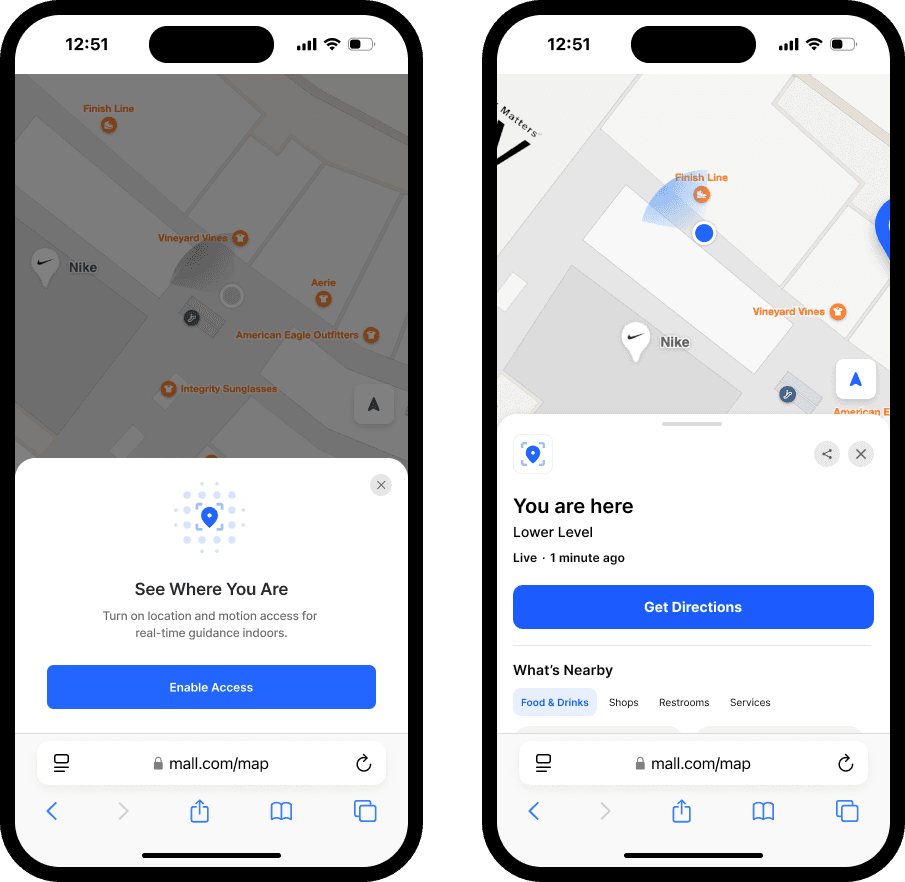
How hardware-free positioning reduces costs and increases time-to-deployment
Mappedin's indoor positioning combines GPS, Apple's Indoor Positioning System (IPS), and Visual Positioning System (VPS) technology to deliver accurate positioning without any beacon installation or ongoing hardware maintenance.
Our team works with yours to understand positioning needs and selects the optimal positioning method. Mappedin positioning uses a combination of approaches:
- GPS positioning for outdoor areas and campus navigation
- Apple IPS leveraging your existing 2.4GHz WiFi infrastructure for iOS devices
- VPS technology using visual features for enhanced accuracy in challenging environments
The positioning experience works seamlessly in web browsers on passengers' own devices with no app download required, and automatically transitions between indoor and outdoor positioning as passengers move through your campus.
Real-world results: YYC Calgary International guides 18+ million annual travelers with Mappedin
YYC Calgary International Airport deployed Mappedin for Airports in weeks instead of months, supporting wayfinding and discovery for over 18 million annual travelers. Their General Manager of IT reported that passengers can now "create a route of any complexity and share it in seconds using a simple QR code, allowing even the most non-technical passenger to find their way without frustration."
The system handles multi-floor navigation automatically, switching floors when passengers use escalators or elevators, and provides real-time position updates that maintain accuracy throughout the entire passenger journey, from parking to gate.
Factor #2: Reduce service desk inquiries with AI-powered assistance that answers flight, gate, and dining questions in 50+ languages
Your service desks face the same questions hundreds of times daily: "Where's Gate C42?" "When does my flight board?" "What restaurants are open right now?" Your staff—who should be handling complex passenger needs like rebooking missed connections or coordinating special assistance—instead spend 80% of their time giving basic directions.
During peak travel periods, service desk lines stretch 20+ passengers deep, creating exactly the bottleneck your passenger experience scores penalize. When non-English speaking passengers approach the desk, interactions that should take 30 seconds become five-minute challenges involving translation apps and hand-drawn maps.
The conventional approach's hidden costs
The airport industry's standard response is hiring additional service desk staff during peak periods or deploying static kiosks with limited functionality. These approaches attempt to scale human knowledge through headcount or basic self-service options. But this creates new operational problems:
- Labor costs increase proportionally with passenger volume
- Service quality varies dramatically by individual staff member's knowledge and experience
- Information becomes outdated the moment a gate changes or a restaurant closes unexpectedly
- Static kiosks can't handle conversational questions like "Where's the best coffee near Gate B15?"
Traditional kiosks can't understand passenger intent when they ask about "food options for kids" or "quiet places to work during a delay."
How AI Navigator transforms passenger customer service
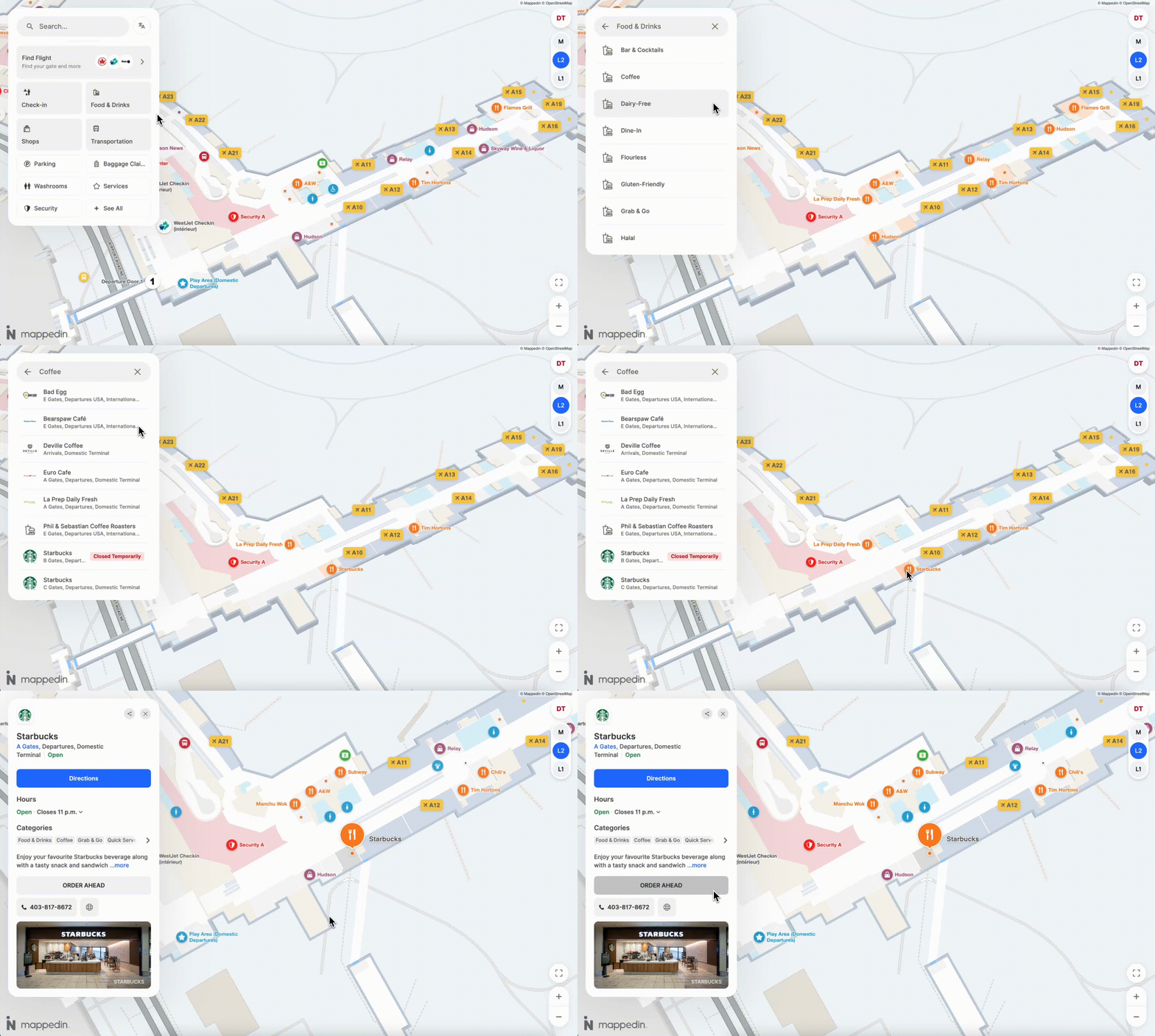
Mappedin's AI Navigator provides 24/7 conversational assistance fundamentally integrated with your airport's real-time operational data. Passengers simply speak or type naturally in any of 50+ languages:
- "How do I get to my gate from here?"
- "What's open for breakfast in Terminal 2?"
- "Where's the nearest family restroom?"
The AI understands context and intent, providing:
- Instant accurate directions using your airport's detailed indoor maps
- Personalized recommendations based on passenger location and preferences
- Real-time information about gates, flights, amenities, and current wait times
- Multilingual support without requiring separate translation services
The system works on any device – existing kiosks, iPads at service desks, passengers' smartphones – without requiring new infrastructure or app downloads.
Real-world results: YYC Calgary International Airport serves travelers with a geo-intelligent conversational chatbot
In late 2025, YYC Calgary deepened their partnership with Mappedin by deploying a real-time, generative AI conver—Mappedin’s AI Navigator. Passengers at YYC can use the website interface to ask questions in everyday, conversational Canadian French or English language, such as “Is my flight leaving on time?”, “How do I get to Gate A21?”, or “Where can I get coffee nearby?”. By remembering recent questions and using spatial context, passengers receive location-aware follow-ups and real-time travel updates for a seamless, intuitive navigation experience.
Factor #3: Unify fragmented data systems into one real-time platform that talks to your existing infrastructure
Your airport operates on multiple systems that don't communicate:
- Flight information displays show Gate B12
- Your wayfinding kiosks show outdated tenant hours from last week's schedule
- Your mobile app doesn't reflect this morning's terminal maintenance closure
When gate assignments change, your operations team updates one system manually, then rushes to update three other platforms before confused passengers start lining up at service desks.
This fragmented data architecture doesn't just create passenger confusion; it forces your team to maintain multiple systems, train staff on different platforms, and manually reconcile discrepancies that shouldn't exist in the first place.
The real cost of data silos
Most airports face this common scenario: flight displays managed by one vendor, static or digital directories maintained by facilities, and mobile apps built by a third-party contractor.
When you need to update restaurant hours, close a terminal section for maintenance, or communicate security wait times, you're updating information in three separate systems with three different interfaces and three different timelines.
The operational cost compounds during irregular operations:
- Weather delays require updating flight displays, wayfinding routes, and passenger messaging separately
- Security incidents force manual coordination across systems to redirect passenger flow
- Construction closures need updates in multiple platforms, often missing critical touchpoints
- Tenant changes require separate updates in directory systems, maps, and promotional content
Your IT team spends hours managing what should be a single unified platform.
How unified data integration works
Mappedin's platform integrates with your existing airport systems through standardized APIs, creating a single source of truth that updates automatically across all passenger touchpoints:
- Flight Information Display Systems (FIDS): Automatic gate updates reflected in wayfinding routes
- Point-of-Sale systems: Real-time tenant hours, wait times, and menu availability
- Building Management Systems: Maintenance closures, temperature alerts, and facility status
- Security and Operations: Wait time data, checkpoint status, and facility alerts
When your operations team updates information once, it propagates instantly to kiosks, web browsers, mobile apps, and all wayfinding displays. Your passengers see consistent, accurate information regardless of how they access your navigation system.
We met with Mappedin, shared exactly what our needs were, and worked with them on the solution. This was seamless and Mappedin was there with us the entire journey until execution. The end product is amazing for us, and more so for our passengers.”
– Sharon Hislop-Holt, Manager, Commercial Business Development & Marketing, MBJ Airports Limited, Sangster International Airport
Factor #4: Transform wayfinding from cost center into revenue generator with integrated advertising and promotion capabilities
Traditional wayfinding systems represent pure operational expense: capital costs for installation, ongoing maintenance fees, and staffing requirements with no revenue offset. Your CFO sees wayfinding as a necessary cost of operations—not a strategic asset that could generate meaningful revenue while simultaneously improving passenger experience.
Meanwhile, your retail tenants pay premium rents for high-traffic locations but lack effective tools to drive foot traffic during slow periods.
Your advertising partners want digital inventory but can't justify static signage investments.
Your parking operations need better utilization during off-peak hours but have no way to communicate availability to passengers making real-time decisions.
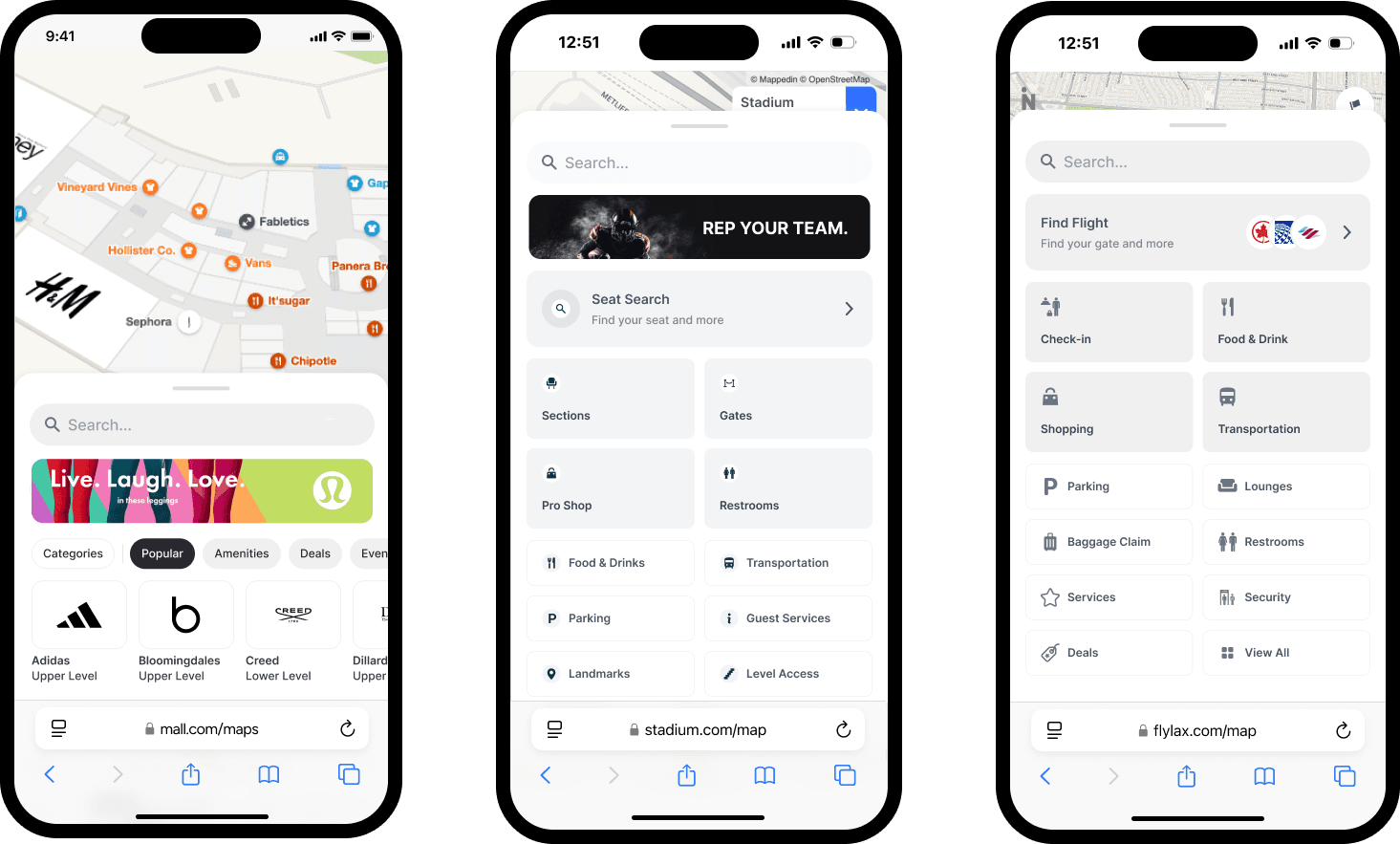
The hidden non-aeronautical revenue opportunity
Most airports approach wayfinding and commercial promotion as separate initiatives: wayfinding systems help passengers navigate, while advertising and promotion happen through standalone digital signage, printed materials, and manual staff recommendations.
This separation misses the fundamental insight that passengers use wayfinding systems when they're actively making decisions about where to go next – exactly the moment when commercial recommendations deliver maximum value.
Consider your current reality:
- High-value retail tenants in Terminal 2 see lower foot traffic because passengers don't know they exist
- Restaurants with immediate seating can't communicate availability to passengers standing in line elsewhere
- Premium parking locations sit empty while economy lots fill up
- Airline lounges struggle to attract eligible passengers who don't know where they're located
Each of these represents lost revenue that a properly integrated commercial platform could capture.
How airport wayfinding systems generate revenue
Mappedin's platform combines wayfinding with sophisticated commercial promotion capabilities that feel helpful rather than intrusive:
Contextual promotion engine:
- Location-aware recommendations suggesting nearby amenities based on passenger position and dwell time
- Gate-proximity filtering showing only options passengers can reach before boarding
- Preference learning adapting suggestions based on passenger behavior and search patterns
Tenant partnership tools:
- Tenant promotion campaigns driving traffic to specific locations during slow periods
- Sponsored search results allowing premium placement in passenger queries
- Dwell time analytics showing tenants exactly how many passengers pass their location
- Conversion tracking measuring how many passengers follow promoted suggestions
Dynamic advertising inventory:
- Contextual ad placement in wayfinding results and route suggestions
- Time-based pricing reflecting passenger volume and peak travel periods
- Performance analytics proving ROI to advertising partners
The platform generates revenue through multiple channels while improving passenger experience, because recommendations solve real passenger needs at exactly the right moment.

Pointr
Pointr focuses primarily on retail environments with particular strength in indoor positioning technology, serving major clients including Harrods, Macy's, and Gatwick Airport. They emphasize their positioning capabilities and have built retail-specific features like aisle-level navigation that work well in shopping environments.
However, airports evaluating Pointr discover that their solution relies primarily on beacon-based infrastructure that creates the hardware maintenance challenges and Android/web compatibility limitations discussed earlier.
Pointr offers mapping features such as:
- Passenger analytics
- Accessible routing via Okeenea partnership
- Geofencing for location-aware messaging
- SDKs
- Mark My Car
MapsIndoors (MapsPeople)
MapsPeople positions itself as a people-first company serving workers, travelers, and visitors across industries including airports. Based in Copenhagen with clients like Samsung and Ford, they focus on creating solutions designed around user needs rather than purely technology capabilities.
Their Google Maps overlay approach provides familiar navigation experiences that can be comfortable for passengers. However, Android GPS-based positioning doesn't deliver the accuracy that airports require for multi-floor terminal navigation.
Airports evaluating MapsPeople often discover that their solution excels at certain use cases but since the majority of their mapping is limited to location updates (structural map updates require contacting their team), the platform is best equipped to serve IT teams willing to invest in lengthy professional implementations.
Compare Mappedin vs. MapsPeople →
Mapsted
Mapsted offers indoor positioning solutions with a focus on geofencing and analytics capabilities. They provide features for triggering actions when visitors enter or leave zones, along with detailed analytics around dwell times and traffic flow patterns. Their Pointr Express product (also called Mobile Pass) emphasizes rapid, app-free deployment through QR codes, NFC, and URL links.
However, airports find that Mapsted's positioning technology still relies on Bluetooth beacon infrastructure that creates maintenance complexity, and their overall solution focuses more on individual positioning and analytics features rather than providing the complete wayfinding platform that airports need.
The experience often requires compromises in visual design quality, lacks advanced capabilities like AI chatbot assistance, and doesn't integrate as seamlessly with existing airport operational systems.
Atrius
As the established incumbent in airport navigation, Atrius benefits from years of airline partnerships and airport relationships. Their longevity means they understand aviation operational requirements and have pre-built integrations with major airline systems. For airports already using Atrius, the switching cost can seem significant.
At the same time, this established position comes with substantial drawbacks:
- Their technology foundation reflects older architectural approaches that limit modern capabilities
- Visual design quality substantially lags contemporary passenger expectations
- Their business model doesn't emphasize the revenue generation and AI-powered features that transform wayfinding from cost center to strategic asset.
Airports find that while Atrius adequately handles basic wayfinding functionality, the platform limitations become increasingly problematic as passenger expectations evolve and airport operators seek to maximize both experience quality and commercial performance from their digital infrastructure.
How to choose the best airport wayfinding system for your needs
Here's what Digital and IT Directors discover when evaluating airport wayfinding systems: most vendors solve part of the challenge while creating new problems elsewhere.
You can deploy accurate positioning by installing extensive beacon networks…then accept ongoing maintenance costs and device compatibility limitations.
You can provide basic directory functionality…while accepting that passengers still can't get the contextual assistance they actually need.
You can integrate with some existing systems…while leaving others isolated in data silos.
Partial solutions force you to either accept operational limitations or layer multiple vendor platforms together, creating exactly the integration complexity and management overhead you're trying to avoid.
The four critical factors working together
Effective airport wayfinding requires addressing all four critical factors simultaneously:
- Hardware-free positioning that works for every passenger without hardware maintenance complexity
- AI-powered assistance that deflects routine inquiries while improving experience quality
- Comprehensive data integration that creates a single source of truth across all operational systems
- Revenue generation capabilities that transform wayfinding from cost center to commercial asset
Settling for less means accepting compromises that directly impact both passenger satisfaction scores and operational efficiency metrics—the exact KPIs your leadership team uses to evaluate your technology investments.
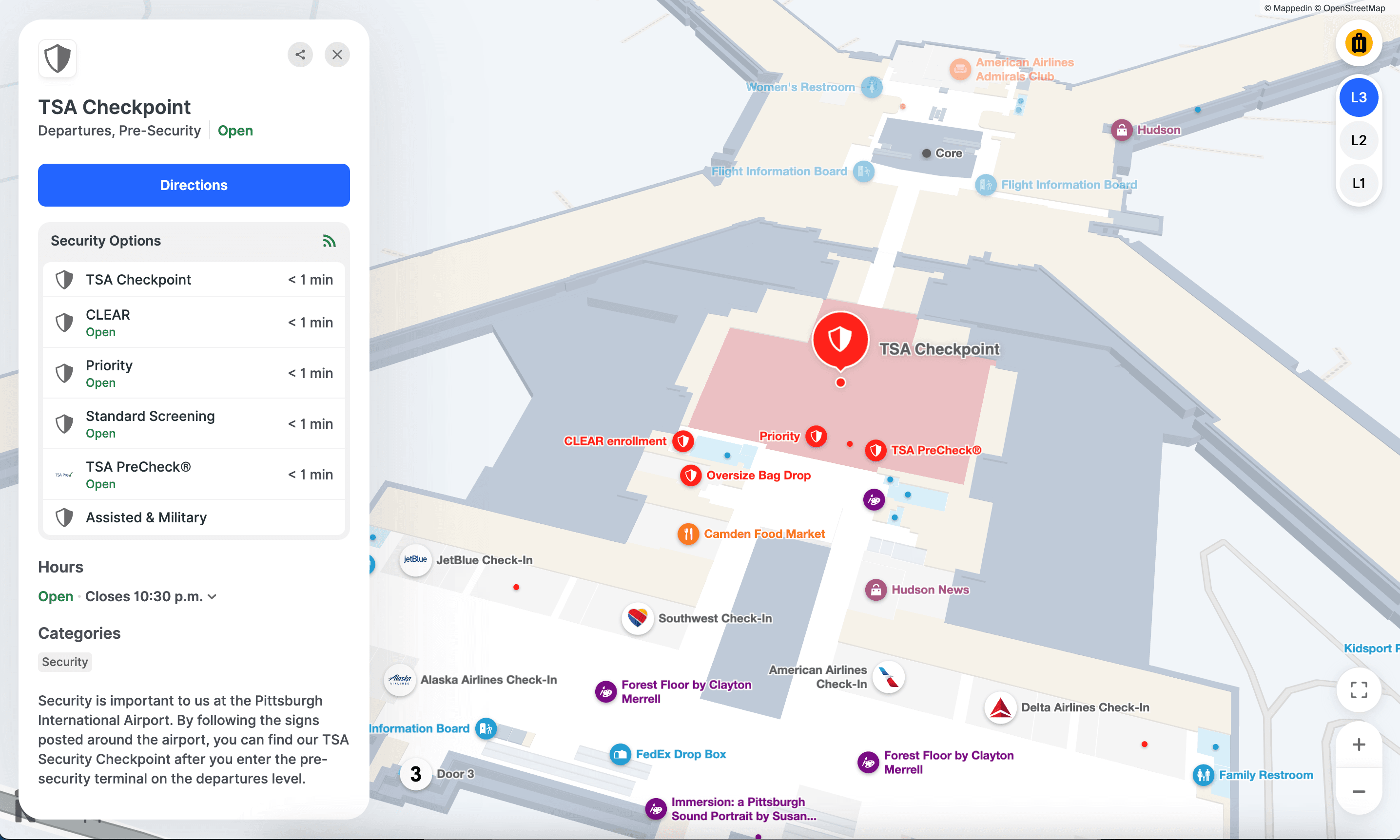
Proven at scale: Real airport implementations of Mappedin for Airports
Major airports around the world have chosen Mappedin to modernize their passenger navigation infrastructure:
- YYC Calgary International Airport deployed our platform to provide multilingual wayfinding and AI assistance, transforming how 18+ million annual passengers navigate their facility
- Pittsburgh International Airport serves over 10 million travelers annually using our omnichannel wayfinding solution, supporting their $1.7 billion terminal modernization project
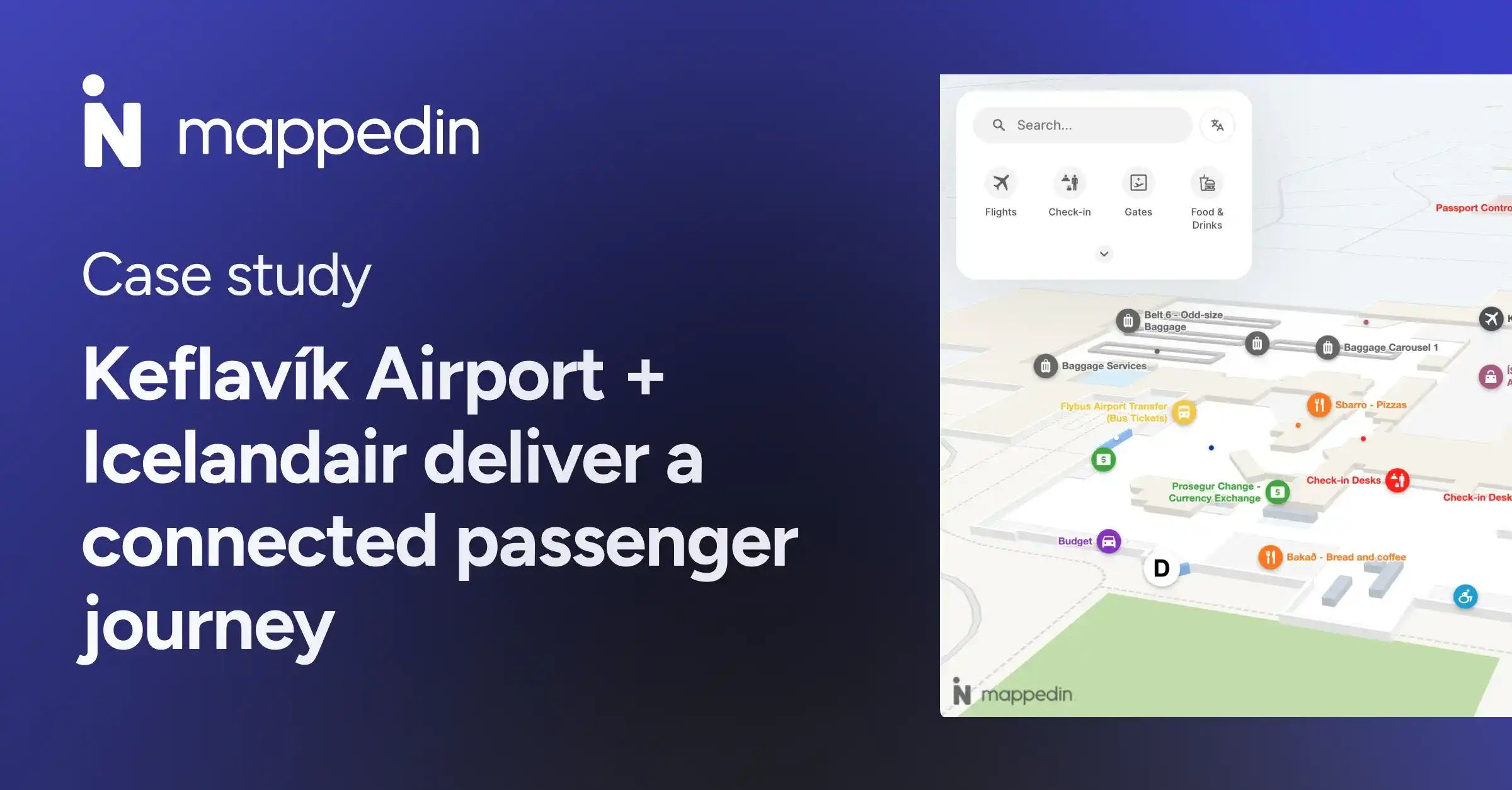
- Keflavík International Airport + Icelandair trust Mappedin to power a unified passenger experience that helps travelers navigate confidently
Mappedin’s platform helps travelers to navigate, discover amenities, and enjoy a more connected experience with the new airport.”
— Deepak Nayyar, Executive Vice President and Chief Information Officer, Pittsburgh International Airport
See Pittsburgh International Airport's live Mappedin-powered map →
Typical implementation timeline and outcomes
Airports implementing Mappedin's complete platform typically achieve:
- 30-45 day implementation
- Reduction in service desk wayfinding inquiries
- New revenue streams through integrated advertising and promotion capabilities
- Unified data platform accessible across all passenger touchpoints, eliminating manual reconciliation
- No ongoing hardware maintenance while delivering positioning accuracy that actually works
The infrastructure-free approach means your IT team focuses on improving passenger experience rather than managing beacon batteries and troubleshooting positioning failures.
Looking for an indoor mapping solution to power airport passenger wayfinding, power digital kiosks, simplify operations, and improve venue analytics? Book a custom demo of Mappedin →
Frequently asked questions about airport wayfinding software
How long does Mappedin deployment typically take for a major airport?
Most airports complete full deployment in 30-45 days. This includes data integration, data collection, map creation, and launch. Unlike beacon-based systems requiring months of physical installation, our infrastructure-free approach dramatically accelerates time-to-value.
What integration is required with existing airport systems?
Mappedin integrates with your FIDS (Flight Information Display Systems), POS systems, building management systems, and operational databases through standard APIs. Our team handles the technical integration. You maintain ownership of all data and control update frequencies.
How do you ensure positioning accuracy without beacons?
Our platform combines GPS (outdoor/campus), Apple IPS (leveraging existing WiFi), and VPS (visual positioning) to deliver accurate blue dot navigation without beacon infrastructure. The system automatically selects the optimal positioning method based on device type and location, maintaining accuracy throughout the passenger journey.
Can passengers use the system without downloading an app?
Yes. Mappedin works in web browsers on passengers' own devices with no app download required. Passengers simply scan a QR code or access your airport's URL. You can also integrate our technology into existing airport apps if preferred.
How does Mappedin AI Navigator handle multiple languages?
The AI Navigator provides native support for 50+ languages with natural language understanding in each. Passengers can speak or type questions in their preferred language, and the system understands context and intent. This eliminates the need for separate translation services or multilingual staff at every touchpoint.
What kind of revenue can airports generate from the platform?
Revenue varies based on passenger volume, commercial tenant mix, and promotional strategy. Typical sources include sponsored search results, tenant promotion campaigns, advertising inventory, and premium placement fees.
Related resources:
- What is Mappedin? Guide to indoor mapping for venue experience & operations
- How Mappedin is powering a modern terminal experience with Pittsburgh International Airport
- Making airport travel a seamless passenger journey


Share