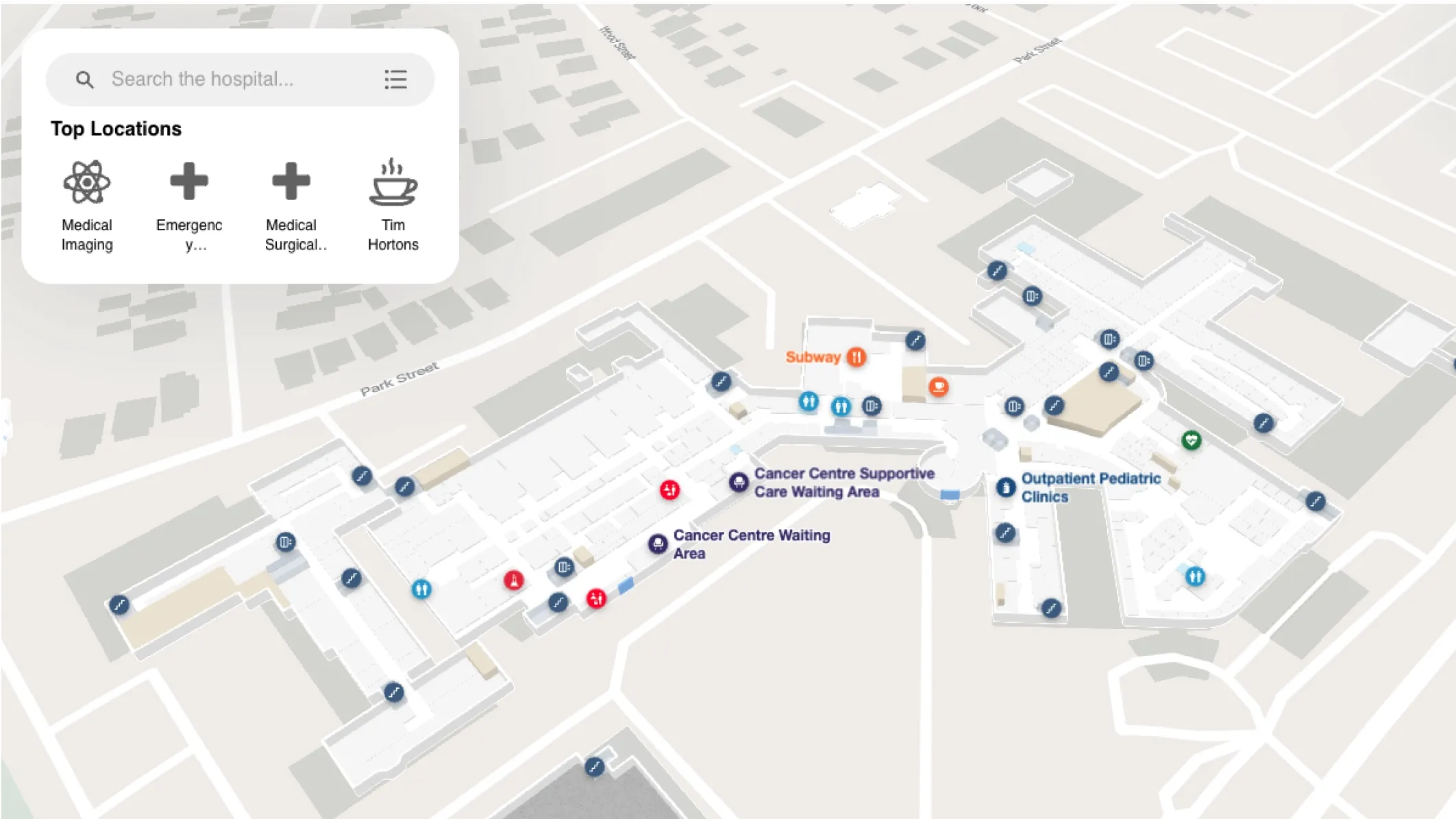
Hospitals are complex indoor environments in which a patient that can't find their way can be life-threatening.
A single large medical campus can span millions of square feet, dozens of departments, multiple towers, and hundreds of clinical areas... all of which can change from one month to the next.
In a healthcare setting, that friction can mean a patient arriving late for imaging, a family member missing a consultation, or a staff member losing time they don't have.
The right hospital navigation app eliminates that friction. It gives patients and visitors confidence from the moment they arrive, guides staff efficiently through complex layouts, and gives facilities teams a platform they can actually maintain. But not all navigation apps are built for the demands of healthcare environments, and the differences between platforms become clear when you dig into the details.
In this blog, we'll break down what to look for in a hospital navigation app and compares the leading options available today.


What to look for in a hospital navigation app
Based on what matters most to facilities and property managers evaluating hospital navigation software, four capabilities consistently drive the buying decision:
Real-time map accuracy and the ability to keep it current
From department relocations to construction projects to seasonal closures, hospital layouts change constantly.
Most legacy navigation platforms require manual GIS updates or vendor-managed workflows that can take days. When a wing is renamed or a department moves, patients are still receiving wrong directions while the update request sits in a queue.
The best hospital navigation apps give facilities teams the ability to update maps in real time, directly from a CMS, without filing a ticket or waiting on a vendor.
Accessibility and regulatory compliance
Hospitals serve some of the most vulnerable populations of any indoor venue—patients with mobility impairments, elderly visitors, people with visual or cognitive disabilities, and international patients who speak dozens of different languages.
ADA compliance and WCAG requirements aren't optional in healthcare environments, and the depth of implementation matters enormously. Features like step-free routing, screen reader support, high-contrast modes, and multilingual navigation determine whether a large portion of your patient population can actually use the app, or if you're just checking a box.
Indoor positioning without hardware infrastructure
Beacon-based indoor positioning sounds compelling until you're deploying it across a 1.5-million-square-foot hospital campus. Hardware procurement, installation across hundreds of locations, battery replacement cycles, and ongoing calibration add cost and operational overhead that healthcare facilities teams are rarely staffed to manage.
The best hospital navigation platforms deliver accurate indoor positioning using existing infrastructure without requiring any beacon hardware.
A platform that serves both patients and operations
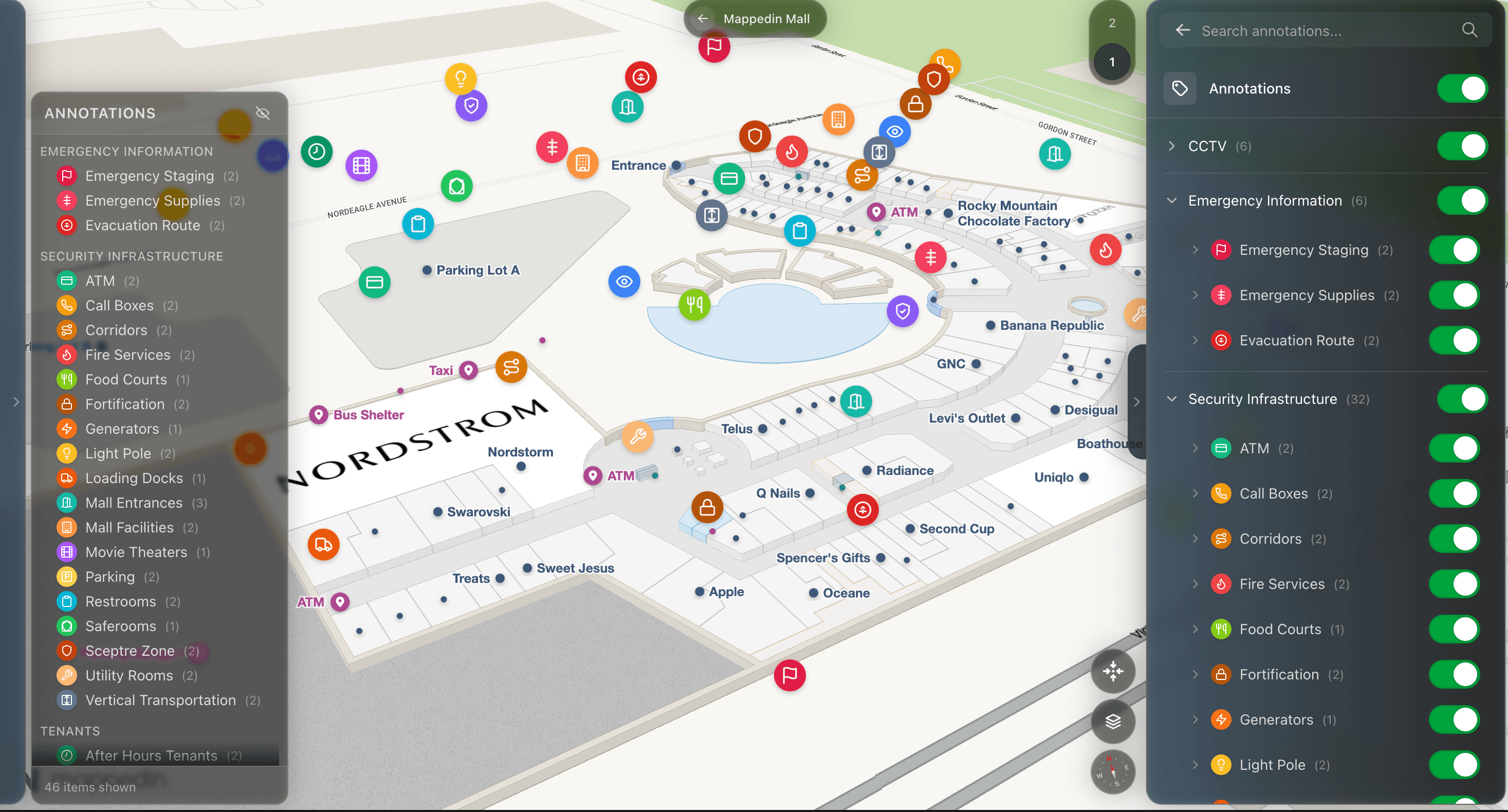
Forward-thinking healthcare facilities managers aren't just evaluating wayfinding for patients. They're thinking about how the same spatial data can serve security teams, support emergency management workflows, and give operations staff better tools for space utilization and asset tracking.
A single platform that powers both visitor navigation and operational use cases eliminates the need for separate systems and creates efficiencies that single-purpose apps simply can't match.
Ready to see how Mappedin serves patients and operations teams in healthcare environments? Get a demo →
Mappedin
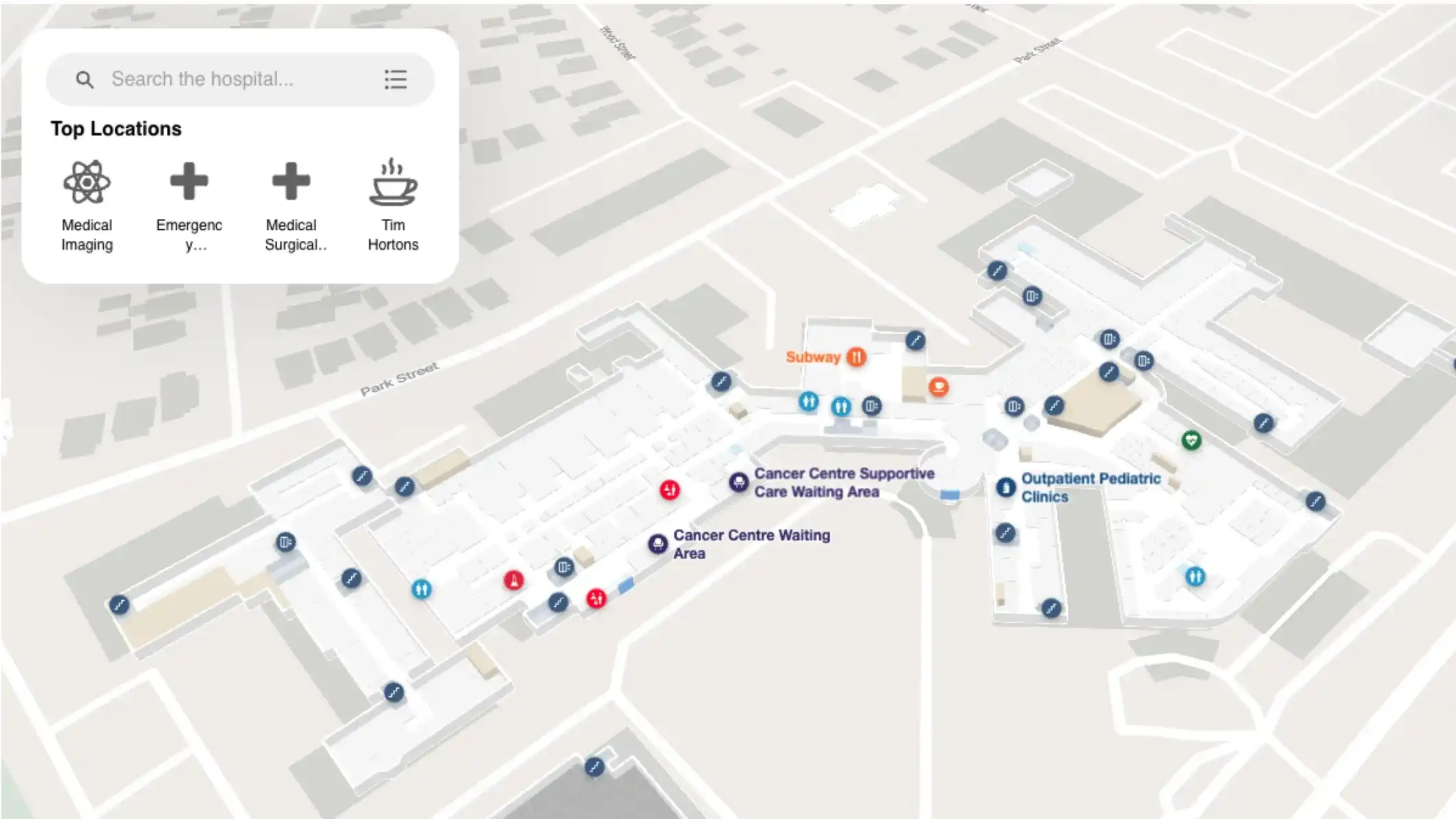
Mappedin is an indoor mapping and digital wayfinding platform purpose-built for large, complex venues including hospitals, airports, malls, stadiums, and campuses.
It's the platform behind enterprise deployments at healthcare campuses like Grand River Hospital, Children's Hospital of Philadelphia, Henry Ford Health and Alberta Health Services. Its architecture is designed from the ground up to serve both visitor-facing navigation and operational use cases from a single map layer.
— Daniel Lombardi, VP Donor Success & Revenue, Grand River Hospital Foundation
AI-assisted map creation and real-time updates
Mappedin's CMS includes AI-assisted map creation tools that dramatically reduce the time it takes to build, launch, and update hospital maps. Facilities managers can update room names, reroute around construction zones, add new departments, or reflect temporary closures in real time, without waiting on a vendor or submitting a GIS update request.
For a hospital environment where a department move or wing renovation might happen every quarter, this is a material operational advantage. They make the update in Mappedin, publish, and patients start receiving accurate directions immediately.
This also reduces the risk of the costly navigation failures that healthcare environments are particularly prone to—a patient late for a scan, a visitor missing a consultation window, or a first-time visitor giving up and asking staff for help.

Beacon-free indoor positioning
Mappedin delivers turn-by-turn indoor navigation without requiring any beacon hardware. Using existing Wi-Fi infrastructure and device sensor data, the platform provides accurate indoor positioning across complex multi-building hospital campuses, including multi-level, multi-tower environments.
For healthcare facilities, this matters in two concrete ways:
- Deploying beacons across a million square feet of clinical and public space is cost-prohibitive. Hardware procurement alone represents a significant capital commitment, before accounting for installation labor and ongoing maintenance.
- The ongoing operational burden of replacing beacon batteries, recalibrating positioning systems, and managing device inventories falls to facilities teams that are already managing far more complex challenges.
Beacon-free positioning eliminates both problems while delivering the same quality navigation experience for patients and visitors. It also means that the platform can be deployed and operational faster, without dependency on hardware procurement timelines.
WCAG 2.2 AA certified accessibility
Mappedin builds in accessibility to the foundation of the platform rather than checking a box for it later on. Mappedin's accessibility compliance are independently tested and certified through Level Access, with WCAG 2.2 AA certification verified by professionals with lived disability experience.
The platform provides mobility-first routing, screen reader compatibility, high-contrast modes for low vision, and navigation in 40+ languages.
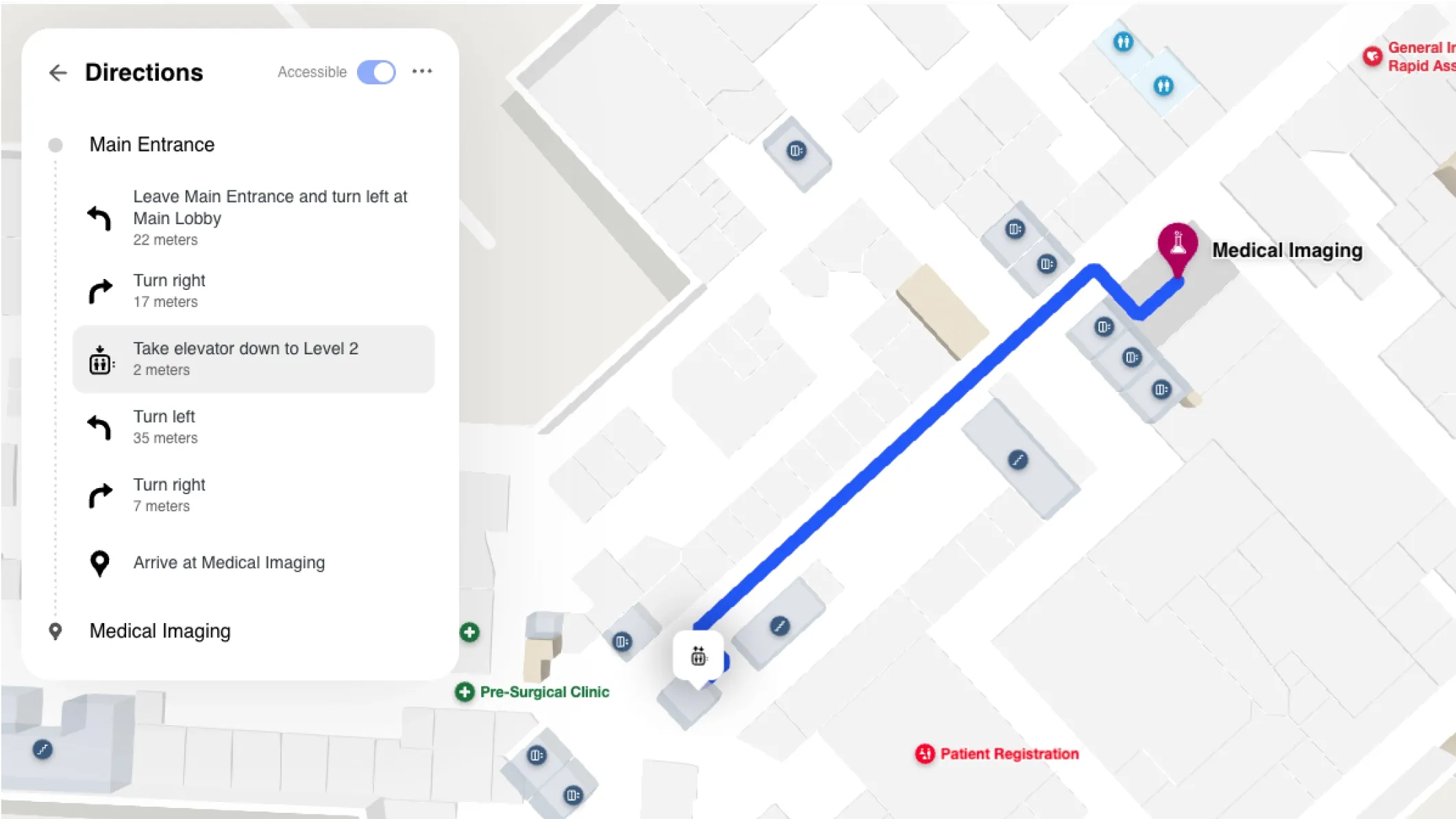
In a hospital setting, these capabilities serve real clinical and compliance needs.
- Mobility-first routing automatically prioritizes elevator routes for patients using wheelchairs or mobility aids, families with strollers or medical equipment, and elderly visitors—without requiring the user to know to ask for it.
- Screen reader support gives visually impaired patients the independence to navigate without assistance from staff.
- 40-language coverage ensures that patients who don't speak English can access the same quality navigation experience as everyone else.
The depth of Mappedin's accessibility implementation also goes beyond physical and sensory accessibility. Cultural accessibility features including the ability to surface prayer rooms, nursing stations, family washrooms, gender-neutral facilities, and quiet spaces reflect the breadth of needs in a modern healthcare environment.


One platform for patients and administrators
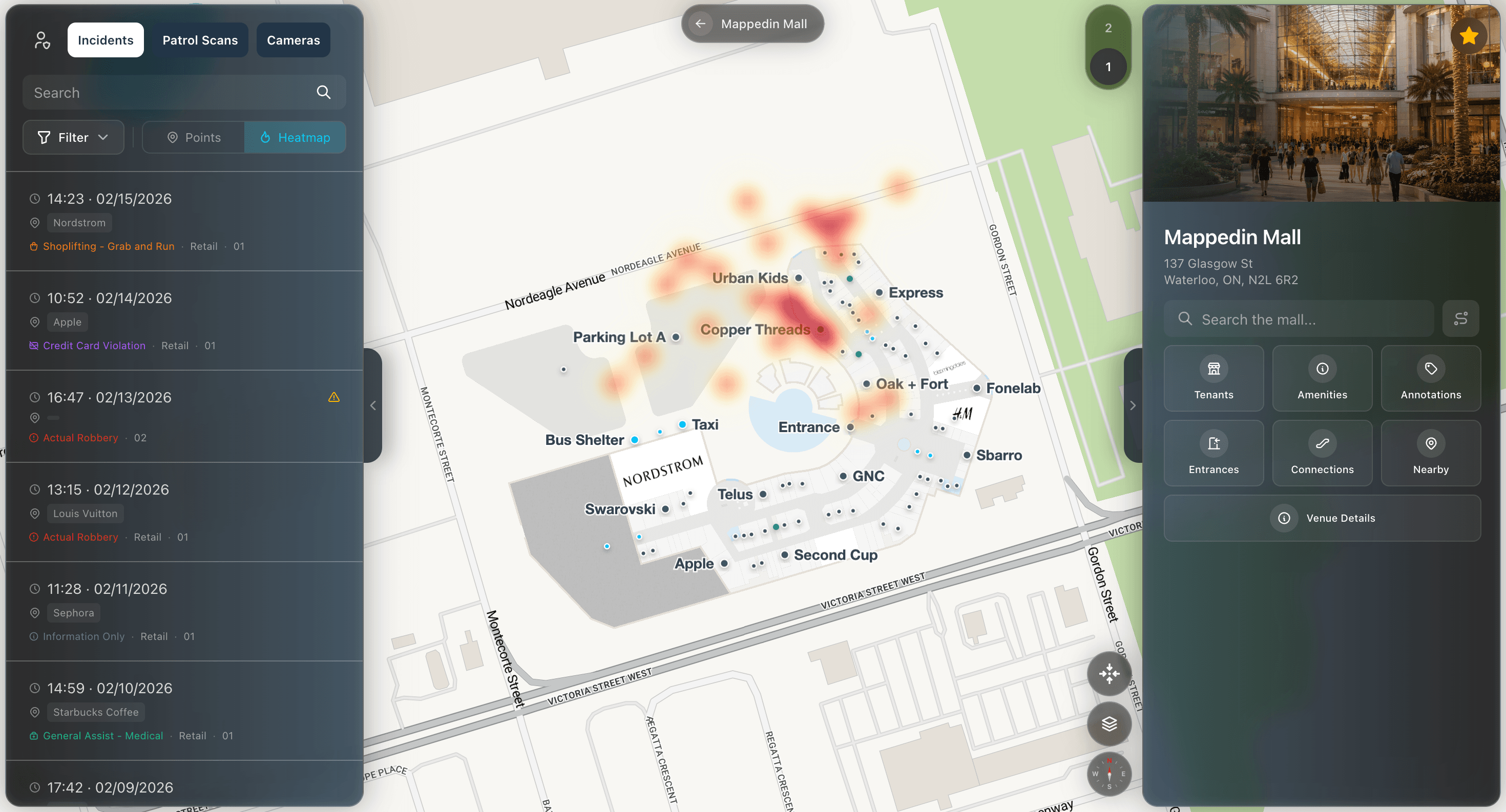
Mappedin's architecture uses a single map layer to serve both patient-facing navigation and internal operational functions. The same spatial data that powers visitor wayfinding can be used by security teams for emergency management, by facilities managers for space utilization and asset tracking, and by operations leads for incident response and crowd management.
This dual-purpose design has a direct impact on how healthcare facilities teams can justify and scale their investment. Rather than maintaining a visitor navigation system and a separate operational mapping tool, both functions run from the same platform—with a single source of truth for floor plan data that eliminates the version control problems that plague hospitals managing multiple map formats across different departments.
How the other top hospital navigation apps compare
Pointr
Pointr is an indoor mapping and positioning platform for the healthcare sector. Pointr offers indoor positioning system (IPS) accuracy by way of beacon technology, as well as AI mapping and wayfinding.
Key features
- 2D and 3D indoor maps with multi-building, multi-level support
- Beacon-based indoor positioning with claimed sub-3-meter accuracy
- Indoor location analytics (POI interactions, traffic flow, search data)
- Geofencing with triggered messaging for visitor personalization
- Cloud CMS (Pointr Cloud) for map content management
Where Pointr fits well for healthcare
Pointr is an established option for healthcare facilities that prioritize IPS accuracy and are willing to invest in beacon infrastructure. Its analytics capabilities and geofencing features add value for hospitals interested in visitor engagement beyond basic wayfinding.
Where it falls short for healthcare
Pointr's indoor positioning relies on BLE beacons, which introduces hardware procurement, installation, and ongoing battery maintenance costs that can be prohibitive across large hospital campuses. Pointr's accessibility compliance is only partial, which matters in regulated healthcare environments.
Mapsted
Mapsted is a Canadian-based indoor mapping platform that serves healthcare, retail, malls, stadiums, and other verticals. It delivers indoor navigation without BLE beacons, using a proprietary positioning approach.
Key features
- Beacon-free indoor positioning using device sensors
- Indoor and outdoor navigation integration
- Multi-building and multi-floor support
- Content management system for map updates
- Analytics and engagement features
Where Mapsted fits well for healthcare
Mapsted's beacon-free positioning story resonates with healthcare facilities managers who want to avoid hardware infrastructure. For organizations that are earlier in their digital navigation journey and looking for a lower-complexity entry point, Mapsted offers a recognizable value proposition.
Where Mapsted falls short for healthcare
Mapsted's product functionality is more limited than platforms like Mappedin. Its accessibility features, operational use cases, and dual-purpose architecture are less developed, and its healthcare deployments are less prominent. For large, complex hospital campuses with significant compliance requirements and multi-team operational needs, Mapsted's feature depth may not be sufficient.
MazeMap
Mazemap is an indoor mapping and navigation platform with a meaningful presence in European university and hospital environments. It offers solid multi-building campus navigation and has built a reputation for detailed indoor floor plan coverage.
Key features
- Multi-building campus and hospital navigation
- Room booking and space management integrations
- Wayfinding kiosk support
- Open API for custom integrations
- Integration with room scheduling systems
Where MazeMap fits well for healthcare
MazeMap is a solid indoor wayfinding provider for European healthcare systems and academic medical centers looking for indoor navigation integrated with space management and room booking tools. Its enterprise integrations add operational value beyond patient-facing wayfinding.
Where MazeMap falls short for healthcare
Mazemap's North American presence and support infrastructure are more limited than Mappedin. Accessibility compliance and multilingual coverage are less robust, and the platform lacks the dual-purpose operational layer that hospital facility managers increasingly require.
MapsPeople
MapsPeople is a Danish indoor mapping platform that delivers navigation primarily through a Maps Indoors SDK, enabling healthcare organizations and developers to embed indoor navigation within their own applications. It serves hospitals, airports, and corporate campuses.
Key features
- Maps Indoors SDK for custom application development
- Integration with Google Maps and Apple Maps for outdoor-to-indoor handoff
- Wayfinding and room booking capabilities
- CMS for map content management
- RESTful API for enterprise integrations
Where MapsPeople fits well for healthcare
MapsPeople is well-suited for healthcare organizations that have development resources and want to build highly customized navigation experiences within their own existing patient apps. Its SDK-first model gives technical teams significant flexibility.
Where MapsPeople falls short for healthcare
The developer-first model means that facilities managers without dedicated technical resources face a steeper implementation path and greater long-term dependency on internal development capacity. Out-of-the-box hospital navigation requires more configuration than turnkey solutions.

Frequently asked questions about hospital navigation apps
What is the best hospital navigation app for patients?
The best hospital navigation apps combine accurate indoor maps, step-free accessibility routing, multilingual support, and real-time updates so patients always receive current directions. Mappedin is the strongest option for hospitals that need WCAG-certified accessibility, beacon-free positioning, and a platform that serves both patients and operational teams from a single map layer.
How does indoor navigation work in a hospital without beacons?
Beacon-free indoor positioning uses a device's existing sensors—accelerometers, gyroscopes, barometers, and Wi-Fi signal data—to determine a user's location inside a building without requiring any installed hardware. Platforms like Mappedin use this approach to deliver accurate turn-by-turn navigation across large hospital campuses, eliminating the cost and maintenance burden of beacon infrastructure.
What accessibility features should a hospital navigation app include?
At minimum, a hospital navigation app should offer step-free routing that avoids stairs and escalators for patients with mobility impairments, screen reader compatibility, high-contrast display modes, and multilingual support. WCAG 2.2 AA certification is a strong signal that a platform has genuinely invested in accessibility.
Why do hospital navigation apps need frequent map updates?
Hospitals are among the most dynamic indoor environments in any industry. An outdated map frustrates visitors, cause patients to miss appointments or arrive at the wrong clinical area. Hospital navigation apps with real-time CMS update capabilities allow facilities managers to keep maps current without vendor dependency.
Can a hospital navigation app support staff as well as patients?
Yes, the most capable platforms are designed for both. A dual-purpose platform like Mappedin uses the same spatial map data to support patient navigation and operational use cases including security, emergency management, space utilization analytics, and asset tracking. This eliminates the need for separate systems and creates a single source of truth for floor plan data across the organization.
What is the difference between a hospital navigation app and digital signage?
Hospital navigation apps are interactive tools that provide personalized, point-to-point wayfinding for individual users. Digital signage is static or semi-dynamic content displayed at fixed locations for general awareness. The two are complementary: digital signage works well for high-traffic decision points, while navigation apps support the full patient journey from arrival to destination.
How long does it take to deploy a hospital navigation app?
Deployment timelines depend on the size and complexity of the facility's floor plans and the chosen implementation approach. Platforms with AI-assisted map creation tools can significantly compress the timeline compared to traditional GIS-based workflows, which require specialized staff and extended manual digitization. Most enterprise hospital deployments can go live in weeks rather than months with modern platforms, and facilities teams without dedicated GIS staff can manage ongoing updates directly.
Getting started with hospital navigation apps
For hospitals and healthcare campuses, choosing the right navigation app is a facilities decision with direct patient experience, compliance, and operational consequences. The platforms that serve healthcare well share four common traits: they keep maps accurate in real time without vendor dependency; they deliver certified, deeply implemented accessibility features that genuinely serve patients with diverse needs; they navigate without hardware infrastructure that creates long-term maintenance burden; and they're built to serve both the patient-facing and operational sides of the facility from a single platform.
Mappedin delivers all four from one platform:
- WCAG 2.2 AA certification
- Indoor positioning
- Easy, real-time map management
- Dual-purpose architecture that grows with the needs of a healthcare facilities team
Alternatives like Pointr and Mapsted each have strengths in specific areas, but none combines the accessibility depth, implementation simplicity, and operational versatility that Mappedin offers.
Evaluating hospital navigation apps and want to see how Mappedin can work for your facility? Request a custom Mappedin demo today →
Share