

Kickoff is 20 minutes away and your guest services channel fills with the same three questions:
- Where's the nearest gluten-free stand?
- Which gate takes me to Section 114?
- Is the team store still open?
Your ushers answer by pointing.
Meanwhile, on a Tuesday tour, visitors walk past the club museum and the players' tunnel because nothing on the concourse tells them it's there.
Most teams treat the stadium map as a static seating diagram — a PDF reprinted whenever a concession stand changes hands. Fans arrive with a map already open, and the venues getting value from it run that map as a live channel: a directory, a tour guide, a scoreboard and a sales floor on one screen.
This guide covers what a stadium map does on event days and off days:
- Self-guided tours
- An always-on directory fans check while they stand in line
- Live scores and event data layered onto the concourse
- Concession discovery
- Premium ticket entitlements surfaced at the right moment
It's written for marketing and guest experience teams at stadiums and sports venues who own the fan relationship and are tired of answering the same questions by hand.
Try all of it on a working stadium map when you explore the interactive stadium demo. →
What is fan experience?
Fan experience is the sum of every interaction a fan has with a stadium on event day and off days — finding a seat, a restroom, a local food partner, a live score, or a premium ticket entitlement. Venues build it on one map that ties their separate systems together in real time.
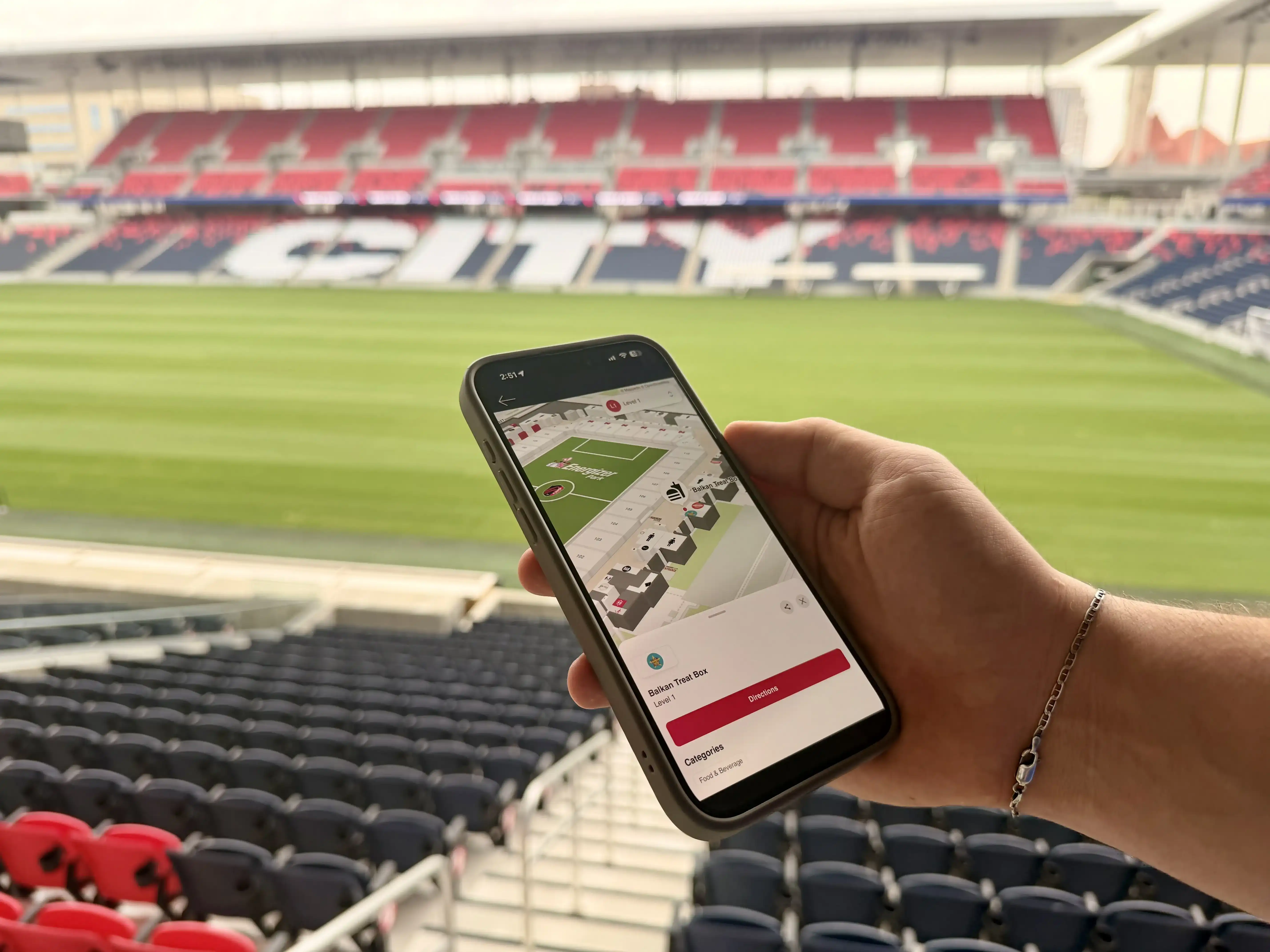
St. Louis CITY SC runs CITYPARK, a 22,500-seat stadium with 25+ local food partners pinned to one interactive map. Four seasons in, the results hold:
- 84% fan satisfaction
- 31,900+ map searches
- Up to 150% higher sales for food partners elevated within the map
73% of food partner interactions begin with search, so fans reach the counter knowing what they want instead of circling the concourse.
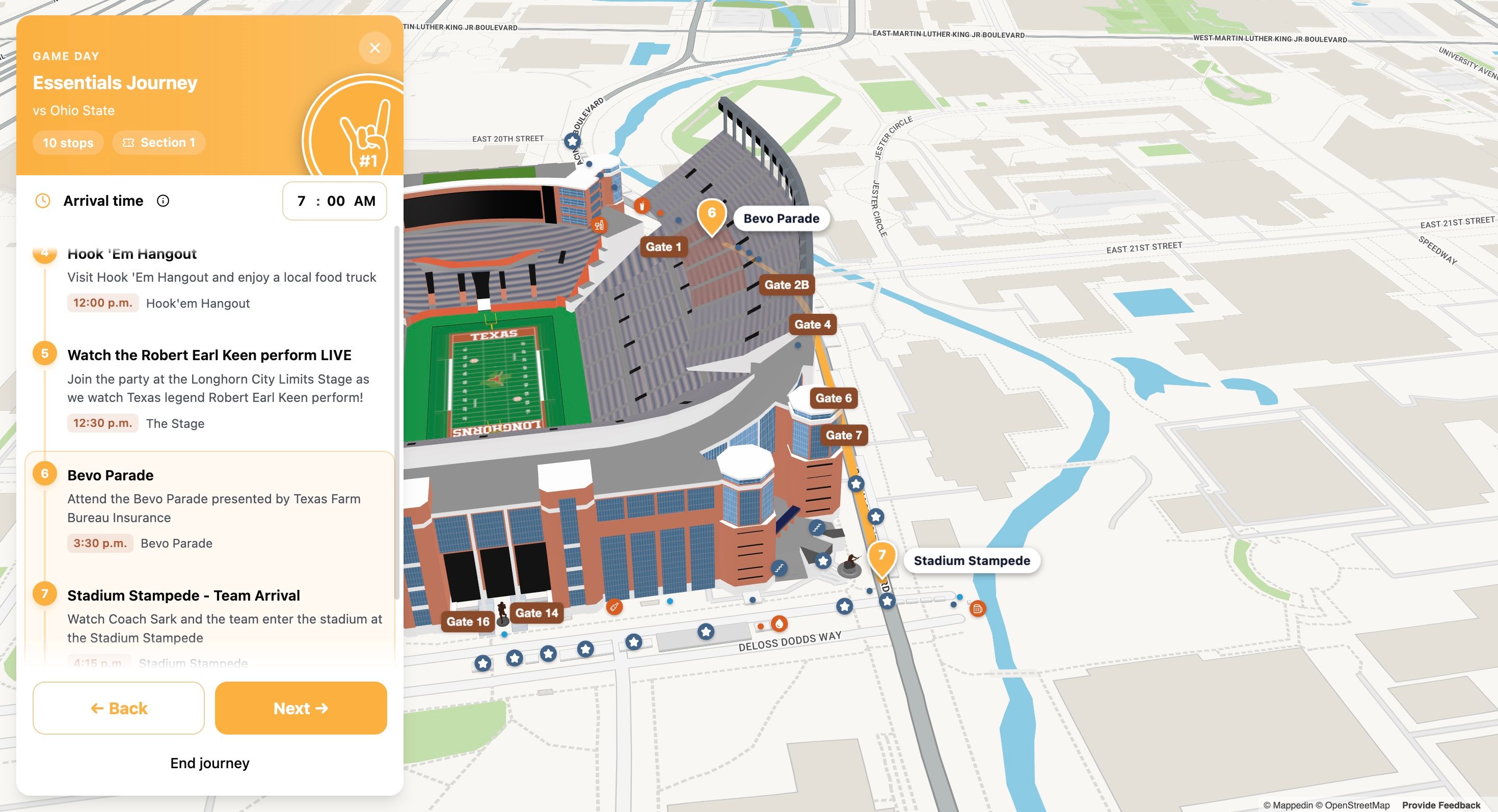
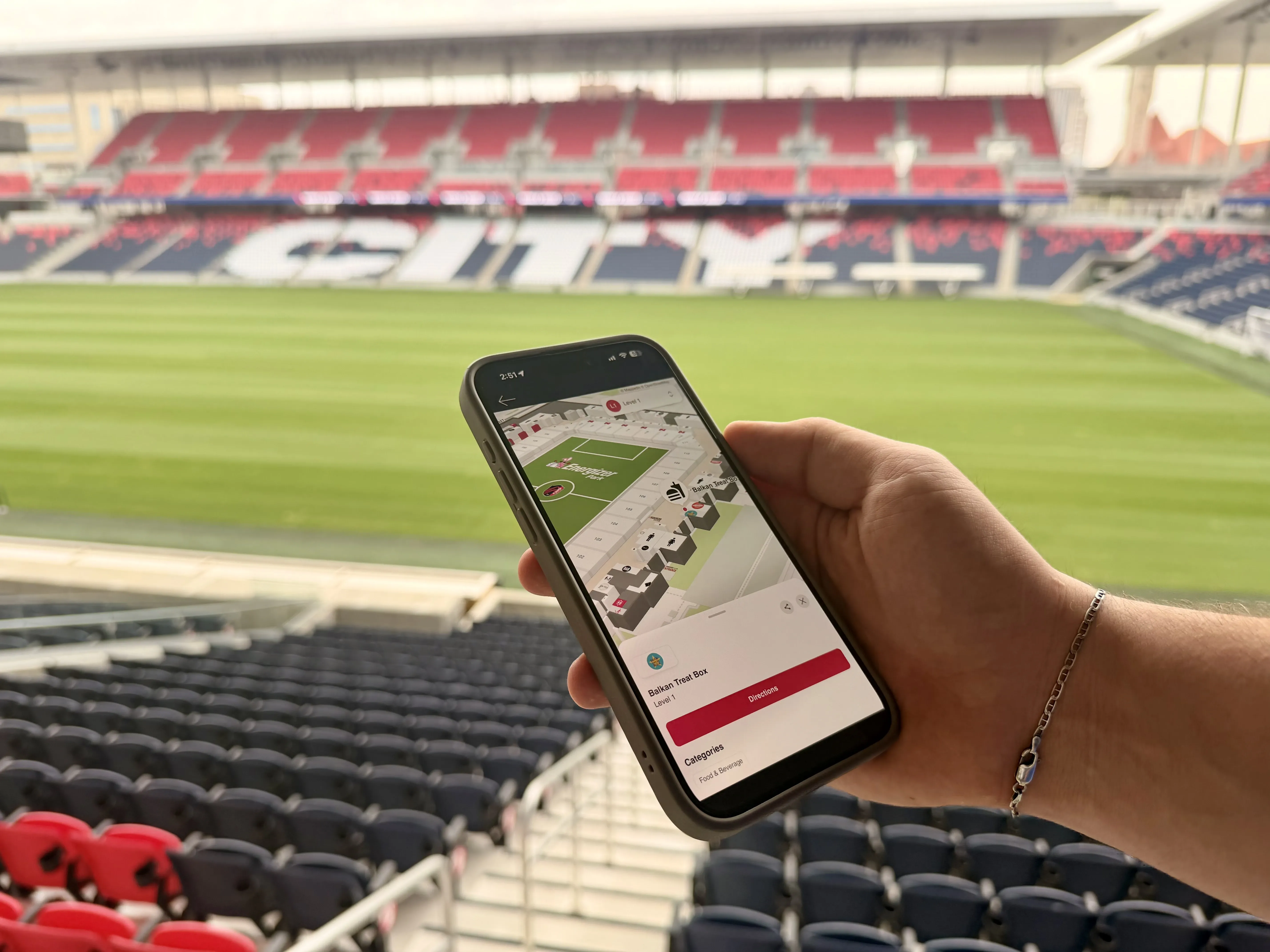
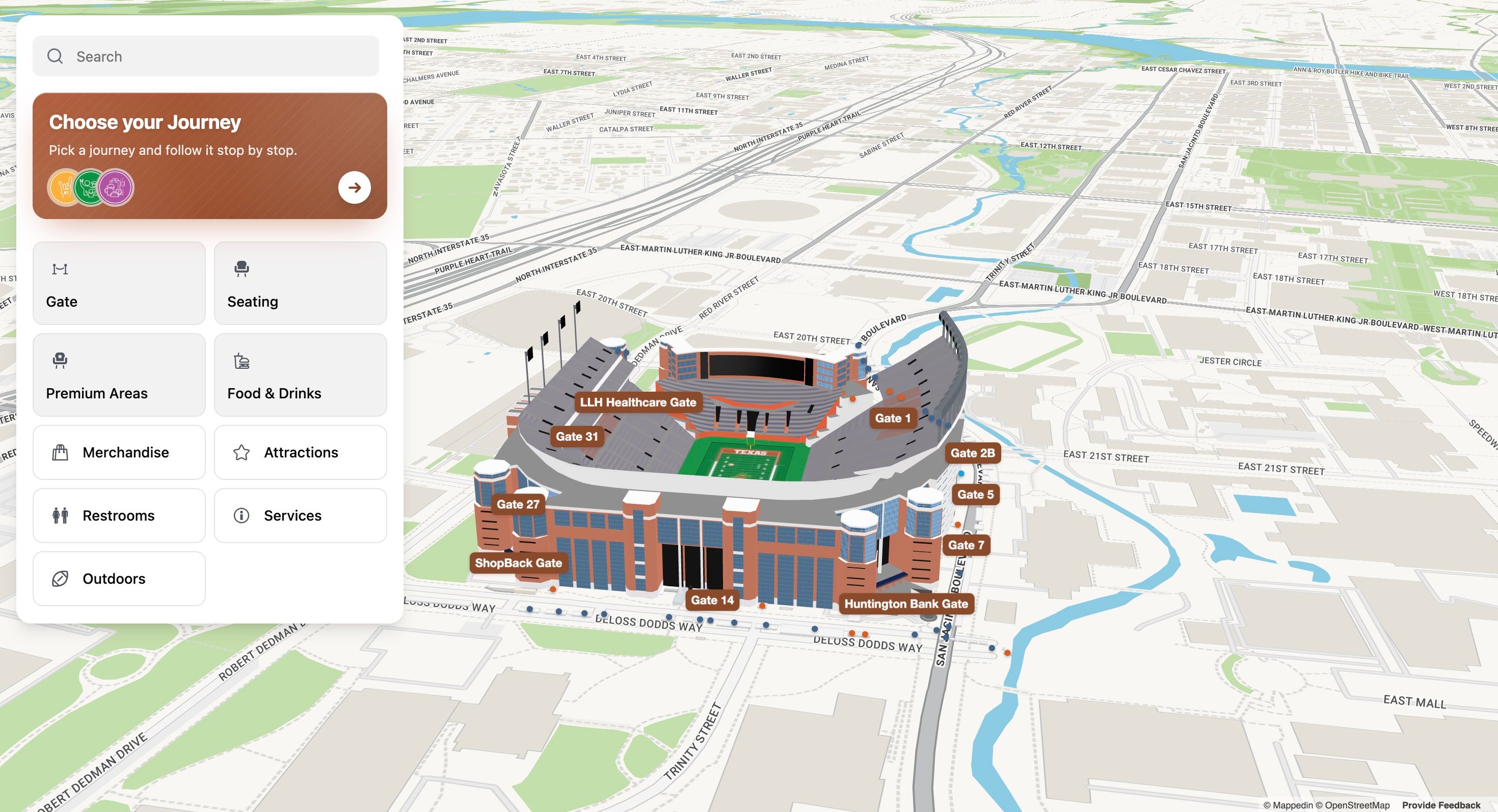
The University of Texas at Austin equips fans to do the same on their own, with a 3D map inside the Texas Longhorns app that locates seating areas, concessions, restrooms, first aid, water stations, gates and Fan Services. That removes the constant redirection that consumes a game-day crew. The same gap shows up on off days, when a self-guided tour loses visitors at attractions they never knew were there.
Fan experience vs. guest experience
Fan experience
The end-to-end journey inside a sports or entertainment venue, spanning event day and off days, driven by ticketing, live scores, concessions and premium entitlements. It covers the moments fans choose for themselves and the ones the venue surfaces to them in the moment.
Guest experience
The service journey borrowed from hotels, retail and hospitality, where staff act as the primary interface. It measures service quality and satisfaction, not the live operational systems running inside the building.
Customer experience
A marketing and software discipline measured across digital touchpoints like web, app, email and support. It ends at the screen; fan experience continues onto the concourse, where the map has to reflect the building as it stands right now.

Why stadium discovery matters for fan experience
On matchday, the same questions land on the same people. Where is section 112, which gate takes a bag, is there a gluten-free stand within two concourses of my seat? Staff answer one fan at a time, which pulls them off security and service posts and still leaves a queue forming at the gate.
Fans who can't find something rarely ask — they just skip it. That shows up as idle concessions, unclaimed premium seats and weaker satisfaction scores. Give fans the venue's answers where they already are and the redirects drop on their own.
Fewer guest redirects on event day
St. Louis CITY SC maps 25+ local food partners across a 22,500 seat stadium, so fans navigate themselves instead of queueing for directions. Staff stay on their posts and the map handles the routine questions.
A live channel you own
An interactive directory reaches fans on the device already in their hand, on matchday and on the walk in. St. Louis CITY SC logged 31,900+ map searches, and the map becomes a publishing surface for new partners, changed gate times and tour stops without waiting on a printed guide.
Real-time context changes what fans do next
Live scores, gate wait times and event status sit on the same map fans use for directions. UT lets fans find seating, concessions, restrooms, first aid and water stations directly from their mobile device. The map answers the practical question, the live layer answers the next one.
Concessions get found on purpose
St. Louis CITY SC sees 73% of food partner interactions begin with search, so fans arrive with intent rather than browsing. Elevating a partner within the interactive map lifted food partner sales by up to 150%. For operators, that ties map placement directly to revenue.
Premium entitlements stop hiding
Club access, inclusive food and beverage credits and early entry are only worth what fans actually use. Surfacing those entitlements on the map turns a buried ticket line into a reason to arrive early and spend.
5 core components of stadium discovery
A fan reaches the gate 40 minutes before kickoff with a ticket, a phone and no idea where the nearest water station is. Staff spend the afternoon pointing rather than solving. Wayfinding solved the first version of that problem; discovery is what fans ask for next.
1. Self-guided stadium tours: cut guest redirection on event days and off days
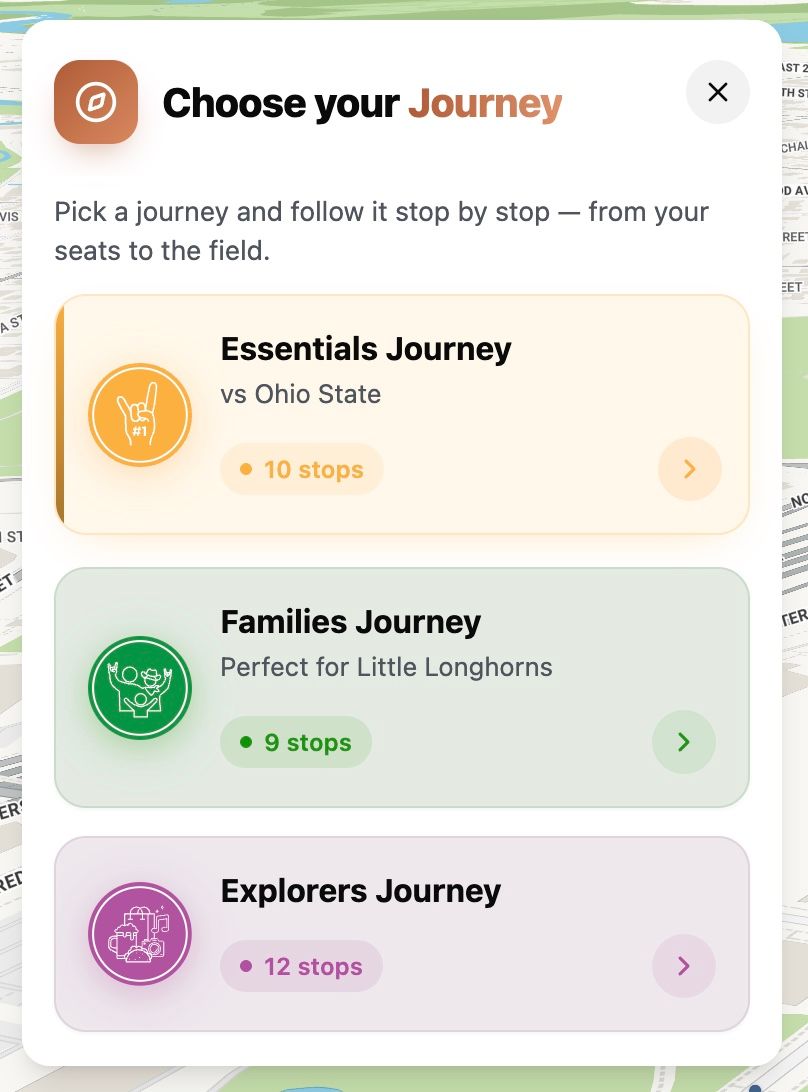
A self-guided tour puts the route on the fan's phone. Operators publish the stops they choose, including locker rooms, clubs, the press box and the tunnel, and the map carries groups at their own pace whether the stadium is full or empty.
For example, one usher covers a route that used to need three, and the front desk stops answering "where's the tunnel?" 40 times before noon. The self-guided stadium tours guide covers route setup, staffing and off-day scheduling in depth.
2. A live venue directory: one channel fans check instead of five
Social posts, PA announcements and paper signage go stale the moment a stand closes or a gate changes. A live directory holds every destination, food partner, restroom, service desk and entrance in one place that updates as the event moves.
For example, a fan hunting a water station or a first-aid room finds it without pulling a staff member off the floor. The guide to building a live fan directory covers the app, web and in-venue screen setup.
3. Real-time data layers: keep the map honest while the event runs
A map that shows today's layout beats a PDF that shows last season's. Live layers carry scores, gate queues, transit arrivals, weather and restroom availability onto the view fans already have open.
Every layer answers a question staff were answering over radio. When a score changes, the map says so, and a fan in a concession line stops asking an usher to read the screen. A closed washroom or a stuck gate shows up on the same view, so the map stays right at kickoff and at full time.
For example, a live scores layer keeps a fan buying a drink in the loop on the goal, and a gate layer sends late arrivals to the shortest entrance. The guide to real-time data on the map covers which feeds to connect first.
4. Concession discovery: turn searches into sales
Fans who search buy. Take it from St. Louis CITY SC's Senior Product Manager:
— Aaron Brewer
For example, an operator pushes a short-line stand two sections over instead of the packed concourse, and the map moves the demand. The concession discovery guide unpacks menus, partner tiers and mobile order ahead in more detail.
5. Premium entitlements: show fans what their ticket already includes
Club access, suite entry, inclusive credits and upgrade offers usually travel by email or word of mouth. Pinning them to a seat on the map turns an entitlement into a next step:
- Club and suite entrances for each ticket tier
- Inclusive food and drink credits
- Upgrade offers on unsold premium seats
Fewer fans ask staff which door their ticket opens, and premium inventory gets seen by the people already paying for it. Fan satisfaction tracks the small stuff, and knowing which door to use is small stuff.
For example, a club-level ticket holder opens the map, sees the club entrance marked for their tier, and walks straight there instead of circling the concourse.
How to promote fan discovery in stadiums and sports venues
Fans arrive with three questions:
- Which gate?
- Where's the food?
- What's happening right now?
Staff answer them one at a time, in person, from memory, and the answers change every few minutes. That traffic lands on people already running a live event.
- Run self-guided stadium tours on event and non-event days: Publish an interactive 3D map where fans locate seating areas, concessions, restrooms, first aid, water stations, gates and Fan Services directly from their phone. Then on off-days, the same map carries the route, replacing staff posted at each turn to redirect visitors and keeping guests moving through areas guides normally skip.
- Publish one live directory as a fan channel: Give fans one place to browse before and during a game or event. One department can own the listings so a new partner, a changed menu or a closed stand updates in one place and fans see it before they walk past it.
- Turn search into concession discovery: 73% of food partner interactions at CITYPARK begin with search rather than passive browsing. St. Louis CITY SC reports up to 150% higher food partner sales when a partner is elevated within the interactive map. Placement becomes a lever marketing can pull week to week instead of a fixed sign bolted above a stand.
- Surface real-time data on the map fans already have open: Scores, gate queues and stand status render onto the same map that answers directions, so a fan checking a scoreline sees the nearest open concession in one view. That keeps attention on the venue's own surface rather than a third-party scoring app fans switch away to.
- Surface premium ticket entitlements: Suite and club holders see their entrance, lounge and included concessions the moment they scan in. Marketing gets a surface for pitching upgrades to general admission fans, and the premium desk stops fielding calls about which door to use. Fans keep the same map and just see more of it.
Software shows the state of the building; people decide what to do about it. A steward still makes the call to open another gate when a queue backs up, and a marketing lead still chooses which partner gets the featured slot on Saturday. The map's job is to make the current state obvious in seconds so those calls are fast and defensible.
How to put stadium discovery into practice
Game day staff spend more time pointing than solving. A fan can't find the away stand's food court, a tour group walks past the locker room without noticing it, and the north concourse concession sits quiet while the south one queues. Fixing that doesn't take a rebuild, it takes five steps ordered so the first ships inside a week and each next one earns its budget.
Step 1: Publish one self-guided tour on the map you already have
Pick the shortest route worth walking: one entrance, five or six stops, one exit. Load those stops as destinations on your existing stadium map — the naming convention matters more than the visuals, because fans search using the words staff say on the floor ("Section 128", "Bud Light Party Deck"). Guest services owns the stop list; marketing owns the copy on each one.
Document the route as a list:
- Stop name
- Exact map location
- One line on why it's worth stopping
- A photo where you have one
Tag every stop with the facilities layer it belongs to — concessions, restrooms, first aid, Fan Services — so the same location serves tours and everyday wayfinding.
How to know when it worked
When a fan completes the route with no staff assist and you can see route views in map analytics.
Step 2: Turn the map into a live directory channel
A map earns its place when fans reach it from everywhere they already are. Publish the same map to the team app, the game-day web page, QR codes on concourse signage, screens above the gates, and the pre-match email. Marketing owns the distribution list; one source map keeps every version identical.
Build the directory underneath it: every concession, washroom, gate, first aid point, premium club and partner, each with category, hours, and the detail a fan actually needs.
How to know when it worked
You can name the entry points fans used this week and the top 10 destinations they searched. That list is your first honest picture of what fans want and can't find.
Step 3: Surface real-time data on the map
Static maps answer "where." Live maps answer "should I go now." Start with one feed like the score, a gate queue, or a closed concourse and show the value changing in place. Operations owns the source, IT owns the connection, fan experience owns which feed earns screen space.
Document three things per feed:
- The source system
- The refresh cadence
- What the map displays when the feed drops
Fans forgive a slow score; they don't forgive a map that lies about which gate is open.
How to know when it worked
A value on the map changes during a live event without anyone redeploying anything. From there, add feeds one at a time: queue times, incident notices, egress routing, each tied to a decision a fan or staff member makes in seconds.
Step 4: Optimize concession use and discovery
Search is how fans buy. Placement is a merchandising decision, not a design one.
Concessions and partnerships own the partner roster and the commercial terms; marketing owns placement and rotation. Document each change: which partner moved, when, where they moved from and to, and the window you'll judge it on. Rotate on a schedule so every partner gets a fair test, and tell partners what a featured position is worth.
How to know when it worked
You can show sales by partner against map placement for a defined window, and you can tell a partner what a featured spot delivered.
Step 5: Surface premium ticket entitlements
Premium holders pay for access they can't always find. Put club entries, inclusive food and drink locations, and upgrade paths on the same map as everything else, keyed to each fan's entitlement in the app.
The premium or ticketing team owns entitlement definitions. Marketing owns how a fan learns what their ticket unlocks.
Document the entitlement list, the map locations tied to each, and the upgrade offers you're testing. Keep the language plain: a fan wants to know where their seat's entrance is, not what tier they bought.
How to know when it worked
A premium holder reaches their club without asking staff, and you're tracking upgrades or add-on purchases that started on the map. Track fan satisfaction and NPS alongside it — redirects per game day, unanswered questions at guest services, post-event survey scores — because those are the numbers your executive team will ask for.
6 common fan experience mistakes to avoid
Most stadium map projects stall on the same handful of decisions, and they stall quietly — the map ships, fans walk past it, and staff go back to pointing with both hands.
1. Scoping the map as wayfinding and stopping there
It happens because a map reads like a floorplan project, so teams budget for geometry and forget the data. Plan the second release before the first ships: name the live systems — scores, gate status, concession queues — that will feed the map, so the build isn't a dead end.
2. Treating the map as a one-time launch
Stadium footprints shift every season; pop-up stands open, partners rotate, gates move. St. Louis CITY SC reports its map "adapts as our stadium footprint evolves." Assign an owner and a standing update slot before launch day, not after someone notices the map is stale.
3. Locking the map inside a single channel
If the only path is one app, fans who arrived through email or a web search never find it. Publish everywhere a fan already is: app, web, ticket confirmation, and digital signage.
4. Building a directory fans browse instead of one they search
Fans often arrive with intent. Index every partner, restroom, gate and amenity using the words they actually type.
5. Leaving premium ticket entitlements in the fine print
Most fans never learn what their seat unlocks, so clubs and lounges sit half-empty while entitlement emails go unread. Pin club access, included credit and dedicated entrances to the seat itself on the map.
6. Building an event-day map and an off-day map as separate projects
Tours, camps and private events run on the same footprint, and fans expect the same answers either way. Keep one map current for both, so a guest on a Tuesday tour sees the same venue they'll navigate on gameday.
How to measure fan discovery success
Discovery work looks busy but proves nothing on its own. Map opens, tour starts and directory page views measure activity; they don't tell you whether a fan found the gate, the food partner or the club-level seat they paid for. Agree the baseline before launch, then read every metric per gameday and per off-day separately.
Fan satisfaction (NPS)
Survey fans in-app or by post-match email, and split respondents into map users and non-users. Measure the gap between the two groups, because that gap is your ROI case for the next season.
Redirects per attendee
Log guest services, usher and radio requests for directions, then compare against a baseline gameday before the map ships. Fewer redirects means staff attention moves to safety, premium service and hospitality instead of helping a lost fan.
Search-led discovery share
Track the share of concession and destination interactions that begin with a search rather than passive browsing. A lower number means fans are scrolling the directory instead of using it.
Concession sales per partner
Compare point-of-sale revenue for the same partner before and after promoting it inside the map. Hold one partner unchanged as a control to separate placement from gameday demand.
Premium entitlement activation
Measure the share of premium ticket holders who open the map and reach club, suite or hospitality destinations in their first three visits. Baseline their pre-launch entry behavior, then re-measure after premium listings go live.
Pilot with one venue
Fans want the nearest restroom, the shortest concession line, the lounge their premium ticket unlocks, and they want it before the next inning.
One live map answers all of it, and keeps answering as the food lineup, the scoreboard and the crowd shift through the day. That's the distinction between stadium wayfinding and an indoor operating platform, and it's where fan satisfaction actually gets built.
Pick one venue, publish a directory fans can use on event day and off day, and wire one live data source into it. One building proves the model; the rest follow on the same platform, with no new map to build each time.

Share