

Guest One arrives late, tired, and carrying two bags. The lobby sign still lists breakfast hours from last season. The spa promotion points to a phone extension that no longer works. A wedding party is asking where the ballroom moved, and the front desk staff is answering the same questions in rotation while the check-in line grows.
Guest Two walks into a different property. A lobby display shows current dining hours, event locations, weather, and clear directions to the elevator bank and meeting rooms. The screen updates when a conference room changes. Restaurant specials rotate automatically at the right time of day. And guests still ask questions, but fewer of them are basic, repetitive, and preventable.
That's the difference between static information and a working digital communication system. Good digital signage for hotels exists to remove friction from arrival, navigation, dining, events, and on-property upsell moments. It also changes how hotel teams handle demand at the desk, in food and beverage, and across meeting spaces.
Why digital signage for hotels matters
Most hotel teams already know where communication breaks down. It happens at check-in rush, outside meeting rooms, near elevators, at breakfast, and in any space where guests need an answer faster than a staff member can get there. And this is happening today. A recent study found that:
Static signs usually fail for two reasons:
1. They go out of date.
They don't change by time of day. They can't reflect room moves, menu changes, local disruptions, or a sudden traffic spike at reception.
2. They fragment fast across departments.
Marketing owns one message, events owns another, and operations spends the day cleaning up confusion.
That's why digital signage for hotels works best when operations treats it as infrastructure, not decor. With the right digital signage program:
- A lobby screen can answer common questions
- A meeting room display can prevent event mix-ups
- A restaurant menu board can steer attention to higher-margin items
- A wayfinding display can shorten the path from confusion to action
Hotels no longer need to think only in terms of content themes like promotions, greetings, and announcements. They can think in terms of operational moments: Guest arrival, queue management, direction finding, event turnover, ancillary revenue and safety communication.
Where the biggest gap still exists
Many articles stop at engagement and modern experience, but that's incomplete. The harder and more valuable problem is connecting signage to changing on-property conditions so the information on screen reflects what guests need right now, not what a team uploaded last week.
That's where digital signage starts to overlap with live operational data, room scheduling, and indoor mapping. Once those systems are connected, the screen stops being a passive display and starts becoming a real service layer for the building.
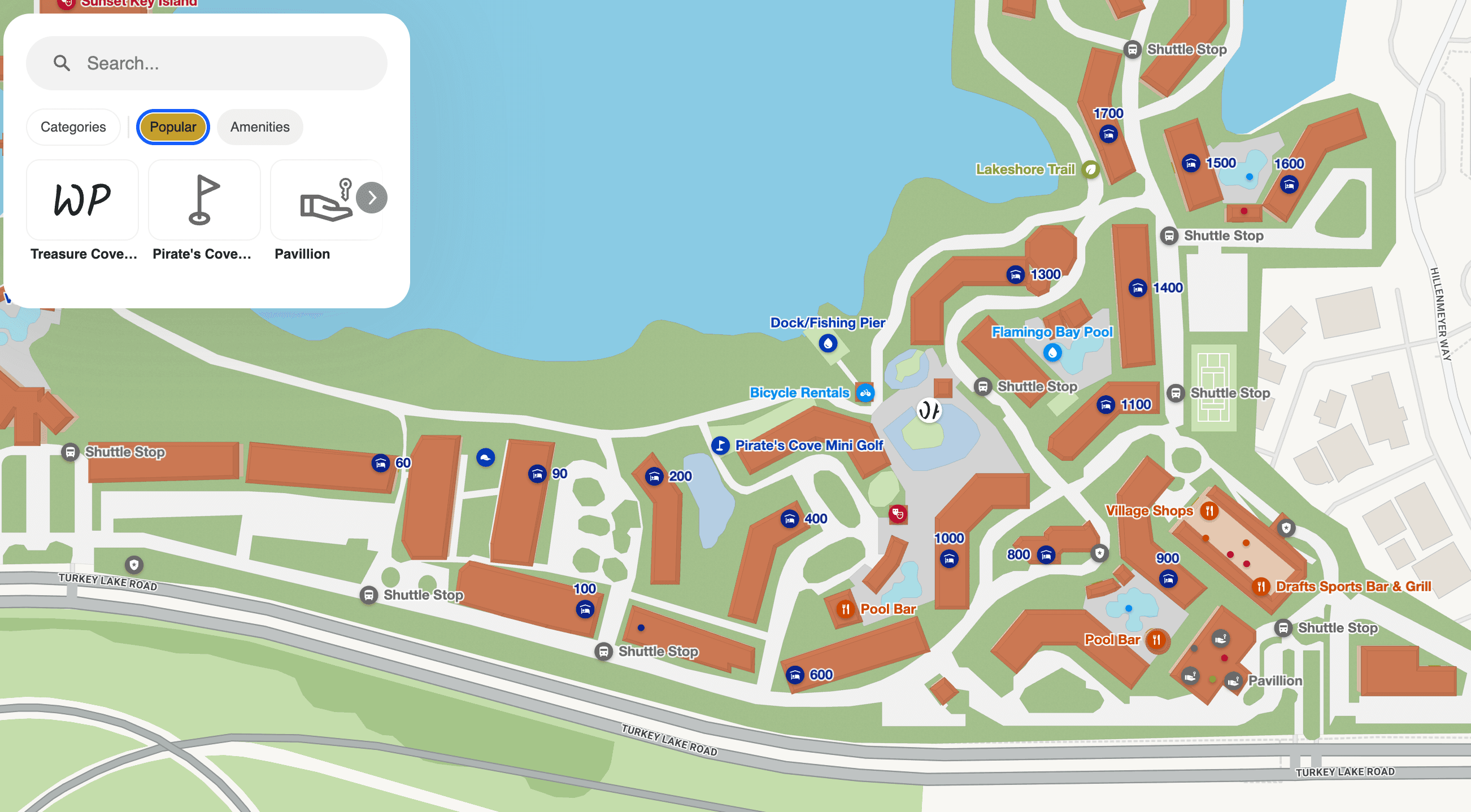
What digital signage means for hospitality today
At a hotel, information has a short shelf life. Breakfast hours change. A ballroom assignment moves. Digital signage matters because it lets the property update guest-facing information fast, by location, and at operating scale.
In practice, digital signage now sits between guest communication and operational control. It can support revenue goals, but its bigger value often comes from reducing avoidable questions, directing foot traffic, and keeping multiple departments aligned on the same live information. That operational role becomes much stronger when screens pull from room scheduling, property updates, and indoor wayfinding data instead of relying on manual slide changes.
Hotels evaluating digital signage for guest experience and wayfinding usually see the difference quickly. A screen tied to live building data solves a real service problem, while a screen running static promotions often turns into background wallpaper.
It turns idle attention into measurable ancillary revenue
Hotels have limited chances to influence on-property spend after check-in. The guest passes the restaurant, spa, rooftop bar, retail corner, or late checkout offer in a matter of seconds. If the message is stale or poorly timed, that moment is gone.
Digital signage gives operators tighter control over timing, placement, and offer relevance.
That potential upside is why operators often start with F & B, spa, and upgrade offers. Those categories respond well to dayparting and location-based messaging, and they usually have spare inventory to fill.
It changes the cost and speed of hotel communication
Print still has a place for compliance and backup use, but it handles change poorly. Every update takes staff time, introduces version-control problems, and creates lag between what operations knows and what guests see.
Digital signage shifts that cost profile. The screens require capital, software, support, and content discipline. In return, one network can carry arrivals messaging in the morning, meeting-room guidance before an event, outlet promotions in the evening, and service notices when conditions change.
Hotel teams are using signage less as a design feature and more as a shared operating system for the guest-facing parts of the building.
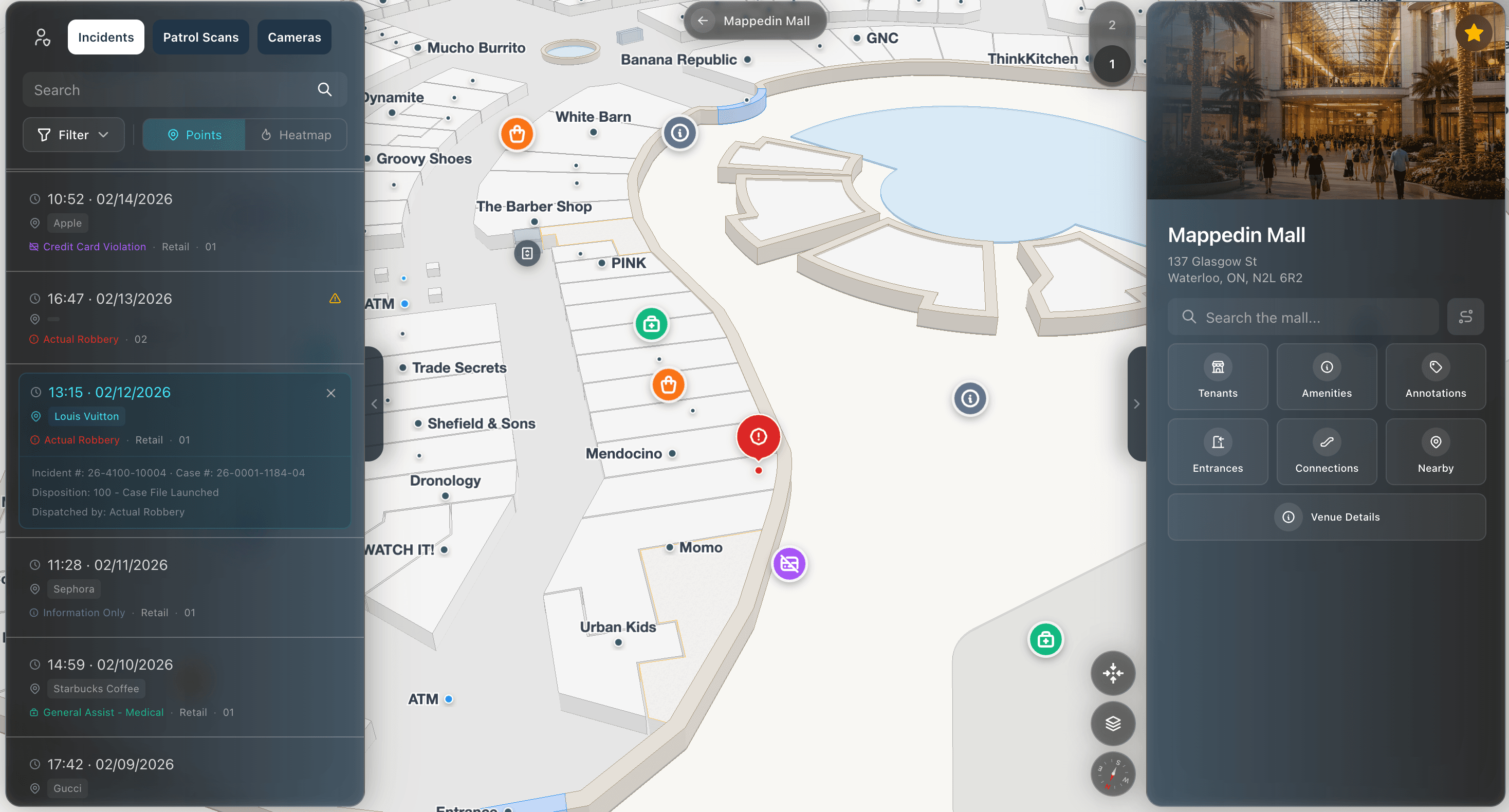
It shapes guest confidence before a staff member speaks
Guests read the property long before they judge the service team. If the lobby display is current, event signage matches the actual room setup, and wayfinding is clear, the hotel feels organized. If the information is outdated or inconsistent, confidence drops fast.
That perception change shows up in survey data.
The operational goal is to place screens where guest uncertainty creates either lost revenue or unnecessary staff interruption. In a well-run deployment, signage handles repeatable questions, supports decisions in the moment, and reflects live conditions inside the property. That's what digital signage means for hospitality today. It acts as a working part of how the hotel moves people, communicates change, and protects staff time.


Use cases that drive hotel revenue and efficiency
The best hotel deployments are organized by zone and by decision point. Each screen should reduce friction at a specific place in the building, increase conversion at a specific moment, or prevent a repeatable service failure.
Lobby reception
The lobby usually delivers the fastest operational return because it concentrates uncertainty. Guests need check-in instructions, amenity hours, elevator directions, event locations, and local updates within the first few minutes on property. If that information is missing or outdated, front desk labor gets pulled into low-value repetition.
Hotels that use digital signage well report fewer front desk inquiries. The practical effect is straightforward. Staff spend less time giving directions and more time handling exceptions, upsell conversations, and service recovery.
Useful lobby content tends to fall into three categories:
- Arrival essentials: check-in steps, breakfast hours, Wi-Fi instructions, elevator banks, and amenity schedules
- Live property updates: local weather, event changes, shuttle timing, and temporary closures
- Wayfinding support: clear directions to restaurants, meeting rooms, fitness areas, parking, and accessible routes
The trade-off is attention. A lobby screen packed with promotions often fails at the job that matters most at arrival, which is reducing confusion quickly.
Meeting and event spaces
Conference and banquet floors are where static signs age the fastest. Room moves, revised start times, sponsor rotations, and last-minute setup changes all happen on the same day. Printed boards create labor, and every manual replacement creates another chance for error.
Digital room signs and corridor displays improve operations in a few concrete ways:
- Staff spend less time swapping signs across a large event floor.
- Attendees are less likely to walk into the wrong room.
- Sales and banquet teams can reflect schedule changes immediately.
- Group business looks better organized, which matters for repeat bookings.
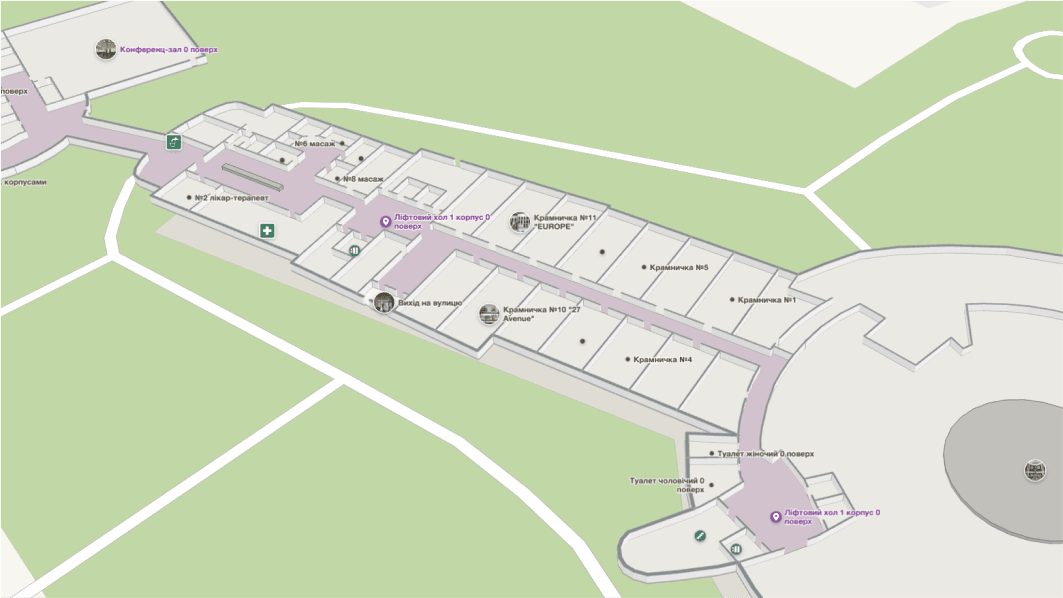
This use case gets stronger when signage is tied to indoor mapping and event data. A guest should be able to see not only that a breakout session moved, but also the updated path to the new room. That cuts down on crowding outside ballrooms and reduces the staff stationed only to point people down the hall.
Restaurants, bars, and grab-and-go areas
Food and beverage screens affect revenue at the point of choice, so the content has to support fast decisions. Menus should change by daypart, reflect actual availability, and highlight a small number of high-margin items. Hotels that execute this well often see stronger attachment sales and better visibility for on-property offers, as noted earlier.
In practice, the mistakes are predictable. Too many items on screen slow down the line, and pricing errors create guest friction. Promotions that are disconnected from inventory frustrate both guests and staff.
Good F&B signage usually does four things well:
- features a limited set of specials
- updates menus by breakfast, lunch, dinner, or late night
- keeps names, modifiers, and pricing current
- presents items at queue-reading distance
That discipline matters because a digital menu board is still an operations tool. If the POS, kitchen availability, and screen content are out of sync, the hotel creates extra remakes, refunds, and queue delays.
Safety, accessibility and service continuity
Some of the highest-value signage use cases don't generate direct revenue, but they protect labor efficiency and guest trust. Temporary closure notices, accessible route guidance, emergency messaging, and evacuation instructions belong on screens guests already check during the day.
Hotels get better results when utility content appears consistently, not only during a disruption. Guests learn where to look for accurate information. That habit matters during a weather event, elevator outage, or meeting room change.
A screen that helps guests find the right elevator, the right ballroom, or the nearest accessible route is also helping the operation stay stable under pressure. That's the broader business case for signage in hotels. It supports sales, but it also reduces avoidable interruptions, improves guest flow, and gives staff time back where labor is already tight.
Integrating signage with indoor mapping and hotel systems
One of the major weak points in the hotel digital signage conversation is the lack of detail around dynamic guest flow. A standalone screen can display information. But an integrated screen can help run the building.
Why static wayfinding falls short
Most hotels still treat wayfinding signage as a fixed map or directional board. That works in simple properties. But it breaks down in resorts, large conference hotels, mixed-use campuses, and buildings with frequent room changes or temporary closures.

A static map can tell a guest where the ballroom usually is. It can't account for a blocked corridor, a relocated registration desk, or a temporary route for accessibility. It also doesn't tell operations anything about where guests get stuck.
That's where connected indoor mapping changes the value of the screen. Instead of showing a general “you are here” graphic, the display can surface searchable destinations, turn-by-turn directions, and route options tied to the actual layout of the building.
What useful integrations look like
The most practical hotel signage stack usually pulls from a small number of systems:
- PMS inputs: Arrival messaging, guest or group welcomes, and service timing.
- Event and room booking systems: Live meeting schedules, room assignments, and last-minute changes.
- POS or F&B systems: Menu updates, specials, and venue-specific promotions.
- Facilities or operations alerts: Closures, cleaning issues, elevator outages, or temporary route changes.
- Indoor mapping data: Search, navigation, accessible routing, and visual wayfinding.
A hotel doesn't need every integration on day one. It does need to decide which operational problem matters most. If the main issue is check-in congestion, the first integration may be queue and wayfinding content. If the main issue is conference confusion, event scheduling and room signage come first.
The operational payoff of connected signage
The deeper value isn't only that the screen updates faster. It's that the hotel can align guest information with actual operating conditions.
Consider a familiar problem. A large group arrives, reception gets crowded, and guests start clustering around the desk for directions to registration, breakfast, or meeting rooms. If signage reflects those peak periods, the property can redirect attention before questions reach staff. If the maps are searchable and routes are visible, guests don't need to decode a generic floor plan.
Many deployments miss something important: Signage becomes more useful when it reacts to building conditions. Hotels invest in attractive screens but leave the content disconnected from the systems that know what's happening on property. That's why some signage projects feel modern without becoming operationally important.


Developing a content and operations workflow
Most signage failures are ownership failures. A hotel installs screens, publishes a few polished templates, and then the updates slow down. Six months later, one display is still promoting a closed venue and another is showing old event information.
That's avoidable if the hotel builds a workflow before rollout.
Assign ownership by screen purpose
Different screens need different content authority. A lobby information display shouldn't wait for a brand team to approve every breakfast hour change. A restaurant menu board shouldn't require front office staff to update pricing. Event signage shouldn't depend on someone remembering to email a file.
A practical model usually looks like this:
- Operations-owned screens: Lobby notices, amenity hours, service disruptions, and emergency messaging.
- Events-owned screens: Meeting room schedules, banquet signage, sponsor loops, and ballroom wayfinding.
- F&B-owned screens: Menus, specials, outlet promotions, and service hours.
- Marketing-owned screens: Brand campaigns, local partnerships, seasonal packages, and visual standards.
Build a simple publishing cadence
Not every display needs constant change. Some need high-frequency updates. Others need reliable review.
A workable cadence often includes:
- Daily checks for lobby, event, and F&B screens.
- Weekly reviews for evergreen promotional content.
- Immediate override rules for emergency notices and operational disruptions.
The important part is accountability. Someone has to know which content expires, who approves replacement, and what happens when that person is off-shift.
Keep templates disciplined
Hotels often overload signage with too much text, too many content zones, and too many objectives on one screen. That usually reduces readability and lowers trust.
Better content systems use a limited set of templates tied to actual use cases:
- Directional templates for where-to-go moments
- Schedule templates for event and amenity timing
- Promotional templates for dining, spa, and partner offers
- Alert templates for urgent updates and safety notices
Teams comparing platforms for this type of governance usually focus less on visual effects and more on permission control, scheduling, and template consistency in digital signage software built for managed content operations.
Hardware and connectivity checklist
Buying the wrong screen or mounting it in the wrong place is expensive. Hotels need to match hardware to the environment, not to a showroom demo.
Match brightness to the actual light conditions
Brightness is one of the easiest mistakes to avoid if the project team checks the space first. For hotel lobby and indoor wayfinding environments, panels need 400 to 500 nits for comfortable visibility without glare, while outdoor or sun-lit alfresco installations need 2,500 to 5,000 nits to stay readable.
Indoor teams sometimes overspec brightness and create discomfort. Outdoor teams often underspec it and end up with unreadable content for part of the day.
Protect the network and plan for outages
Hotel IT teams shouldn't treat signage players like harmless TVs. They are networked endpoints, and they need controls.
Media players should be isolated on a dedicated VLAN separate from guest data, POS, and HR systems. The same guidance recommends egress-only firewall configurations, encrypted HTTPS/TLS communication, and CMS support for offline playback so screens continue showing critical content during internet outages. That combination matters for both security and continuity.
Pilot before rollout
Run a 2-to-4-week pilot test in one accessible location before full deployment. This test surfaces issues that aren't obvious during procurement.
A good pilot answers concrete questions:
- Can staff update content without help from IT?
- Do media players stay stable over time?
- Are update speeds acceptable across the property?
- Does the screen remain readable in actual lighting conditions?
- Does offline playback behave correctly during connectivity loss?
The screen is the visible part of the project. Network design, player stability, and content operations decide whether guests trust it.
Planning your hotel digital signage rollout
The most useful way to evaluate digital signage for hotels is to ask where the property is losing time, clarity, or spend today. For some hotels, that's a front desk overloaded with repetitive questions. For others, it's banquet confusion, weak F&B promotion, or poor navigation in a large building.
A low-risk rollout usually starts small and measures one or two outcomes that matter to operations, i.e., pilot a lobby screen or test event floor displays. Pick a location where confusion is visible and where staff already know the pain points. Hotels need a screen strategy that answers guest questions faster, supports staff during peak periods, and ties visible information to reality of what's happening in the building.
Share