Digital signage is everywhere, but the term covers a lot of ground. A touchscreen directory at a shopping mall, a menu board at a quick-service restaurant, a video wall in a corporate lobby, and a gate information display at an airport are all forms of digital signage.
What they share is a common foundation: screen-based displays that deliver dynamic, updatable content rather than static print.
In this blog, we'll answer the question from the ground up:
- The definition of digital signage
- How it works
- The main types and use cases of digital signage
- What buyers need to evaluate when considering a solution for their venue
What is digital signage?
Digital signage refers to the use of networked digital displays such as on screens, kiosks, video walls, and related hardware to present information, advertising, wayfinding, or other content to an audience. Unlike printed signs, digital signage content can be updated remotely, scheduled in advance, and changed in real time without physically replacing any hardware.
At its most basic, a digital signage system has three components:
Hardware
The hardware is its physical display; think an LCD screen, LED panel, interactive kiosk, or large-format video wall. Hardware can be mounted on walls, placed on stands, embedded in furniture, or installed as ceiling-hung displays, depending on the environment.
Software / Content Management System (CMS)
The platform used to create, schedule, and distribute content to displays. A CMS is the operational core of digital signage. It determines how easy it is to make updates, manage multiple screens, integrate with live data sources, and measure performance.
Content
The content is what actually appears on the screens. This includes static images, videos, live data feeds (flight departures, pricing, wait times), wayfinding maps, advertising, emergency alerts, and interactive applications.
The connection between these components is typically a network (either wired or wireless) that allows the CMS to push content updates to displays in real time or on a set schedule.

How does digital signage work?
A media player or integrated computer connected to each display communicates with the central CMS, pulling content updates and rendering them locally on the screen. When an operator makes a change in the CMS, it propagates to every connected display within seconds:
- Updating a promotion
- Closing a store location
- Pushing an emergency message
More sophisticated digital signage platforms connect the CMS directly to live data sources: point-of-sale systems, property management databases, flight information systems, event ticketing platforms, or inventory management tools. This means the signage automatically reflects real-world changes without requiring manual updates.

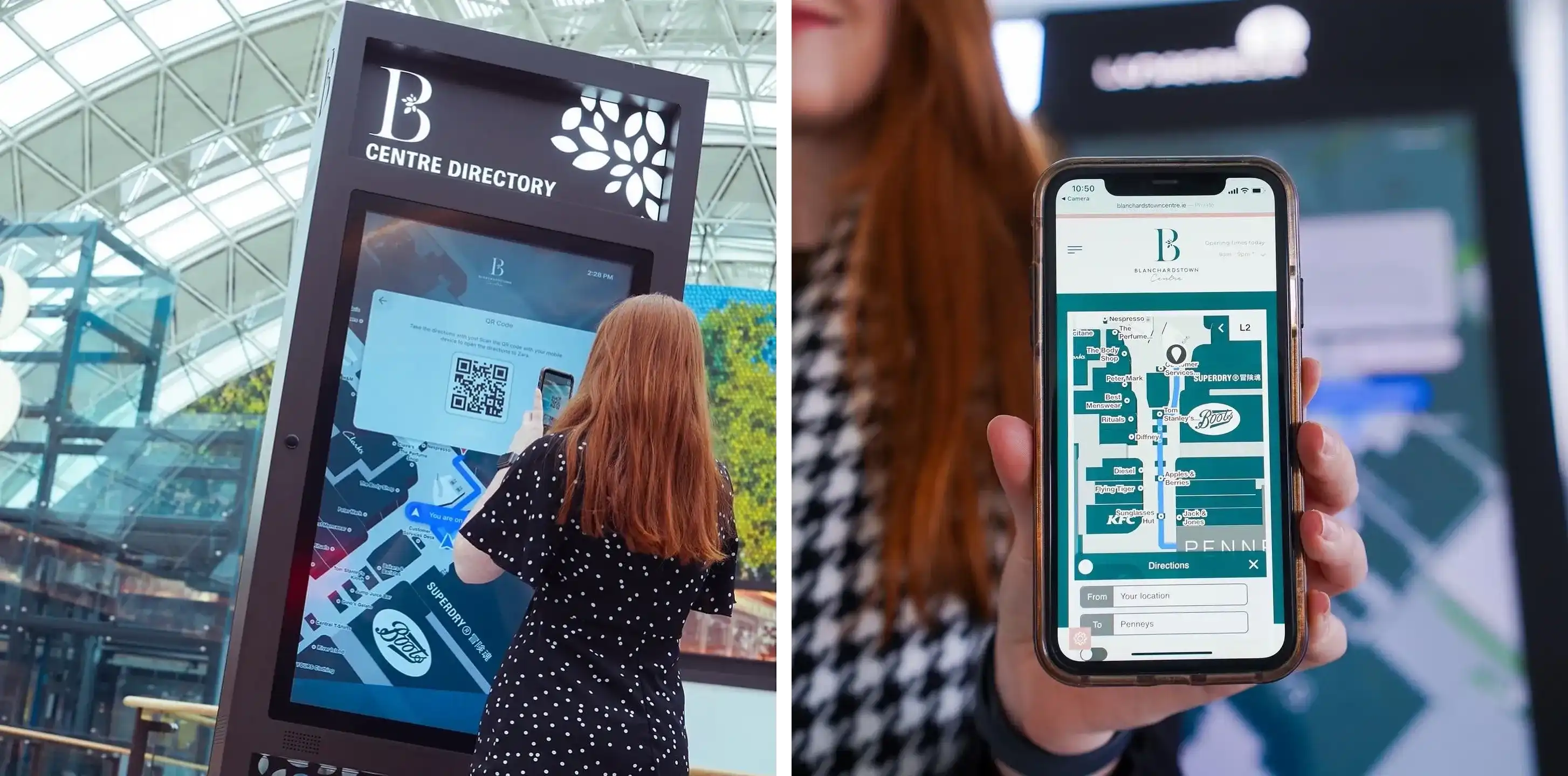
Interactive digital signage, such as touchscreen directories, adds another layer. Users interact directly with the screen to search for information, generate wayfinding routes, or complete simple transactions. The interaction data can feed back into analytics dashboards, giving operators insight into how visitors are using the system.
Looking for a connected indoor mapping and digital signage solution for your venue? Try Mappedin for yourself →
What are the main types of digital signage?
Digital signage as a whole is a broad category. These are the most common formats, along with where each one tends to be deployed:
Static display screens are the simplest form: a screen displaying rotating content like promotions, announcements, and brand messaging managed remotely. These are common in retail storefronts, corporate reception areas, and hospitality environments.
Menu boards are widely used in food service. Digital menu boards allow restaurants and food courts to update pricing, item availability, and promotions instantly—and to switch between breakfast, lunch, and dinner menus on a schedule. During supply disruptions or price changes, a digital menu board eliminates the cost and delay of reprinting physical menus.
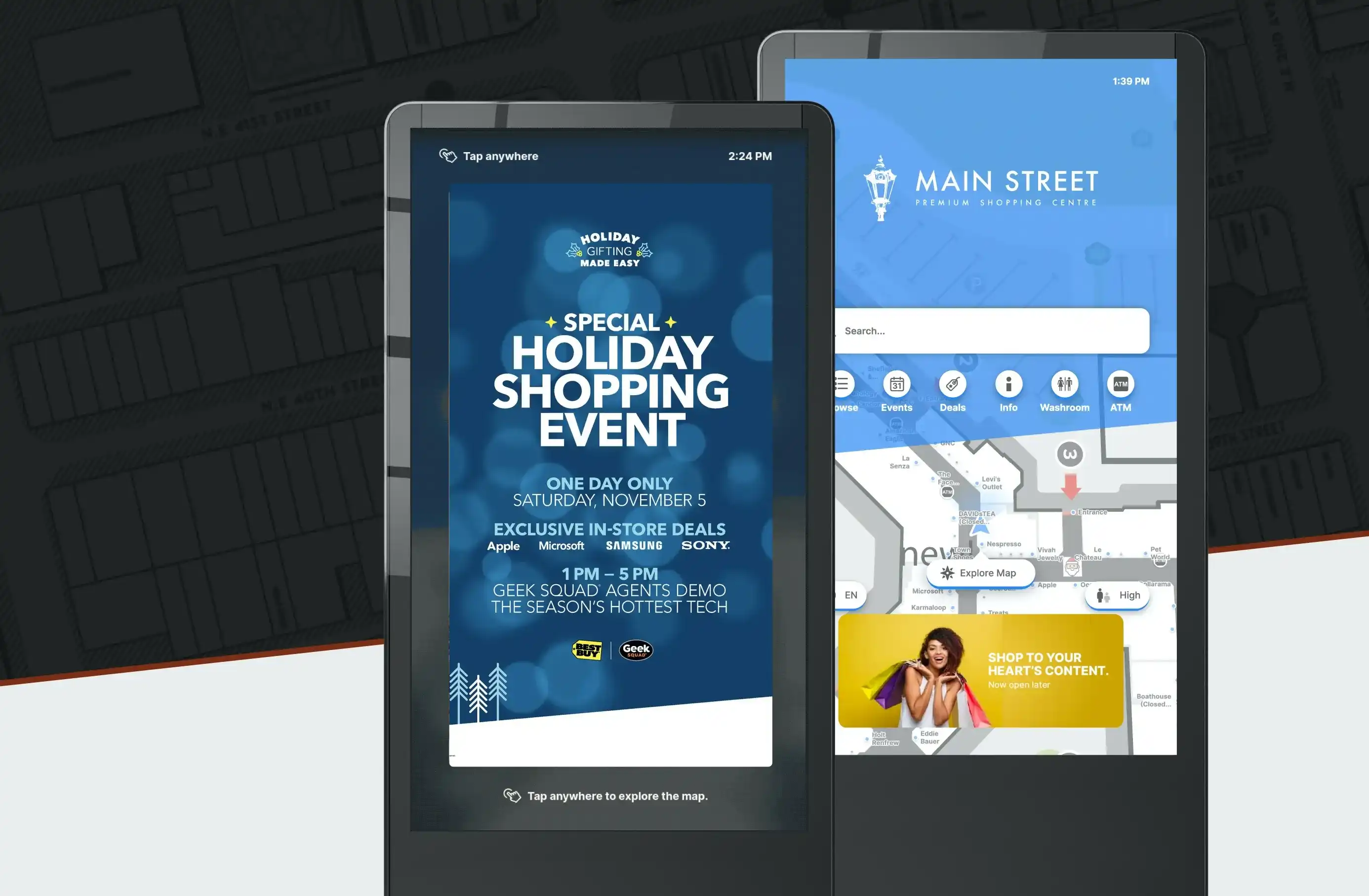
Interactive kiosks and directories combine a display with a touchscreen interface, allowing visitors to search for locations, generate wayfinding directions, check schedules, or access services independently. These are prevalent in shopping malls, airports, hospitals, corporate campuses, and sports venues.
Video walls are large-format displays assembled from multiple screens to create a single high-impact visual surface. Video walls are most common in retail flagships, entertainment venues, and high-traffic transit hubs where attention and brand impact are priorities.
Digital out-of-home (DOOH) advertising displays are designed specifically for advertising revenue, placing brand messages in high-traffic public spaces. While this is a distinct industry with its own buying and trading infrastructure, many venue operators manage DOOH inventory alongside their operational signage from the same CMS platform.
Wayfinding-specific displays are a sub-category of interactive kiosks designed primarily for navigation. These are covered in more detail below.

Where is digital signage used?
Retail and mall kiosks
In a retail environment, digital signage serves multiple purposes simultaneously: promoting current campaigns, surfacing tenant events and deals, directing visitors to stores, and delivering advertising revenue from tenants and national brands. For mall operators, interactive directories are often the highest-traffic digital touchpoint in the property, particularly at entry points and near anchor tenants.
Keeping content current is a persistent operational challenge in retail environments. Stores open, close, relocate, and change their hours. Promotions launch and expire. A digital signage CMS that connects directly to the venue's leasing database eliminates the need for manual updates and keeps directory information accurate without staff intervention.
Airports and transit
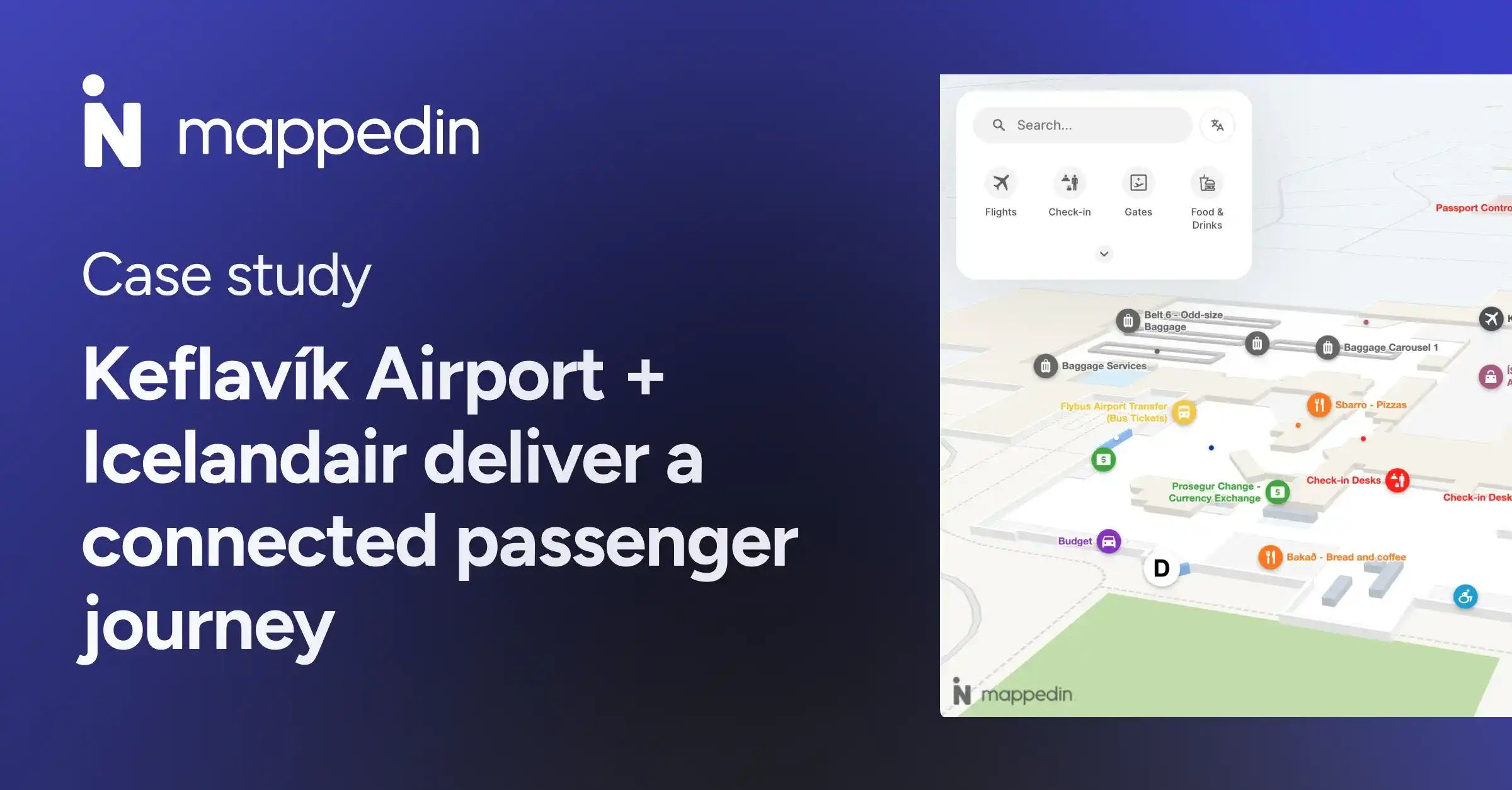
Airports use digital signage for flight information displays (FIDS), wayfinding directories, airport advertising, and passenger experience content. The environment places a premium on accuracy and real-time data: a directory showing a gate in the wrong location, or a departure board that's even a few minutes out of date, creates real operational problems.
Many major airports have moved from single-purpose flight information systems to integrated platforms that combine wayfinding, FIDS, and advertising on a shared content infrastructure, reducing the number of vendor relationships and allowing a single team to manage all displays from one system.
Hospital wayfinding signage
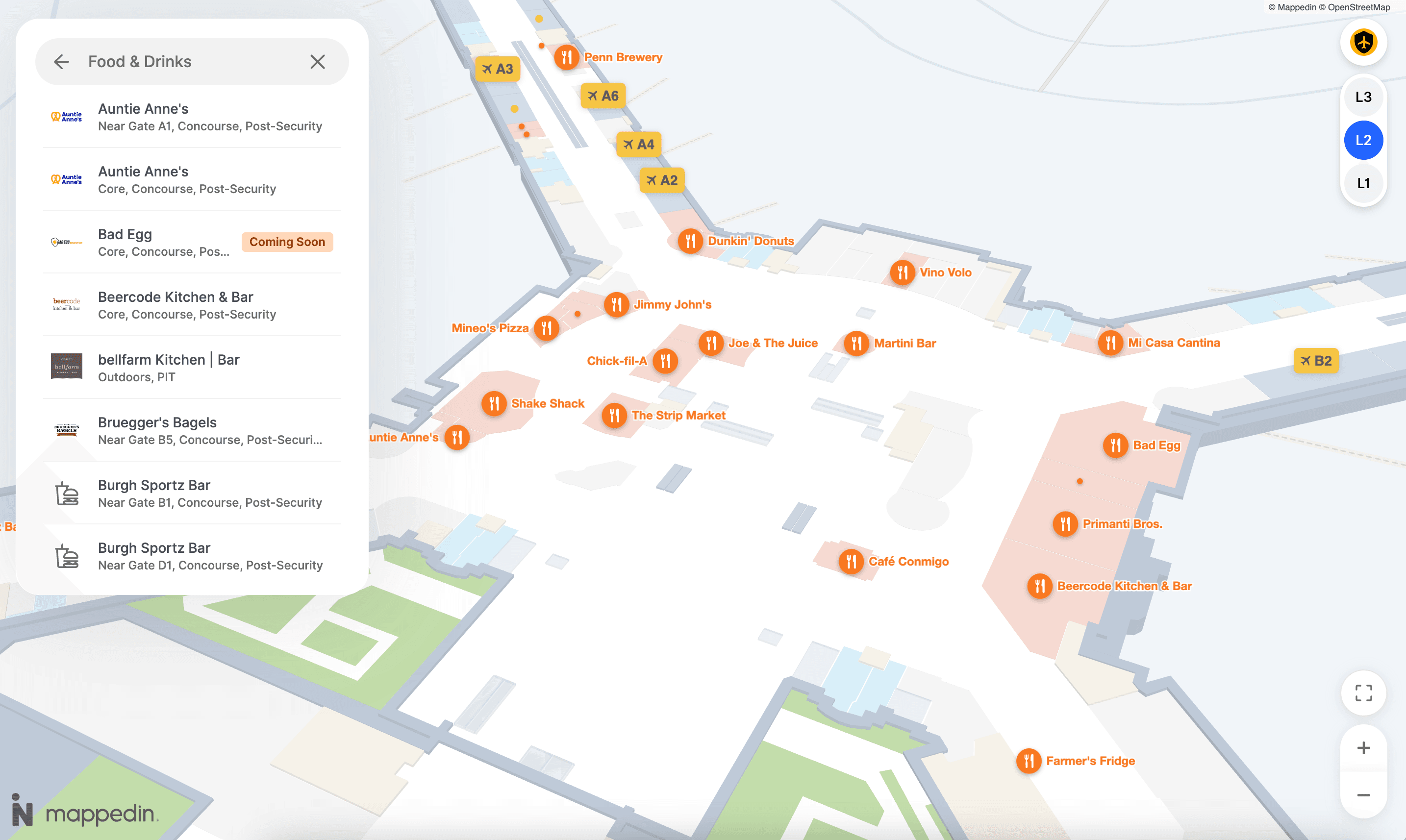
Hospitals and health systems use digital signage for patient wayfinding (large medical campuses are among the most difficult-to-navigate indoor environments in regular use), waiting room content, staff communications, and facility announcements.
In healthcare settings, it's particularly important to offer accessibility features like:
- Screen reader compatibility
- Stair-free routing
- High/low contrast mode
- Multilingual support
These capabilities aren't optional in a setting where the visitor population includes people with mobility challenges and non-English speakers arriving in unfamiliar and often stressful circumstances.
Corporate campuses
Enterprises deploy digital signage across office campuses for internal communications, meeting room booking interfaces, visitor management, and campus wayfinding. With the shift toward hybrid work models, many organizations are also using digital signage to display real-time desk and meeting room availability.
Stadiums and entertainment venues
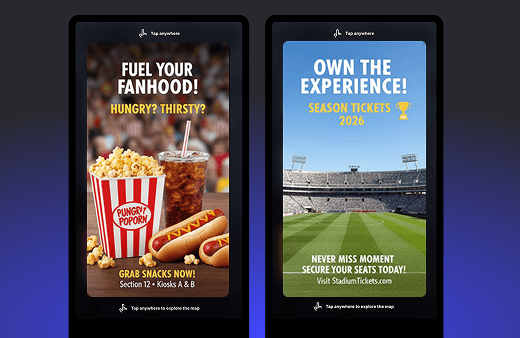
Sports venues use digital signage for concourse wayfinding, concessions menus, advertising, and live game content. The operational challenge to keep content accurate is significant:
- Concession pricing changes between games
- Sponsorship content needs to rotate on strict schedules
- Emergency messaging and routing
Analytics on which displays drive the most engagement (and which content formats perform best) feed into both operational improvements and sponsor reporting.


What are the benefits of digital signage?
Real-time content control
Changes made in the CMS appear on screens immediately, without requiring physical presence at the display. For venues managing dozens or hundreds of screens, this is a fundamental operational advantage over printed signage.
Reduced print and production costs
Recurring print costs for menus, directories, promotional materials, and wayfinding signs are eliminated once digital infrastructure is in place. The economics typically favor digital signage over a 3–5 year horizon for any venue with significant print replacement frequency.
Improved visitor experience
Accurate, easily accessible information—whether it's a promotion, a store's current hours, or directions to a restroom—reduces friction in the visitor journey.
According to a recent study, 53% of visitors to large venues experience at least one navigation problem during their visit, a friction point that well-deployed signage directly addresses.
Revenue generation
Venue operators who own high-traffic digital displays can monetize those surfaces through tenant advertising, national brand campaigns, and sponsorship integrations. For a large regional mall or transit hub, this represents a meaningful revenue stream that offsets technology investment costs.
Emergency communication
A networked digital signage system can push emergency alerts — weather events, evacuations, security incidents — to every display in a venue simultaneously, with immediate effect. This is a genuine safety capability that static signage cannot match.
Measurable performance
CMS platforms with analytics capabilities capture engagement data: how many interactions a kiosk receives, which content formats generate the most attention, and where visitors spend time in the space. This data informs both content strategy and venue operations.
How venues are using digital signage for wayfinding today
Wayfinding represents one of the highest-value applications of digital signage in complex venues, and it's one where the technology has advanced substantially in the past five years.
The traditional approach of static printed directories supplemented by overhead hanging signs has significant limitations:
- Goes out of date the moment anything changes
- Can't account for temporary closures or construction detours
- Doesn't generate any data about visitor behavior
Interactive digital wayfinding directories address these limitations, but they're only as useful as the data behind them. An out-of-date map on a touchscreen is more frustrating than an out-of-date paper directory, because it creates a false expectation of accuracy.
For venues, the more effective approach is to connect the wayfinding system directly to a live data source like the venue's leasing or tenant database or FIDS so that store openings, gate changes, and real-time events are reflected automatically on every touchpoint where the map appears. This applies to in-venue kiosks, the venue's website, and mobile apps simultaneously.
Mappedin is one platform enabling this approach. Its indoor mapping platform connects venue data to digital directories, web wayfinding, and mobile applications from a single CMS, so when a tenant's status changes, the update appears everywhere at once without manual intervention.
Venues using Mappedin include shopping centres, airports, hospitals, and corporate campuses that manage complex multi-floor environments with frequent tenant turnover.
Deployed at scale, this kind of integrated wayfinding reduces the staff overhead of maintaining signage accuracy and improves the visitor experience by ensuring the directory is always current.
For venue operators evaluating digital signage with a wayfinding component, the key question is whether the wayfinding system is genuinely connected to live data or whether accuracy depends on someone manually updating a separate CMS whenever anything changes.
Looking for a connected indoor mapping and digital signage solution for your venue? See how Mappedin works →
Related resources:
Share