

When it comes to venue navigation and discovery, the hardware alone is never the full picture. Kiosk software sits between the physical screen and the venue's operational data. It controls what visitors can do, connects the experience to maps, payments, inventory, or booking systems, and gives the operations team a way to monitor and update the device after installation.
The buying decision becomes clearer when it focuses on three trade-offs that simple comparisons often miss:
- Fleet operations maturity
- Accessibility as a design constraint
- Deep integration with venue data
What kiosk software does in a venue
A kiosk is easy to misunderstand because visitors see only the screen. They don't see the operating system underneath, the application that renders each step, the APIs that retrieve venue information, or the management console that tells the device when to update.
Think about a mall directory. A visitor searches for a retailer, receives directions, and sees current opening information. The kiosk application handles the search and displays the route, but the result depends on data from the venue's map, tenant directory, and content systems. If those systems aren't connected, the screen may still look polished while giving directions to a closed store.
A useful model has two parts:
- The application layer: This renders the visitor experience, including menus, forms, maps, payment steps, search, multilingual content, and error messages.
- The management plane: This controls the device, distributes software and content, collects status information, and supports remote intervention.
The runtime will also behave differently from a normal website. A public kiosk should prevent users from reaching system menus, exiting the application, or accessing unrelated files. It may need to launch automatically, return to its home screen after inactivity, and keep working when connectivity is unreliable. Those controls reduce the chance that one abandoned session exposes the next visitor to private information or leaves the device unusable.
A content editor may help a marketing team publish a new promotion, but it won't necessarily provide device health monitoring. A device-management platform may secure an operating system, but it may not understand wayfinding, ticketing, or venue inventory. Enterprise kiosk software has to connect both sides without making local staff responsible for every failure.
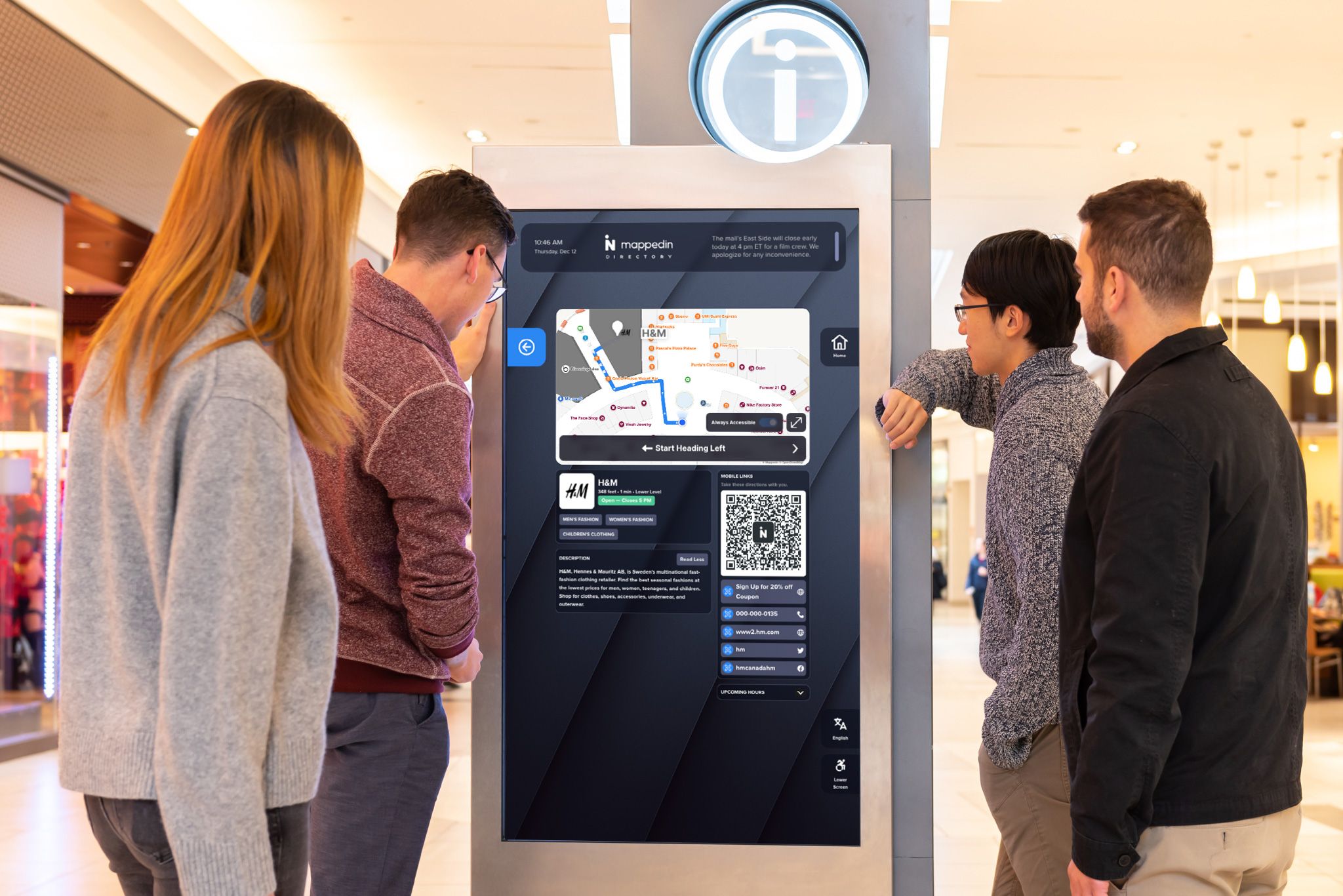
The restaurant model: Building blocks of kiosk software
A restaurant analogy makes the architecture easier to remember. The locked-down operating system is the kitchen, the kiosk application is the menu and dining room, and the remote management console is the head office coordinating several locations.
The runtime is the kitchen
The runtime creates a controlled environment for the application. It restricts access to system functions, prevents visitors from opening another application, starts the kiosk experience automatically, and can relaunch it after a crash or restart.
This layer matters because public devices face conditions ordinary office computers don't. Visitors tap unpredictably, power can be interrupted, networks can drop, and peripherals can stop responding. Offline operation and local content storage let a kiosk continue delivering core information during connectivity problems, while synchronization can occur when the connection returns.
The result is more than a better user experience. It also reduces staff callouts and limits the time a revenue-generating or service-critical device remains unavailable.
The application is the dining room
The application layer is what visitors interact with. It can render a mall directory, airport wayfinding, stadium concessions, healthcare check-in, ticket collection, or a payment workflow.
Teams should examine the complete journey rather than a screenshot. The application needs to handle search, backtracking, language selection, validation, error recovery, session reset, and handoff to another system. A visually attractive interface that loses a visitor's progress after one invalid field can create queues just as surely as a slow device.
The management console is head office
The management layer gives the operations team a fleet view. It should show whether devices are online, apply configuration changes, distribute content and application updates, and support remote rebooting. More mature platforms can capture screenshots or recordings for verification, helping a support team determine whether a device is displaying the intended experience before sending a technician.
The distinction also exposes incomplete products. A tool may excel at templates but offer limited fleet controls. Another may manage Windows devices effectively but require custom development for venue-specific workflows. Buyers should compare the full operating model, not just the screen designer.

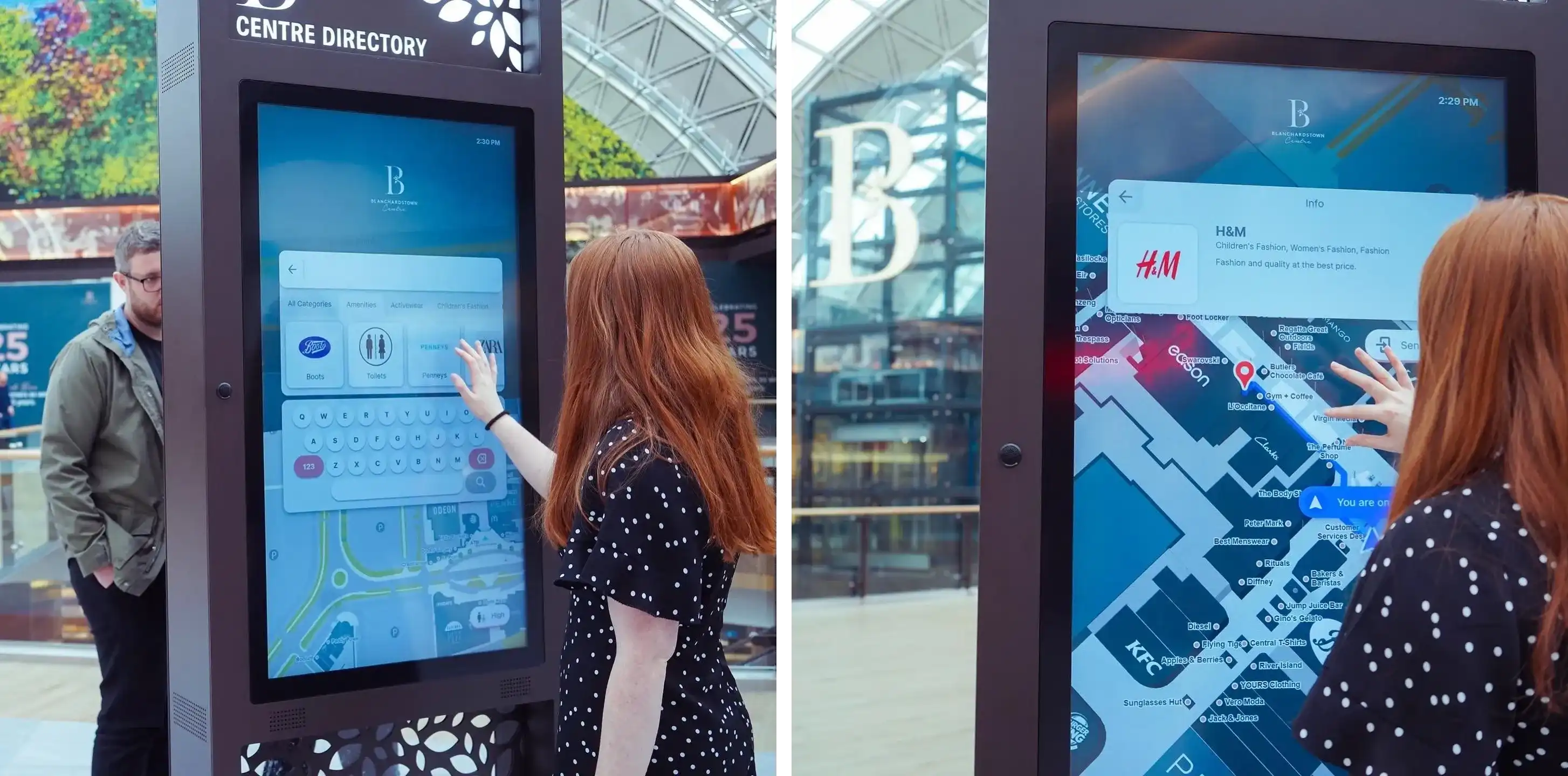
Blanchardstown Centre captivates customers with ads and events
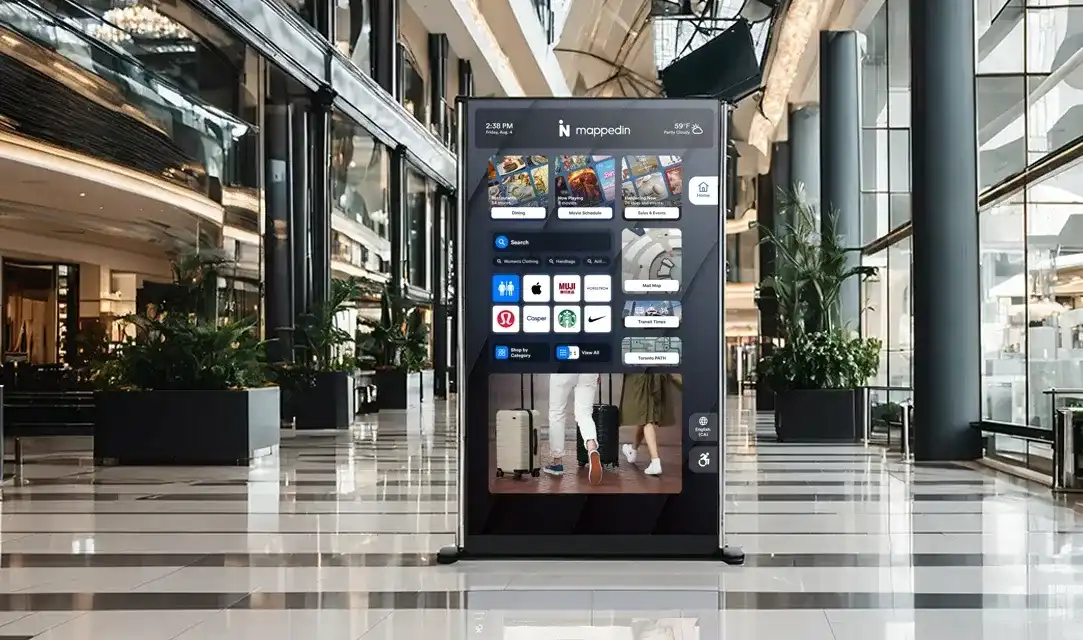
With Mappedin's Digital Directories featured across the property, Blanchardstown Centre provides additional digital touchpoints for shoppers to access location information and directions. The Digital Directories are equipped with smart search, a 3D interactive map, and intuitive wayfinding to create an enhanced navigation experience.
Kiosk software features that matter for enterprise venues
Feature lists become useful when each item is tied to a venue problem. A kiosk that fails during a quiet period is an inconvenience. The same failure during a flight bank, retail promotion, or event release can send visitors to staffed desks and reduce the number of people who complete a transaction.
Runtime controls prevent avoidable service calls
- Kiosk lockdown blocks system menus, unauthorized applications, and settings. Without it, a visitor may leave the intended flow, change the device configuration, or expose information from an unfinished session.
- Auto-recovery returns the application to a usable state after a crash, power interruption, or unexpected error. If the feature is missing, staff must notice the failure, find the device, and restart it manually. That adds labor and creates an unavailable service point at the exact time visitors expect self-service.
- Offline mode keeps essential maps, instructions, or workflows available when the network is weak. A venue shouldn't assume that every kiosk has a stable connection, especially across large terminals, parking areas, underground concourses, or temporary event spaces.
Content controls shape completion
Branding keeps the experience recognizable, but brand consistency isn't enough. For example:
- Airport visitors may need language selection and clear terminology
- Mall shoppers may need current store categories and promotions
- Stadium guests may need menus, gate information, ticket instructions, and accessibility routes in the same session
Remote publishing matters when information changes frequently. A directory that requires a technician to update store hours creates avoidable delay and may direct visitors toward a closed tenant. Multimedia can support orientation and promotion, but video and animation should serve the task rather than slow down search or obscure important controls.
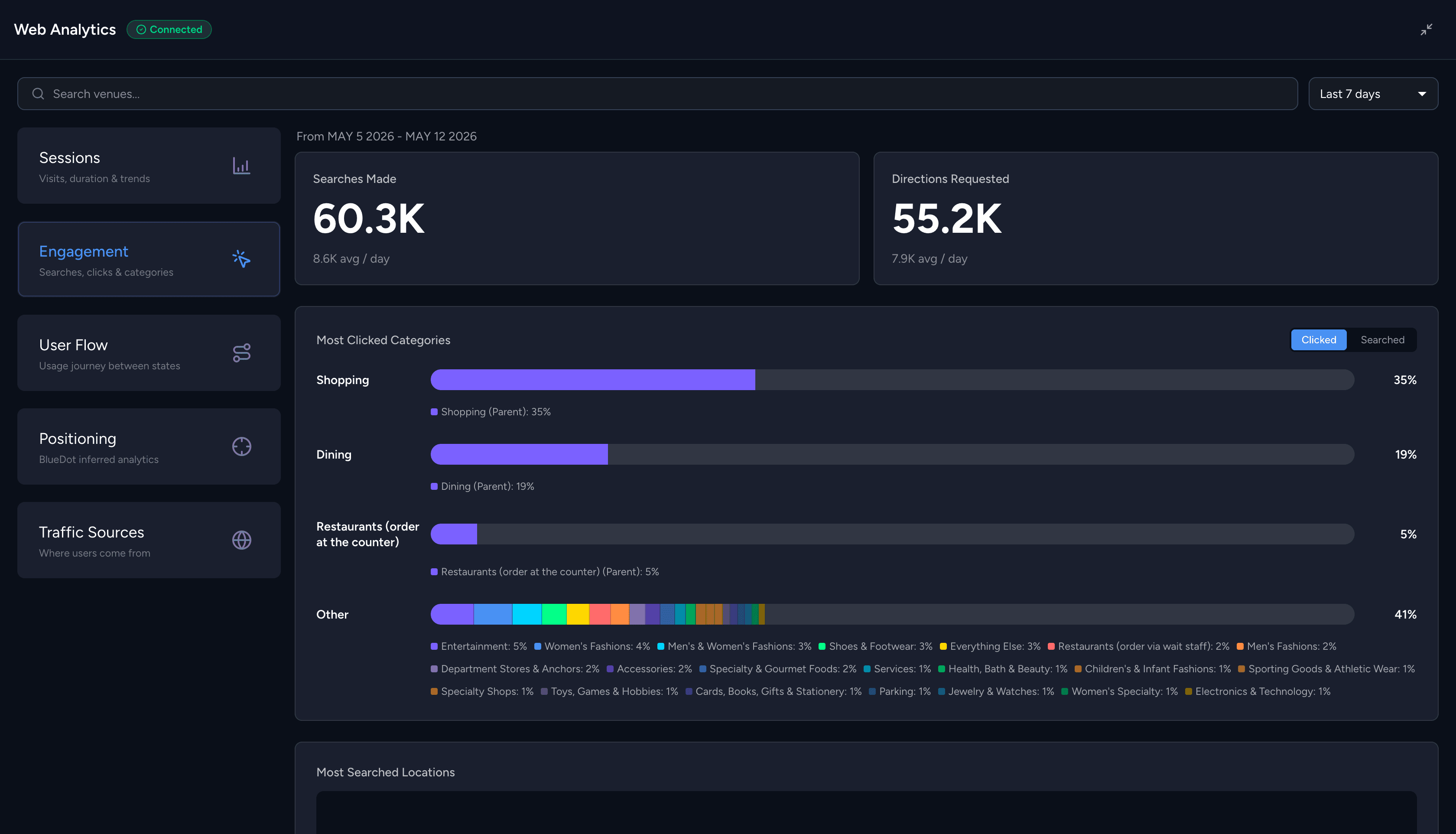
Analytics are critical for understanding guest flow and intent. They should show more than total sessions. Exit points, incomplete journeys, search terms, and device status help teams identify whether a problem belongs to content, navigation, connectivity, or hardware. A high session count can look positive while visitors abandon the flow before reaching directions or payment.
Device handling affects the handoff
Touch input may be central, but airport and venue workflows often include printers, scanners, card readers, headphones, speakers, or physical buttons. The software needs to recognize those peripherals, recover from a failed handoff, and protect the next session from the previous visitor's data.
A practical evaluation question is simple:
The answer should describe a recoverable workflow, not just a list of supported devices.
Integrations that turn a kiosk into an operational tool
A kiosk without integrations is mostly a display. And while for simpler venues, that may be adequate, larger, more complex venues should get more out of their kiosk. It's important to understand what information the application can retrieve, what actions it can trigger, and how quickly changes become visible to visitors.
Indoor mapping and wayfinding
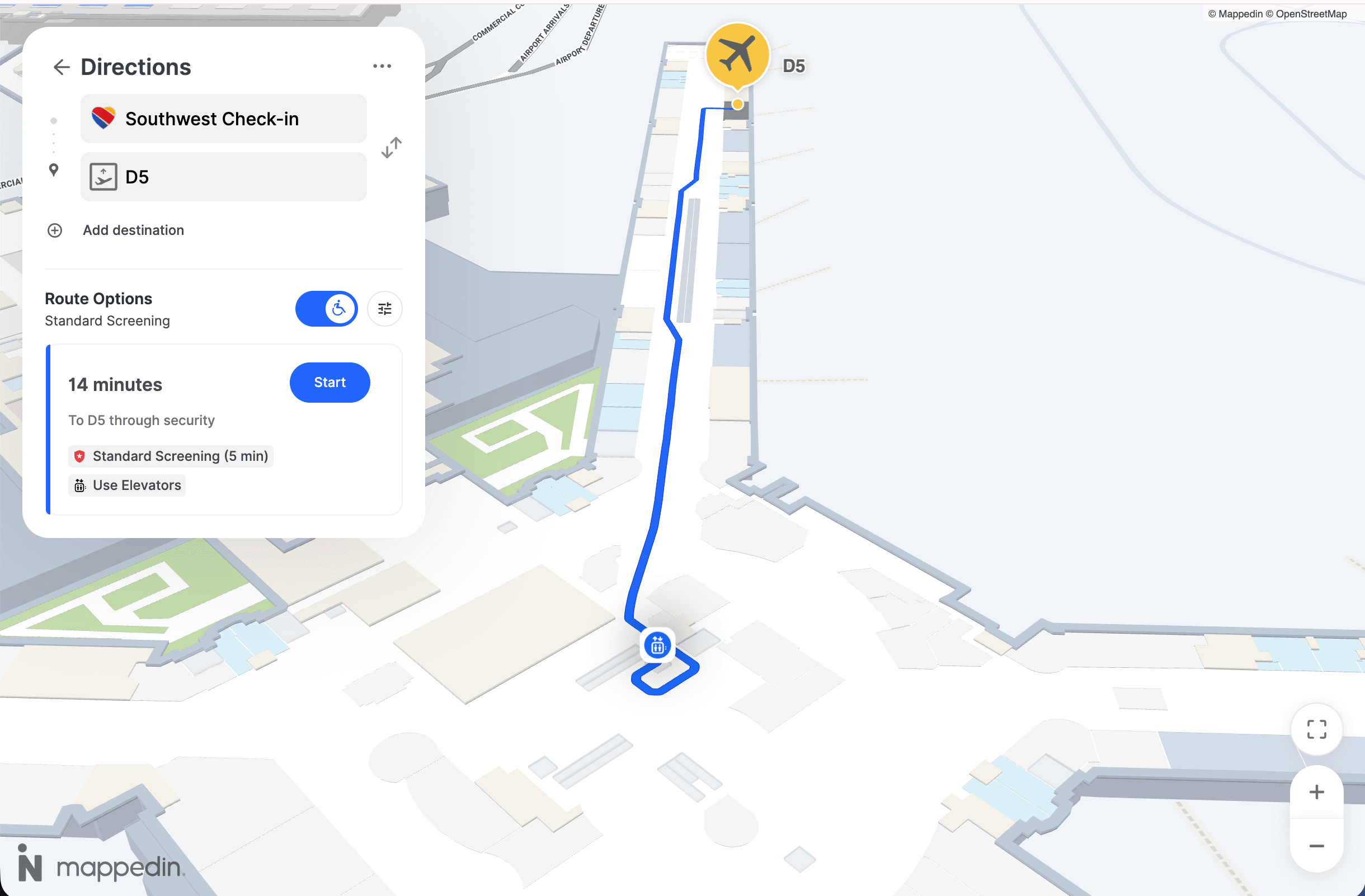
A mall kiosk can pull current tenant locations, store hours, categories, and promotions. An airport experience can connect gate information with routes through security and concourses. A stadium can show entrances, sections, concessions, restrooms, and accessible paths from the visitor's current location.
Wayfinding software like Mappedin represents one approach to connecting location intelligence with a kiosk experience. Other mapping providers, custom systems, and venue platforms may fit better where a team already has established data models or infrastructure.
The integration should define more than a map embed. It should address:
- Floor changes
- Temporary closures
- Construction
- Accessible route preferences
- Search synonyms
- Publishing ownership
If a venue changes a destination in one database but not the kiosk, visitors receive conflicting guidance and staff absorb the resulting questions.
POS and payment systems
Payment integrations create a direct operational dependency. A stadium kiosk may send a food order to a point-of-sale system, while a ticketing kiosk may validate a reservation or print an entry document. The kiosk needs clear states for authorization, declined payments, duplicate submissions, receipt delivery, and session expiration.
Native integrations usually reduce initial implementation work because the vendor has already defined the connection. The trade-off is dependency on that vendor's supported systems and release schedule. Partner platforms can provide flexibility, but they add another integration tier to monitor. Custom APIs give the venue control over the workflow, though the venue also inherits testing, documentation, and long-term maintenance.
Analytics and property systems
Analytics integrations connect kiosk behavior with wider venue operations. A property system may provide tenant records, a booking platform may provide reservation data, and a customer platform may support loyalty or visitor recognition. The data model needs careful ownership. Teams should decide which system is authoritative for each field and how the kiosk handles stale or unavailable data.
Security and accessibility
At a stadium entrance, a visitor may need spoken directions, while an administrator needs a locked-down device that accepts only approved software. Treating those needs as separate checklists can create conflict. Security settings may block assistive functions, and accessibility features may add input paths that require deliberate protection.
Start with a shared design
A secure kiosk typically combines hardened operating-system settings, authenticated administration, encrypted storage and traffic, controlled USB access, patching, audit logs, and tamper resistance. Updates should be trusted and verifiable. Visitor interactions should remain separate from administrative functions.
Accessibility, at the same time, begins with reachable controls, clear floor space, readable contrast, usable target sizes, understandable language, error recovery, and alternatives to touch-only interaction. Accessible kiosk design guidance can help teams treat these requirements as part of the interface and placement plan, rather than as a late compliance review.
Audio can support visitors who can't use visual navigation, but public spaces create privacy concerns. Wayfinding guidance recommends delivering route instructions through a handset or headphone jack instead of open speakers, as described in this guidance on accessible wayfinding kiosks.
Closed functionality changes the requirement
U.S. federal agency kiosks governed by Section 508 must support closed functionality, including speech output for users with vision impairments. Users cannot install their own assistive technology on a closed system. The ADA kiosk FAQ also highlights reachable controls, clear floor space, and usable audio or assistive technology.
Also, federal ICT accessibility rules require kiosks to provide at least one input and one output data connection using industry-standard, non-proprietary formats, according to this federal information kiosk reference. Standard connections also make replacement, maintenance, and integration less dependent on one proprietary component.
Test the experience
Touchscreen compliance alone doesn't show whether a visitor can finish a task. Hardware height, viewing angle, headphone access, input devices, audio behavior, and software focus all matter. Independent kiosk accessibility guidance recommends evaluating hardware and software together, including alternatives like keyboards or audio navigation.
Teams should test with actual users and record the results. Review navigation, speech output, payment handoff, timeout behavior, language selection, and error recovery. That evidence supports procurement decisions and gives fleet teams a clear basis for later remediation and maintenance.

Enterprise-scale deployment and maintenance
A pilot can hide operational weaknesses. A fleet exposes them. Once devices occupy multiple airports, malls, stadiums, or campuses, the team needs a repeatable process for installation, updates, support, and retirement.
Build the rollout around risk
A practical rollout starts with a site survey. Operations teams should confirm mounting, viewing angle, power, network coverage, peripheral placement, accessibility clearances, and physical exposure. Hardware standardization then reduces the number of device profiles, spare parts, and troubleshooting paths.
The pilot should run in a lower-risk location with representative connectivity and visitor behavior. The team can test performance, offline behavior, accessibility, audit logging, update rollback, and recovery from power loss before exposing a high-volume venue to the same configuration.
A staged deployment might look like this:
- Prepare a baseline: Record the approved operating-system image, application version, content package, security settings, and peripheral configuration.
- Test a small group: Validate the experience with staff and visitors, then review logs and support events.
- Expand by site or region: Release updates gradually so an error doesn't affect every venue simultaneously.
- Keep a rollback path: Store the prior known-good application and content version where the platform supports it.
- Document ownership: Assign responsibility for content, device health, security patches, integrations, and field dispatch.
Self-service becomes the cost control
Enterprise kiosk stacks should push operating-system patches and application updates, reboot devices, and verify the visible experience remotely. Screenshot capture or screen recording can help support teams distinguish a software issue from a damaged display or disconnected peripheral.
The management console should also expose uptime, last check-in, update status, connectivity, and device alerts. A technician should travel to a site when telemetry indicates a physical problem, not only because a visitor reports that a screen looked unusual.
Kiosk software vendor checklist
A procurement checklist should ask for direct evidence, not vague promises. Consider these requirements when evaluating vendors:
- Runtime hardening: Ask how the platform blocks escape, resets sessions, launches at startup, and handles offline use.
- Accessibility documentation: Request conformance evidence covering software, hardware, alternative input, audio, and closed functionality where applicable.
- Remote management depth: Confirm patching, staged releases, rebooting, screenshots, logs, alerts, and rollback procedures.
- Integration openness: Review native connectors, partner options, APIs, data ownership, authentication, and failure handling.
- Support model: Clarify response paths, field-service responsibilities, replacement procedures, and escalation ownership.
- Security evidence: Examine encryption, administrative access, update signing, audit trails, segmentation, and tamper controls.
- Roadmap transparency: Ask which integrations and accessibility capabilities are supported now, and which remain planned.
Different kiosk software vendors have different strengths. Windows-based platforms may suit venues that depend on enterprise compatibility and existing management tools, while Android options can fit retail and hospitality environments that favor simpler device deployments.
Dedicated kiosk vendors may offer stronger peripheral support, whereas general device-management products may provide deeper operating-system governance. The trade-off is total cost of ownership, not a universal winner.
Looking for enterprise-wide indoor mapping to power kiosks and digital signage? Book a demo of Mappedin to see how our interactive maps, kiosk directories, navigation, and venue data can fit into a managed visitor experience.


Share